

Courses
Discover thousands of courses from top institutions and platforms worldwide
Level
Course Type
Duration

Microsoft Learn
Learn to set up the Accounts receivable module in Dynamics 365 Finance to create customer invoices, post packing slips, and use free text invoices that aren't related to sales orders. This module also explains how to receive customer payments by using several different payment types, such as cash, checks, credit cards, and electronic payments.In this module, you learn how to: Set up Accounts receivable components. Create and maintain a customer. Set up customer payments. Set up payment calendars and calendar rules. Set up customer posting profiles. Set up accounts receivable charges. Learn how to create free text invoices, record customer payments, distribute funds, configure recurring invoices, and reimburse a customer.In this module, you learn how to: Create free text invoices and record customer payments. Distribute funds by using accounting distributions. Configure recurring invoices. Use reversals in Accounts receivable. Settle transactions. Reimburse a customer. Although most customers pay their invoices on time, you must be able to process invoices that aren't paid by their due date. Accounts receivable collections information is managed in one central view by using the Collections page in Dynamics 365 Finance. Credit and collections managers can use this central view to manage collections.In this module, you learn how to: Configure credit and collections components. Configure aging reports, customer pools, collection agents, and aging period definitions. Set up and manage interests. Set up and manage collection letters. Although most customers pay their invoices on time, you need to be able to process invoices that aren't paid by their due date. This module shows you how Dynamics 365 Finance helps companies to process collections for delinquent customersIn this module, you learn: How to use customer account statements. How to process collections using Copilot in Dynamics 365 Finance. How to use the credit management feature. This module equips finance professionals with the essential skills to configure, manage, and optimize cost accounting processes within an enterprise finance system, enhancing accuracy and strategic decision-making.In this module, you learn how to: Implement basic cost management practices Set up inventory cost groups and costing versions Differentiate among key inventory costing methodologies and select the appropriate one Set up item model groups, item groups, and posting profiles Perform inventory recalculations, closings, and adjustments

Microsoft Learn
Explore how to configure the Accounts payable module, set up vendor posting profiles and payments in Dynamics 365 Finance.In this module, you learn how to: Configure accounts payable components. Create and maintain a vendor. Configure vendor payments. Set up vendor posting profiles. Configure accounts payable charges. Learn how to work with accounts payable daily procedures in Dynamics 365 Finance.This module explains how to: Work with incoming invoice payments. Process accounts payable credit memos. Modify due dates and discount dates. Work with cash discounts from vendors. Create vendor payments. Reverse vendor payments. Manage prepayments and prepayment invoices. Accounting distributions are used to define how an amount is accounted for. For example, how the expense, tax, or charges are accounted for on a vendor invoice. Every amount must be accounted for when the vendor invoice is journalized has one or more accounting distributions.In this module you learn how to: Settle transactions and undo settlements. Distribute funds by using accounting distributions. Configure invoice validation policies. Automate data extraction from scanned documents or images using optical character recognition (OCR) technology.In this module, you will: Set up optical character recognition (OCR) in Dynamics 365 Finance. Manage parameters that are specific to OCR in Accounts payable. Manage Workflow editor to allow invoice automation processes. Learn about the Expense management module in Microsoft Dynamics 365 Project Operations, which allows organizations to track and manage employee expenses.In this module, you will: Learn about Expense management capabilities. Discover Expense management features. Review considerations for planning to use the Expense management module in Project Operations. Learn how to set up and configure Expense management in Microsoft Dynamics 365 Project Operations.In this module, you will: Discover the Expense management workspace. Learn how to turn on the Expense reports re-imagined feature. Review the Expense management parameters. Learn about workflow functionality for expense management. Set up expense policies, and evaluate policies using the Audit workbench. Set up mileage expense options. Set up credit card transaction processing and import credit transactions.

Trailhead
Ensure your Marketing Cloud account is operating efficiently.Review your account setup, risk factors, and data hygiene for peak sending performance.Discover the ways to send an email in Marketing Cloud.Optimize your data and content to send Marketing Cloud emails faster.Ensure email delivery using sender authentication, Reply Mail Management, and more.Find and maintain contact records in Marketing Cloud.Learn how and when to delete contacts in Marketing Cloud.Create send logging data extensions to capture detailed information about your sends.

Coursera
By the end of this project, learners will have an understanding about all the features in Facebook Business Manager. Also, using a hands-on approach, learners will create a Facebook Business Manager account. Facebook Manager is a central hub for managing numerous aspects of a business with a Facebook presence. According to Facebook, “Business Manager allows advertisers to manage their marketing efforts in one place and share access to assets across their team, partner agencies and vendors.” Note: This course works best for learners who are based in the North America region. We’re currently working on providing the same experience in other regions.

Coursera
This course, GenAI for Account Managers: Personalizing Client Engagement, equips you with cutting-edge AI strategies to elevate your client management skills. Learn to personalize communication across email, chat, and voice channels, automate client workflows for efficiency, and leverage predictive insights to anticipate client needs. With a focus on actionable insights and real-world case studies, the course addresses common challenges account managers face, such as managing diverse client expectations, scaling personalization, and ensuring consistency. Through four comprehensive lessons, you’ll explore the fundamentals of GenAI, master personalized communication, enhance client insights, and automate workflows to deliver scalable solutions. Each module is packed with practical techniques, ethical considerations, and strategies for driving client satisfaction. This course is designed for professionals who manage client relationships and drive business growth, including Account Managers, Business Development Managers, Sales Professionals, and Customer Success Managers. It is also valuable for Marketing Professionals, Freelance Consultants, Entrepreneurs, and Service-Based Business Owners looking to enhance client engagement strategies. Additionally, Corporate Trainers, Sales Coaches, Digital Transformation Leaders, and Project Managers can gain insights into leveraging Generative AI (GenAI) for improving client interactions and retention. Learners should have a basic understanding of client relationship management, including account management responsibilities and communication strategies. Familiarity with AI-related terms such as GPT, automation, and data analysis will be helpful. Additionally, proficiency in using CRM platforms like Salesforce or HubSpot, digital communication tools, and interpreting client data trends will support a smoother learning experience. A willingness to explore and adapt to GenAI tools is essential for maximizing the benefits of this course. By the end of this course, learners will explore the foundational concepts of GenAI and assess its impact on client engagement. They will apply GenAI to personalize client communication across multiple channels and analyze its effectiveness. Additionally, they will develop strategies for leveraging predictive analytics to enhance client relationships and design scalable automation workflows to optimize engagement while maintaining consistency and quality.

Pluralsight
If you have been following along with this path, then you know that it is now time to complete the Salesforce sharing model and set up Territory Management. In this course, Manage Account Access with Salesforce Territory Management, you will learn how to successfully set up a Territory model for a Salesforce organization. First, you will learn about what Enterprise Territory Management is and the benefits it provides. Next, you will learn how to create a model, along with territories and user roles. And finally, you will find out how to add users to territories and run assignment rules that impact your record sharing model. By the end of this course, you will know how to set up Enterprise Territory Management and manage territory assignments in your Salesforce organization.

LinkedIn Learning
Learn how to manage your manager. In this course, adapted from the podcast How to Be Awesome at Your Job, Mary Abbajay explains how to build a good relationship with your boss.

LinkedIn Learning
Learn how to create and manage apps with SCCM and prepare for Microsoft certification exam 70-703. See how to deploy apps using PowerShell scripts, and deploy App-V virtual apps.
Pluralsight
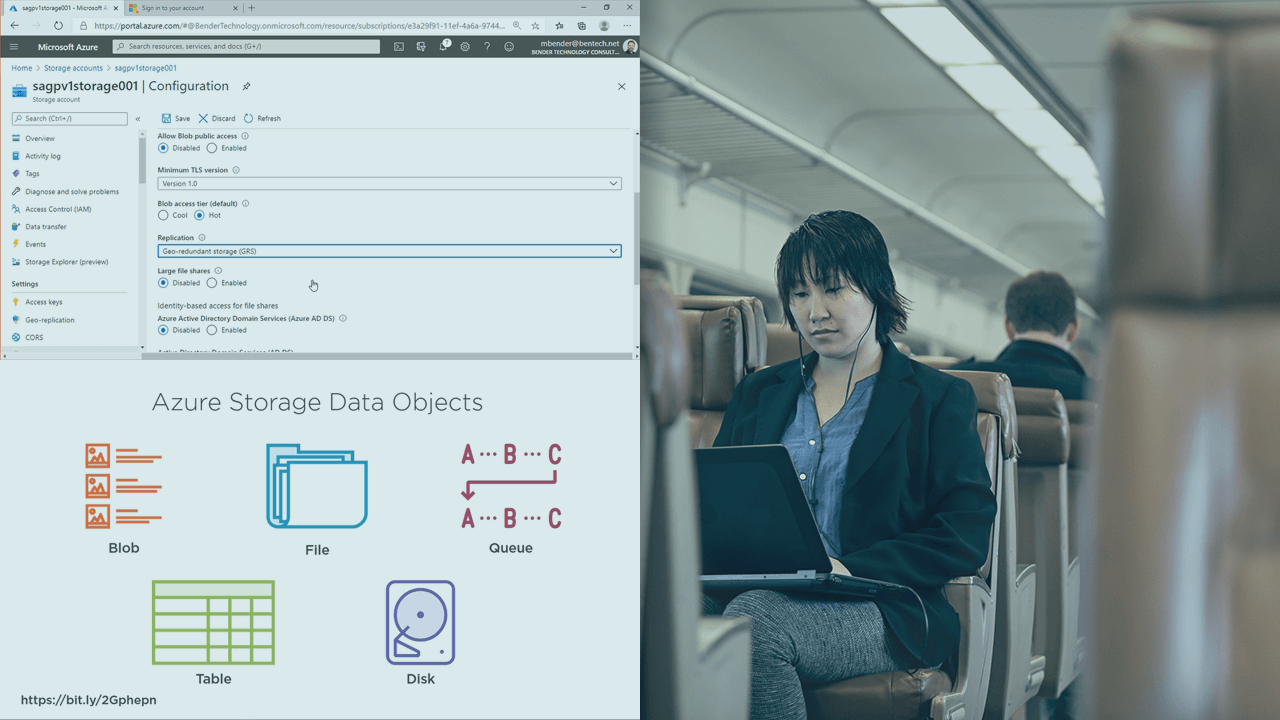
Storage is an important foundation of every Microsoft Azure infrastructure. And it is an important body of knowledge for all Microsoft Azure Administrators seeking to be a Microsoft Certified: Azure Administrator Associate (AZ-104). In this course, Microsoft Azure Administrator: Implement and Manage Storage Accounts, you’ll learn to Azure Storage Accounts. First, you’ll explore implementing Storage Accounts in Azure. Next, you’ll learn all replication options for Storage Accounts in Azure. Last, you’ll explore access control and securing your workloads in Azure Storage. When you’re finished with this course, you’ll have the skills and knowledge of Storage Accounts needed for Exam AZ-104: Microsoft Azure Administrator.

Udemy
Learn Accounts Payable sub-module of SAP FICO in this step-by-step training course. Become a successful SAP Consultant. What you'll learn: Learn end-to-end functionality, concepts, configuration & implementation of Accounts Payable in SAPRecord and manage accounting data for vendors in SAP FICOLearn all there is to know about SAP Accounts Payable from start to finishUnderstand how to work as an SAP Finance ConsultantUnderstand how account groups for vendors are createdLearn how to create Vendor Master (display, alter, block, and unblock of vendor master)Understand how to post Vendor transactions (invoice posting, payment posting, credit memo)Analyze the Balances of Vendors and G/L BalancesUnderstand the Configuration Options for Vendor Advance PaymentsMaster the process of Clearing of down payment against invoices (special GL transactions)Learn how to create the payment terms A warm welcome to the Accounts Payable in SAP course by Uplatz. Accounts Payable is an important component of SAP FICO module that records and manages accounting data of vendors.Accounts payable accounting is also known as as sub-ledger accounting, as the business transactions are carried out individually in the vendor accounts. All the processed transactions in accounts payable are recorded directly in the general ledger account. The real time updates are done in the application through settings made in general ledger master while creation of account. The required settings are configured by choosing vendors for reconciliation account for each account type. Any posting done in accounts payable generates a respective posting to an assigned general ledger account ensuring that the sub ledgers are always reconciled with the general ledger.In SAP FI, sundry creditors are called accounts payable and sundry debtors are called accounts receivable. The deliveries and invoices are managed according to the vendors. SAP FICO accounts payable can be integrated with FI-GL (General Ledger), FI-AA (Asset Accounting), SAP MM (Materials Management), and the like.This course provides a comprehensive knowledge on end-to-end processes involved in Accounts Payable sub-module of SAP FICO. This training will help you to master the concepts of Accounts Payable in great detail thus getting you a unique edge in your SAP career. Accounts Payable course done in conjunction with Accounts Receivable will provide you complete knowledge on both sides of the accounting process involved in SAP FI thus making you an expert consultant on SAP FICO, the most popular SAP module.

Coursera
Great leadership doesn't happen by chance—it happens by design. This course helps you create and evolve a personalized leadership checklist that keeps you focused on what matters most. You'll learn the core components of an effective checklist, from daily practices to strategic responsibilities, and how to structure them for clarity and action. Through practical tools, case examples, and hands-on activities, you'll build a Version 1 of your leadership checklist, test it against real challenges, and refine it as your role evolves.

LinkedIn Learning
Looking for a consistent and reliable way to install Windows applications? Learn about the Chocolatey package manager.
IBM Training
This course explains the threats associated with cloud-based solutions and explores how IBM Cloud® security features and other network protocols can be used to mitigate these threats. IBM Cloud infrastructure and services that assist organizations in meeting government and industry regulations are also explained.

CourseHorse
This course is designed for customers who are interested in learning Microsoft Dynamics GP 2018. It covers the new features in Dynamics GP 2018, but also the important capabilities of Dynamics GP in general. This course explores the accounting cycle and the processes required to enter financial data into the system. It covers how to set up general ledger accounts, enter general ledger transactions, and post the transactions. This course also shows how to perform additional functions such as account reconciliation, budgeting, allocation, period-end procedures and year-end closing procedures. Audience ProfileThis course is intended for customers and partners that want to learn the basic features and understand the typical day-to-day procedures of General Ledger. The class is targeted toward data entry clerks, administrators, office managers, CEO's, accountants, and consultants who need to understand the technical aspects of Microsoft Dynamics GP General Ledger and understand how to use it in accordance with the rest of the system PrerequisitesBefore attending this course, students must have:General experience using Microsoft WindowsBasic understanding of accounting principlesAttend the Introduction to Microsoft Dynamics GP course or have some basic knowledge of Microsoft Dynamics GP After completing this course, students will be able to:Customize General Ledger settingsSet up a chart of accounts including posting, unit and allocation accountsEnter and post transactions using transactional or batch posting methodsPerform key inquiries and print reports in General LedgerMaintain records in General LedgerPrint financial statements and other key reports to manage a businessComplete period and year-end procedures Course Outline Module 1: Overview and SetupThis module provides a general overview of the features and benefits of using General Ledger in an integrated environment and focuses on how General Ledger integrates with other functional areas in the Microsoft Dynamics GP application. This module also focuses on the setup procedures and different types of accounts in General Ledger, and how to define budgets for accounts using Microsoft Dynamics GP or Microsoft Excel. LessonsFeatures and BenefitsGeneral Ledger SetupAccount CategoriesPosting Account SetupUnit Account SetupFixed Allocation Account SetupVariable Allocation Account SetupAccount Segment SetupMass Modify Chart of AccountsDefine the Retained Earnings AccountSet Up BudgetsBudget MaintenanceCombining BudgetsQuick Journal SetupTransaction Matching SetupEntering Beginning BalancesLab : Enter a Posting AccountLab : Enter a Unit AccountLab : Enter a Fixed Allocation AccountLab : Enter a Variable Allocation AccountLab : Account Segment SetupLab : Mass Modify Chart of AccountsLab : Create a Blank Budget in ExcelLab : Importing a Budget from ExcelLab : Quick Journal Setup Module 2: Daily ProceduresThis module defines the ways that transactions can be entered and posted in General Ledger. It explores the difference between transaction level and batch level posting, and the methods for posting batches. It also demonstrates how to use clearing entries to transfer the balance of an account that is no longer being used to another account. LessonsBatch EntryTransaction EntryCalculate Taxes in General LedgerClearing Transaction EntryBudget Transaction EntryQuick Journal EntryLinking TransactionsBatch RecoveryLab : Transaction Entry, Unit AccountsLab : Transaction Entry, Allocation AccountsLab : Transaction Entry, Recurring TransactionsLab : Clearing EntryLab : Budget Transaction EntryLab : Quick Journal Entry Module 3: Additional FunctionalityThis module examines how to use Multidimensional Analysis, Intercompany functionality and set up Organizational Structures to use account security. LessonsMultidimensional Analysis Groups and CodesAssign Analysis Groups to AccountsMultidimensional Analysis TransactionsDefine Intercompany RelationshipsEntering Intercompany TransactionsOrganizational Structures SetupDefine Organizational RelationshipsAssign User Classes to the Organizational StructureAssign Users to the Organizational StructureAssign a Range of Accounts to the Organizational StructureAssign an Individual Account to the Organizational StructureActivating Account SecurityLab : Multidimensional AnalysisLab : Organizational Structure SetupLab : Organizational Tree SetupLab : Organizational Structure, User SetupLab : Organizational Structure, Mass Assignment Module 4: Maintaining RecordsThis module examines the functionality available to maintain General Ledger records. There is a lesson that focuses on correcting posted entries as well as changing and deleting account records. Information about the reconcile features in General Ledger are discussed, including the capability of reconciling to other sub-ledgers. Inquiries and reports are also discussed in this module. Lessons• Correcting a Posted Transaction• Change, Inactivate, and Delete Account Records• Reconcile• Reconcile to GL• Remove History• Archive Matched Transactions• Account Rollups• Using Inquiries• Report Options and Printing• Report Groups• Report ListModule 5: Period-End ClosingThis module examines the process of closing an accounting period and the fiscal year. The steps necessary to complete each phase of the closing process are discussed for the end of a period as well as a fiscal year. The module also looks at financial statements typically printed at the end of periods. Time is spent examining what actually takes place during the closing process and the two approaches that an organization may use for this process. LessonsPeriod-End ClosingYear-End ClosingQuick Financial StatementsPrinting Financial StatementsAdvanced Financial AnalysisLab : Quick Financial SetupLab : Quick Financial, Report Options

CodeSignal
This course focuses on understanding why managers are crucial to team success and the positive impact they can have. It covers recognizing both effective and ineffective management behaviors and highlights the unique value managers bring to their teams.

Udemy
Learn how to transition from individual contributor to Manager and Leader with confidence! What you'll learn: Welcome to your career in management. But most important…Welcome to leadership. Even for the most gifted individuals, the process of becoming a leader is a rigorous and many times an exhausting journey. The rewards, however, can be enormous. I surveyed a group of managers across many disciplines and asked the question, “As a new manager, what do you wish you learned early in your career?” What follows in this course, is a result of the responses, as well as my personal experience coaching and mentoring new managers. I will open this course by asking you to be patient with yourself. You do not develop leadership skills overnight. It takes practice, it takes trying new things, it takes making mistakes. Yes, sometimes you will fail. That is ok. It is ok to acknowledge when something doesn’t work, it is ok to celebrate and build on your successes. I have broken this course into individual modules. These are small bite sized modules that you can view either one after the other, or one at a time as you drink your morning coffee. Feel free to jump around and view the modules that are of the most importance to you. Take what works, challenge what doesn’t, try new things. I’m excited to join you in this journey. It’s time to think about success. Let’s Get Started. Welcome to your career in management. But most important…Welcome to leadership. Why did you make this big move? To grow personally and professionally? To make a difference? To lead others to realize their success? All of the above?All this, and more! Even for the most gifted individuals, the process of becoming a leader is a rigorous and many times an exhausting journey. The rewards, however, can be enormous. I surveyed a group of managers across many disciplines and asked the question, “As a new manager, what do you wish you learned early in your career?” What follows in this course, is a result of the responses, as well as my personal experience coaching and mentoring new managers. I will begin by asking you to be patient with yourself. You do not develop leadership skills overnight. It takes practice, it takes trying new things, it takes making mistakes. Yes, sometimes you will fail. That is ok. It is ok to acknowledge when something doesn’t work, it is ok to celebrate and build on your successes. I have broken this course into individual modules. These are small bite sized modules that you can view either one after the other, or one at a time as you drink your morning coffee. Feel free to jump around and view the modules that are of the most importance to you. Take what works, challenge what doesn’t, try new things.The Chapters include:Introduction to ManagementDeveloping Your Leadership StyleLeadership ResponsibilitiesLeadership CommunicationTeam DevelopmentYour Growth and DevelopmentManagers Toolkit I’m excited to join you in this journey. It’s time to think about success. Let’s Get Started.

LinkedIn Learning
Learn the skills you need as a middle manager, including how to build strong hybrid teams, onboard new employees, conduct performance reviews and give feedback, develop OKRs to drive business alignment, trust your teams to do their best work, build visibility online as a remote leader, and communicate across cultures virtually. After completing this learning path, advance your skills with Manage Remote and Hybrid Teams as a Senior Manager.Build strong hybrid/remote teams.Onboard new employees effectively.Create OKRs that drive alignment, autonomy, and accountability.Communicate across cultures virtually.

LinkedIn Learning
Discover what it means to lead at a distance. As a new manager, learn how to run effective virtual and hybrid meetings, build a virtual team culture, communicate across cultures, whether working virtually or in person, and drive engagement, productivity, and growth. After completing this learning path, advance your skills with Manage Remote and Hybrid Teams as a Middle Manager.Discover what it means to lead at a distance.Drive engagement, productivity, and growth remotely.Run effective virtual and hybrid meetings.Communicate across cultures virtually.

LinkedIn Learning
As a senior manager, you're leading distributed teams remotely, in an office setting or both. In this learning path, you’ll learn how to plan for and embrace this new reality, including how to run collaborative hybrid teams, communicate across cultures and create great employee experiences, coach your people, and drive results and resolve conflict.Plan for the work-from-anywhere organization.Build a high-performance work culture.Communicate across cultures virtually.Drive results and resolve conflict.

Microsoft Learn
Learn how to manage Azure Cosmos DB for NoSQL accounts, databases, and containers using the Azure CLI.After completing this module, you'll be able to: View arguments, groups, and subgroups for a specific CLI command Create Azure Cosmos DB accounts, databases, and containers using the CLI Manage an indexing policy using the CLI Configure database or container throughput using the CLI Initiate failovers and manage failover regions using the CLI Learn about automated Azure Cosmos DB for NoSQL resource deployments using the Azure Resource Manager with JSON and Bicep templates.After completing this module, you'll be able to: Identify the three most common resource types for Azure Cosmos DB for NoSQL accounts Create and deploy a JSON Azure Resource Manager template for an Azure Cosmos DB for NoSQL account, database, or container Create and deploy a Bicep template for an Azure Cosmos DB for NoSQL account, database, or container Manage throughput and index policies using JSON or Bicep templates