

Courses
Discover thousands of courses from top institutions and platforms worldwide
Level
Course Type
Duration

Udemy
The ins and outs of Microsoft Planner: from Planner basics to real world examples of Microsoft Planner in practice What you'll learn: The essentials of Microsoft PlannerPlanner BasicsHow to create a plan in Microsoft PlannerHow to create tasks in Microsoft PlannerHow to assign tasks in Microsoft PlannerHow to use labels in Microsoft PlannerHow to use check lists in Microsoft PlannerHow to filter tasks in Microsoft PlannerHow to upload files in Microsoft PlannerHow to add comments in Microsoft PlannerWhere to find support for Microsoft PlannerHow to provide feedback about Microsoft PlannerHow to leverage on the power of Microsoft PlannerHow people use Microsoft Planner in the real world [EXCLUSIVE] Double Degree, Badges & Community. Upon completing this course you will receive 2 Certificates of Completion, a Microsoft Planner Certified Digital Badge you can add to your CV, LinkedIn Profile or any other online profile & access to the most dynamic Agile Community in the world.This Microsoft Planner course will help you get you up and running quickly with Microsoft Planner. Think of it as a Planner fundamentals and essentials crash course for the workplace.As part of the Office 365 suite of applications, Microsoft Planner is one of the most important and widely used Microsoft productivity apps in businesses around the world. It is also intuitive, easy to use and modern.At the workplace, I use Microsoft Planner on a daily basis, multiple times a day every single day. And that's not a coincidence. Planner is a great tool for managing projects, tasks and people.Microsoft Planner allows you to plan tasks, control and coordinate jobs, communicate, collaborate, share files, work on files concurrently, make business decisions, solve business problems, manage your projects and more, a lot more.The sky is the limit when it comes to Microsoft Planner. It's just that powerful, trust me. But beyond that, allow me to show you why it's so powerful and fun to use. And why so many businesses and people use it.

YouTube
Learn how to effectively manage team projects using Microsoft Planner in this comprehensive 33-minute tutorial. Discover how to set up plans, utilize board views for task tracking, create insightful charts and schedules, and share your plans with team members. Master the art of centralizing project management, breaking down tasks, and enhancing team transparency. Explore features such as publishing plans to Outlook, exporting to Excel, adjusting settings, and integrating Planner with Microsoft Teams. Ideal for project managers and team members seeking an easy-to-use solution for streamlined collaboration and task management.

YouTube
Learn how to effectively manage team projects using Microsoft Planner in this comprehensive tutorial. Discover how to set up plans, utilize board views for task tracking, create insightful charts and schedules, and share your plans with team members. Explore features such as publishing plans to Outlook, exporting to Excel, and integrating Tasks by Planner in Microsoft Teams. Master this powerful project management tool to enhance team collaboration, increase transparency, and drive project success.

Skillshare
In this world of social media, YouTube, productivity gurus and artistic bullet journals, it can be easy to lose yourself in the world of planners, planning and productivity. How do you know what planner, digital or analogue, is right for you? Have you spent time going from Instagram account to Instagram account, looking for that special sauce that will help you get your sh*t together with no real luck? Is planner peace a myth? Well, maybe. I prefer the term "planner contentment," but "planner peace" is the thing I always see people searching for. In this class I'll be going over how to find the planner system that works for YOU. Not me, not that person you listen to on their weekly podcast, not the bullet journaller who gets thousands of likes on their artistic spreads, YOU. Planning your life out can be as simple as a to-do list each day, or as complicated as multiple Google calendars, three different paper planners and two bullet journals (or more)! If you look on Instagram or YouTube, you’ll likely see as many different planning systems as you do people posting them. Each of us has a different life, with different needs, different wants, different forces pulling and pushing us into each day. So why is it that we continually look to other peoples’ planning systems to help us solve the hectic schedules and plans that make up our individual lives? Having a solid understanding of both the different parts of your busy life and the best ways for YOU to map those out is the key to finding what some people call “planner peace.” In this course we will Define what “planner peace” actually is Look at the different styles, formats and types of planners to make you aware of what is available Dig deep into our day to day lives to discover what, in fact, we need to be planning for Organize those different aspects of our lives into the planning system that will work for YOU By the end of this course, you should have a road map to a system that is tailored specifically for you, built around the things you prioritize and organized in a way that works the way you do. This course is for anyone who feels like they can never get their lives together, whether or not you are a beginner in the realm of planning and productivity. Whether you are constantly buried under Laundry Mountain or you can never remember what time your doctor’s appointment is, this course is for you. This course is not for people looking to hack their time or become the next time management podcast sensation. Materials for this class: Index cards or post it notes Pen Markers or highlighters The worksheets in the Projects/Resources Section My goal is for you to be able to recognize what YOU need to figure your life out, before you spend all the money on all the things only to be disappointed and MORE confused. So if you are ready to take a look at your life and figure out how to plan that sh*t out, grab a cup of coffee and let's get started!
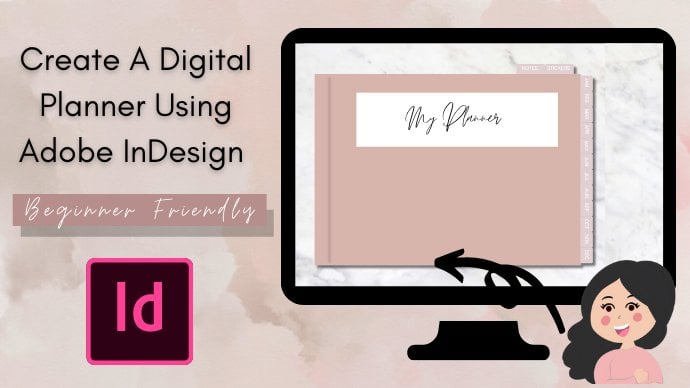
Skillshare
Welcome All, I’m Janna, by day analyst, by night digital tech savvy guru. I first came across digital planning a while ago and was intrigued how they are made, all the functionalities and found it difficult to find videos on how to create a digital planner from scratch. Digital Planning has changed my life and I love how customisable they are and how personal you can make them! I’ve created this video to share how I have created digital planners using InDesign. We will be creating this planner from scratch A - Z. Have you ever wondered how people manage to add hundreds of dates to their dated planners? I will show you how to add hundred/thousands of dates/text in a few clicks instead of manually adding them into your planner in this course! Planners can be created for your own personal use and to sell as passive income on sites such as Etsy. Digital downloads are a perfect way to make extra income this year. For this project you will need a tablet/desktop, as well as a PDF reader (I use GoodNotes) but any PDF reader will work well with this. This class will feature the following topics: Introduction To The Course Thinking About How Our Planner Will Be Structured Setting Up Our InDesign Document What Are Master Pages & Why Are They Useful To Digital Planners? Creating Our Dates Text File For Our Planner Creating Our Daily Planner Pages Using Data Merge To Automatically Generate Dates Creating Our Cover Page Creating Our Monthly Planner Page How To Override Master Elements On A Page Creating Our Notes & Sticker Pages Adding Hyperlinks To Our Planner Tabs Arranging Our Planner Pages Into Order How To Add A Background How To Export Our Planner As A PDF How To Import Planner Into GoodNotes Conclusion The digital planner we create together in this course will be available to you at the end of the course to start your digital planning journey, this planner isn’t to be resold or distributed, it’s for personal use only for the students of this course. I would love to see what designs everyone creates, please share your projects with me! I hope you find this tutorial useful and thank you for taking the time to attend my class. Please view my other classes around digital designing
LinkedIn Learning
Get up to speed on everything you need to use Planner, the versatile planning and project management app included in Microsoft 365, effectively.

LinkedIn Learning
Get bite-sized tips designed to boost your efficiency with Microsoft Planner, the planning and project management app for Office 365.

Craftsy
In this class from our partners at Brit & Co., get organized your way by learning how to set up a planner system that works for your lifestyle.

LinkedIn Learning
Learn everything you need to know to use Planner, the versatile planning and project management app included in Microsoft 365.

LinkedIn Learning
Learn everything you need to know to use Planner, the versatile planning and project management app included in Microsoft 365.

Coursera
In this comprehensive overview of planned giving, you’ll gain an introduction to the basic terminology and concepts in the field as well as an overview of each planned giving vehicle. Learn to identify and assess prospective donors, recognize planned giving benefits to your donors, match a donor’s interests and needs with the appropriate planned giving options, and structure a successful solicitation. You’ll understand the importance of administration of planned gifts to ensure compliance with policies and fulfillment of obligations to the donor. Apply your knowledge by developing a multi-step donor strategy and a marketing strategy, working on case studies, networking, and analyzing success factors.

Skillshare
Welcome All, I’m Janna, by day analyst, by night digital designer. I first came across digital planning a while ago and was intrigued how they are made, all the functionalities and found it difficult to find videos on how to create a digital planner from scratch. Digital Planning has changed my life and I love how customisable they are and how personal you can make them! I’ve created this video to share how I have created digital planners using Canva & PowerPoint from scratch without using any templates. We will be creating this planner from A - Z. Planners can be created for your own personal use and to sell as passive income on sites such as Etsy. Digital downloads are a perfect way to make extra income this year. For this project you will need a tablet/desktop, as well as a PDF reader (I use GoodNotes) but any PDF reader will work well with this. This class will feature the following topics: How To Create A Weekly Planner Template How To Create A Daily Planner Template How To Create A Cover Page & Tabs For Your Planner How To Edit Planner In PowerPoint, Adding Shadows, Hyperlinks For Clickable Tabs How To Export & Use Projects In GoodNotes How To Create Digital Stickers In Canva How To Import Digital Stickers Into GoodNotes The digital planner and digital stickers we create together in this course will be available to you at the end of the course to start your digital planning journey, this planner isn’t to be resold or distributed, it’s for personal use only for the students of this course. I would love to see what designs everyone creates, please share your projects with me! I hope you find this tutorial useful and thank you for taking the time to attend my class. Follow this link to receive a Free Planner, Weekly & Daily Planning Template and 12 Digital Notebook/Planner Covers! If you would like a free Canva Pro trial, please use this link. This is useful if you plan to make multiple planners with Canva and want to access many more templates and graphics. Please view my other classes around digital designing

Udemy
Manage any type of project or team using Microsoft Planner What you'll learn: Create plans in Microsoft PlannerManage tasks in Microsoft PlannerWork with Chart and Schedule viewsManage plan members accessUse Microsoft Planner appUse the integrated Outlook, Teams, Notebook and Site featuresLearn Microsoft Planner Best Practices Microsoft Planner for total beginners - This is my bestselling course with step by step lessons on eachMicrosoft Planner feature. It is the only course that you need in order to get started withMicrosoft Planner.I will walk you through every step of using Microsoft Planner to efficiently organize your teamwork and projects using a real life examples. You learn by doing.This course will provide you a deep understanding of Microsoft Planner's functionality by using hands-on, contextual examples designed to showcase why MicrosoftPlanner is awesome and how to use it for personal and teamwork planning of tasks and projects. By the end of the course you'll be able to:1. Easily navigate the Microsoft Planner interface2. Create plans in Microsoft Planner3. Manage tasks inMicrosoft Planner4. Work withChart and Schedule views5. Manage plan members access6. Use MicrosoftPlanner mobile app7. Microsoft Planner and Outlookand much, much more! Enroll today and enjoy:Lifetime access to the courseHigh quality, up to date step by step video lecturesPractical Microsoft Planner course covering latest featuresThanks again for checking out my course and I look forward to seeing you in the classroom :)

Coursera
In this project, learners will become familiar with Microsoft Planner. They will learn how to create tasks and make adjustments to those tasks. Learners will also get to practice multiple scenarios involving creating plans. By the end of the course, learners will understand how to create and assign tasks, as well as integrate Microsoft Planner with other applications.

YouTube
Learn how to create a digital planner with hyperlinks and templates in this comprehensive 19-minute video tutorial. Follow step-by-step instructions to easily design and implement a functional digital planner in just a few minutes. Gain a thorough understanding of the process and discover helpful tips to enhance your digital planning experience. For additional support or inquiries, contact thesocialguidebrands@gmail.com.

Skillshare
In this class you will learn how to create your own digital planner in Keynote. I'll show you step by step how to create a planner, tabs to “flip” your pages, monthly calendar layout pages, weekly layout pages and how to link them all together to use in GoodNotes. I encourage you to change the layout, fonts and colors to suit your own planner needs and style. I look forward to seeing the planner you've created by the end of the class so don't forget to take screenshots and upload them to the projects area!

edX
Demand planning has always been an essential process for virtually every company. But due to consumer behavior changes in recent years, improving forecasting has become a priority. That is the reason why Certified Demand Planners have never been in such high demand. Demand management in today’s business environment is a challenging task. Disruptive events like pandemics, economic sanctions, and armed conflicts have a huge impact on both consumer behavior and goods availability. Top companies are currently recruiting Skilled Demand Planners to be able to adapt to the "new normal" conditions, and ISCEA’s Certified Forecaster and Demand Planner (CFDP) Program will place you at the center stage. Whether you are looking to start or boost your career as an Internationally Recognized Demand planner - ISCEA’s CFDP certificate will make you stand out from the crowd. The CFDP credential is sought by recruiters worldwide because it demonstrates that you can reduce procurement, inventory control, and replenishment costs while maximizing the value from inventory management, supply chain planning, ERP, statistical forecasting, and other software investments. These goals can be achieved by improving demand forecasting processes and forecast accuracy. When you finish this program, you will be able to help companies cope with rapidly changing demand and improve decision-making processes in the context of Strategic Planning, S&OP (Sales and Operations Planning) / IBP (Integrated Business Planning) processes, and Demand-Driven Supply Chain practices. You will also be able to develop seasonal demand forecasting and new product forecasting strategies, as well as implement a successful CPFR (Collaborative Planning, Forecasting, and Replenishment) process from the ground up. With no prerequisites, the online courses in this Professional Certification Program will provide you with the knowledge and skills highly regarded by top companies looking to increase their profitability and remain competitive. This Certification Program is offered by the International Supply Chain Education Alliance (ISCEA), a world-renowned and globally recognized developer of internationally recognized certification programs for supply chain professionals, including Certified Supply Chain Manager (CSCM), Certified Supply Chain Analyst (CSCA) and Certified Forecaster and Demand Planner (CFDP). To become an ISCEA certified professional Forecaster and Demand Planner (CFDP), you must complete all three preparatory courses and successfully pass the CFDP Exam.

Udemy
Learn to use the financial planning tool and how it compares, and or, complements other accounting and finance tools What you'll learn: What the Personal Capital Software is and how it can be usedHow Personal Capital Software compares to other accounting and financial management softwareHow to access and set up the free softwareHow to use financial data to create an income statementThe benefits of having net worth or balance sheet data in one locationHow to access and use investment tools and analysisHow to use the financial planning tools like a retirement plannerHow to use a home appraisal toolHow to add non financial institution assets and liabilities to make the net worth or balance sheet more complete Personal Capital is currently a free software that can connect to financial institutions, pulling in financial asset and liability balances, as well as transaction detail, into one location.The strong areas of benefit of using Personal Capital software are its ability to provide net worth or balance sheet information, investment management information, and planning tools such as retirement planning and other large planning goals.The Personal Capital software also downloads transaction detail and allows for the categorization or assigning of accounts and tags that can then be used to generate an income statement. It also has budgeting tools to help with shorter-term cash flow management.This course will discuss how to set up the Personal Capital software and link to accounts. We will also discuss some reasons why the software may be offered for free and look over Personal Capital data security.We will compare the Personal Capital software to other types of software that can connect directly to financial institutions and pull financial information, such software generally falling into the category of accounting software that uses the double-entry accounting system or financial management software.Accounting software using the double-entry accounting system includes packages such as QuickBooks, Xero, & Wave accounting. Although accounting software utilizes financial institution connectivity it generally does so differently than Personal Capital software, which falls into the financial management category. We will discuss the differences in software.Other financial management and budgeting software include Quicken, Mint, and Microsoft Excel, Excel actually having a template called Money in Excel that has financial institution connectivity.Learners will practice converting financial data into an income statement by downloading transactions from financial institutions, categorizing them, and then exporting them into Excel for sorting. We will compare the process with what would be done using accounting software like QuickBooks.The course will discuss the benefits of the personal net worth or balance sheet functionality of Personal Capital software, the software pulling in assets and liability balances automatically for items such as bank accounts, investment accounts like 401(K), savings accounts, CD accounts, credit card balances, mortgage balances, and loan balances.We will also discuss the benefit of the software providing more detail on our investment holdings and providing insights and suggestions to improve returns and reduce risk. The ability to pull investments into one place allows a more rounded analysis of the data than you may get from one brokerage account analyzed in isolation.Learners will be able to use the projection planner to help plan for retirement and other large investment items. The Personal Capital software utilizes sophisticated analytical tools including a Monte Carlo Simulation tool.We will also explore the home appraisal tool offered by the software and we will practice adding non-financial institution assets and liabilities, making our net worth or balance sheet completer and more accurate.

Skillshare
If you love printables and planners and own a stylus-friendly tablet, you are in for a treat with this class. In just one day, you can be a pro at creating your own digital planner with super cool hyperlinked tabs. Michelle has spent years creating and selling thousands of planners and has been teaching others how to do the same successfully as well. In this class, you'll learn: - How to Create a Desk View of Your Digital Planner - How to Make an Open View of Your Digital Planner - How to Hyperlink the Tabs for Your Planner Pages - How to Add Extra Pages and Insert Templates You'll be creating: - A digital planner with hyperlinked tabs (to give the effect of "flipping" from tab to tab) that you can use on your stylus-friendly tablet with apps such as Goodnotes or Noteshelf. apps. All you need in order to create your digital planner is access to Apple Keynote. If you do not have an Apple computer, you can access the online version of Keynote via https://www.apple.com/keynote/.

Udemy
Learn How To Create and Sell Digital & Physical Planner On Etsy What you'll learn: Learn what's EtsyLearn how planner designs are createdLearn how to start your printables businessLearn how to upload your designs to EtsyLearn how to get ideas & keywordsLearn how to design a logo for your shopLearn how to mockup your plannersLearn how to watermark your plannersBonus - Over 600 PNG Vector Elements YOUNEEDONLYENGLISHBASICSTOTAKETHISCOURSE, THEREISASMALLPRESENTATIONINTHEBEGINNING OF EVERYLECTURE TOTELLYOU ABOUTTHECONTENTOFIT. YOU DON'T NEED ANY DESIGNING EXPERIENCE TO START THIS COURSE. Would you like to earn a passive income from Etsy?So this course is for you! You'll learn how to design & publish your own planner and sell it on Etsy by many practical projects.This course provides step-by-step instructions for using Free Canva to create many of Planners and How to sell them.The good news is, you don’t need any premium tools or softwares to design your planners. All you need is a free canva account & follow me step by step.