

Courses
Discover thousands of courses from top institutions and platforms worldwide
Level
Course Type
Duration

Udemy
Hands-On Data Analysis with SQL What you'll learn: Analyse and manipulate dataCreate Database and TablesAnalyse data using aggregate functionsAnalyse data using analytic functionsAnalyse data using ranking functionsAnalyse data using various operatorsAnalyse data using sub queriesAnalyse data using views A SQL data analyst is a data scientist that uses the SQL language to interpret data. This analysis is used to improve business information and provide new insights to managers.SQL data analysts design scripts and programs to perform specific database functions and to analyse and maintain data. Some SQL Data Analyst Duties and ResponsibilitiesDuties vary for SQL data analysts based on the specific needs of the hiring company and the amount of data being analysed. However, these core tasks are commonly associated with this job:Integrate DataSQL data analysts integrate data from multiple data sets into o:ne database system to streamline information.Create Database FunctionsSQL data analysts program specific database functions to create database triggers and design data tables.Design ReportsAfter reviewing and analysing data, SQL data analysts design reports to show statistics and other information about specific database topics.Clean DatabaseSQL data analysts remove dead data files and other irrelevant information to free up database space.Write ScriptsSQL data analysts write scripts to analyse data and perform specific data queries.Resolve Data IssuesSQL data analysts isolate and resolve issues with data and databases.Add DataSQL data analysts collect data from multiple sources and add it to the database. We will be performing data analysis using SQL on relational databases like: MySQL, PostgreSQL and MS SQL Server.A relational database is a type of database. It uses a structure that allows us to identify and access data in relation to another piece of data in the database. Often, data in a relational database is organized into tables. A relational database includes tables containing rows and columns. For example, a typical business order entry database would include a table that describes a customer with columns for name, address, phone number and so forth.SQL or Structured Query Language is a critical tool for data professionals. It is undoubtedly the most important language for getting a job in the field of data analysis or data sciences. Millions of data points are being generated every minute. And raw data does not have any story to tell. After all this data gets stored in databases and professionals use SQL to extract this data for further analysis.

YouTube
Explore the concept of database guardrails and their crucial role in modern software development in this hour-long conference talk. Discover why traditional test suites fall short in capturing database-related issues and learn how to integrate database guardrails into your software development lifecycle (SDLC) for improved reliability and performance. Delve into the power of OpenTelemetry for enhancing the entire development process, from validating scalable data access queries to preventing database downtime during deployments. Gain insights on implementing automated observability and troubleshooting across all layers of the tech stack. Walk away with key takeaways on improving SDLC with database guardrails, practical applications of OpenTelemetry, and achieving automated observability in the data access layer.

YouTube
Explore the evolution of database management and the concept of database guardrails in this conference talk from Conf42 JavaScript 2023. Delve into the complexities of modern database systems, including challenges with slow queries, schema changes, indexing, and ORM issues. Learn about monitoring and observability techniques, with a focus on OpenTelemetry and Jaeger. Discover how database guardrails can proactively address common problems by providing context, analyzing queries, and integrating with source code and pull requests. Gain insights into executing SQL queries and implementing effective database management strategies to enhance developer productivity and system reliability.

YouTube
Explore a paradigm shift in database development and maintenance through this 46-minute talk. Delve into the current industry challenges, including inadequate prevention of bad code deployment, lack of effective observability and monitoring tools, and unreliable troubleshooting methods. Discover the concept of database guardrails as a novel approach to address these issues. Learn how this new paradigm can empower developers to take ownership of database solutions and navigate the complexities of modern database management more effectively.

YouTube
Explore the concept of database guardrails in this 45-minute Platform Engineering webinar. Learn how to prevent bad code from reaching production, monitor databases effectively, and automatically troubleshoot issues. Discover why typical test suites fall short in capturing database-related problems and why a new approach is necessary. Delve into using OpenTelemetry to enhance the entire software development lifecycle. Gain insights on validating data access for scalable queries, ensuring database stability during deployments, and implementing automated root cause analysis for database issues. Master the art of building database guardrails using OpenTelemetry, designing efficient database execution plans, and automating observability and troubleshooting for your data layer.

LinkedIn Learning
A database developer is responsible for writing instructions that affect the way records are stored in a computer system. In this learning path, focus on improving databases and discover how to write programs that access data in a database.Learn to modify databases and create reports from databases.Write programs to access data in a database.Understand the structure of a database and how to create tables.

Udemy
Perform actions like a Database Developer. What you'll learn: Install MS SQL ServerInstall OracleCreate databaseQuery and interact with database using T-SQLSetting up a Migration RepositoryConfiguring the Third Party Database ConnectionCapturing Source DatabaseConvert Captured Model to OracleTranslate Third Party SQL Objects to OracleGenerating Scripts to Create Target DatabaseMove Data from Third Party Database to Oracle One of the many roles of a database developer includes working with relational database servers,using T-SQL(Transact ) to interact with Microsoft SQL Server and also performing database migrations from one relational database management system to another. There are several tools available to perform database and data migration. In this course we will be using a free powerful tool by Oracle called Oracle SQL Developer to migrate a third party database from Microsoft SQL Server into Oracle.Database migration involves several steps specified below:Setting up a Migration Repository : The Migrations Repository is a database schema that stores themeta_data collected and transformed in the migration process.Configuring the Third Party Database Connection : You need to configure a database connection for the databasewhich you would like to migrate. There are two steps to this process:Download JDBC driver and Connecting to ThirdParty Database.Capturing Source Database :This step is used to capture a snapshot of the current stateof your third-party database and is necessary to provide SQL Developer with a "point in time" view of your database. Once this step is complete, the Migration wizard works on the meta-data stored in its repository, instead of issuing queries against your live database.Convert Captured Model to Oracle : The next step in the migration process is to convert the captured modelof the database to an Oracle-specific model.Translate Third Party SQL Objects to Oracle :The next step in the migration process is to translate theT-SQL objects - constraints, functions, procedures, triggers, views - to Oracle SQL objects.Generating Scripts to Create Target Database :Once the conversion process has completed, SQL Developer hasa model of what the converted database will look like. This is used to generate SQL scripts for the creation of the new Oracle Database schema(s) and to run these scripts.Move Data from Third Party Database to Oracle :The last step in the Migration Wizard is to move the data to the new database. Migrating the data is a process that copies the data from the third-party database to the new tablesin the Oracle database. The Migration Wizard uses the same Oracle database connection required to run the scripts as it does to move the data.

Udemy
Querying | Microsoft SQL Server | T-SQL | 70-461 | Azure Data Studio | DDL | DML | Database Administration What you'll learn: Individuals who are new to SQL and want to learn the fundamentals of working with databases and writing SQL queries.Data analysts who want to leverage SQL for data extraction, manipulation, and analysisBI professionals who need to work with databases and SQL to extract and manipulate data, create datasets, and build reports for business analysisIndividuals who want to understand databases, SQL, and data management to better utilize and analyze data for their business operations. The Ultimate T-SQL and Microsoft SQL Server Bootcamp is a comprehensive course designed for individuals who want to gain expertise in managing and utilizing Microsoft SQL Server and Transact-SQL. Microsoft SQL Server is a relational database management system widely used to store, manage, and retrieve data. T-SQL is the programming language used to interact with SQL Server and to write code to create, manage, and query databases. T-SQL is a powerful language that enables developers and database administrators to create complex queries, automate tasks, and optimize database performance.In this course, students will learn the fundamentals of T-SQL syntax, including creating, managing, and querying databases. Students will work with hands-on exercises, case studies, and real-world scenarios throughout the course to develop practical SQL Server and T-SQL skills. They will learn to design and implement complex database structures, write efficient queries, and optimize database performance.Learning Transact-SQL (T-SQL) is important for several reasons:Data Management: T-SQL is the primary language for managing and manipulating data in Microsoft SQL Server, one of the most popular relational database management systems (RDBMS). By learning T-SQL, you can create and manage databases, define objects (such as tables, views, and stored procedures), and perform various data manipulation tasks.Querying and Retrieving Data: T-SQL is essential for querying and retrieving data from a SQL Server database. It provides a rich syntax and functions for filtering, sorting, aggregating, and joining data from one or more database tables. Whether you're a developer, analyst, or data scientist, proficiency in T-SQL allows you to extract the correct information efficiently and accurately.Data Analysis and Reporting: T-SQL enables you to perform complex data analysis tasks within SQL Server. You can use T-SQL to write advanced queries that involve grouping, subqueries, window functions, and common table expressions. With this knowledge, you can extract meaningful insights from your data, generate reports, and support decision-making processes.Database Development: T-SQL is crucial for developing and maintaining database applications. Whether you're building a web application, enterprise software, or any system that relies on a SQL Server backend, you need T-SQL skills to design and optimize database schema, write efficient queries, and implement business logic using stored procedures, functions, and triggers.Performance Optimization: Understanding T-SQL is vital for optimizing the performance of your database applications. By analyzing query execution plans, identifying bottlenecks, and applying T-SQL techniques such as proper indexing, query tuning, and normalization, you can significantly improve the speed and efficiency of your database operations.Database Administration: If you work as a database administrator (DBA), T-SQL is a fundamental skill. It allows you to manage database security, configure database settings, monitor performance, and automate administrative tasks using SQL Server Agent jobs and maintenance plans.Career Opportunities: Proficiency in T-SQL opens up various career opportunities. Many organizations rely on SQL Server for data management needs and seek professionals who can effectively work with the technology. Jobs such as database developer, data analyst, database administrator, business intelligence developer, and data engineer often require strong T-SQL skills.In summary, learning T-SQL is essential for effective data management, querying and retrieving data, data analysis, database development, performance optimization, and database administration, and it expands your career prospects in data management and analysis.Upon completing this course, students will comprehensively understand SQL Server and T-SQL. They will be equipped with practical skills to design, manage, and optimize SQL Server databases.This course is ideal for IT professionals, data analysts, developers, or anyone who wants to enhance their data management skills.

LinkedIn Learning
Learn the basics of building databases in a platform agnostic way so you can continue on to other platforms later. Explore database setup, servers, GUIs, tables, objects, and more.

Udemy
Learn the powerful features of one of the most popular document-oriented database using Python code. What you'll learn: Learn general knowledge about using databases with your applicationsLearn about the features available in MongoDBLearn how to create Python applications to interact with your own MongoDB DatabaseLearn system administration concepts for managing and scaling your MongoDB systems In the evolving technology industry, data has become "King". Whether you are running a simple ecommerce website or trying to train complex neural network models, the skills to manage large amounts of data in your software applications are constantly growing in demand. So to rise to the challenge, this course we will cover the powerful features of the MongoDB database using the Python programming language. Whether you are a complete beginner to databases, or wanting to learn how to optimize your current dataset, this course has something for anyone looking to learn more about managing datasets in MongoDB within their Python applications. Whether you are a aspiring App Developer, or a Big-Data Enthusiast. You will come to find the features in MongoDB will help expedite your projects' data management. The growing popularity of NoSQL applications make Mongo DB one of the best frameworks to learn. This course will cover topics such as:- Development Environment Setup- MongoDB Database Server Usage- Utilizing the Command Line Interface to interact with your Database- Implementing MongoDB features in your own Python code- Using the powerful Aggregation Pipeline - Improving Database performance- MongoDB Security And Authentication- Advanced MongoDB Topics- And Much More... Not to mention additional content to help you practice what you have learned, such as:- Projects which you create Python code to interact with your own video game database- Mini Challenges to give you example scenarios to test the skills you've learned- Quizzes to help fortify your knowledge This course also utilizes the popular Jupyter Notebook framework. No more fumbling between code editors and terminals to write our your programs and run your Python scripts. Instead we have an all encompassed environment which allows us to program as we go, and act as a detailed documentation guide which helps streamline your learning experience. Python programming experience is preferred, but not required, as Iwill guide you through step-by-step how to implement MongoDB features into your own Python code in detailed video lectures, complimented with explanatory animations. Be sure to check out some of the sample lectures available for free Preview. If you somehow aren't satisfied with the content of this course, you can feel free to utilize Udemy's course refund policy to get your money back. So you can give this course a try worry-free to help you learn these valuable database skills. So what are you waiting for? Enroll now!

LinkedIn Learning
Learn about the various database options available for Node.js applications, so that you can select the right database for your app.

LinkedIn Learning
Learn about the various database options available for Node.js applications, so that you can select the right database for your app.

LinkedIn Learning
Learn about the various database options available for Node.js applications, so that you can select the right database for your app.
Pluralsight
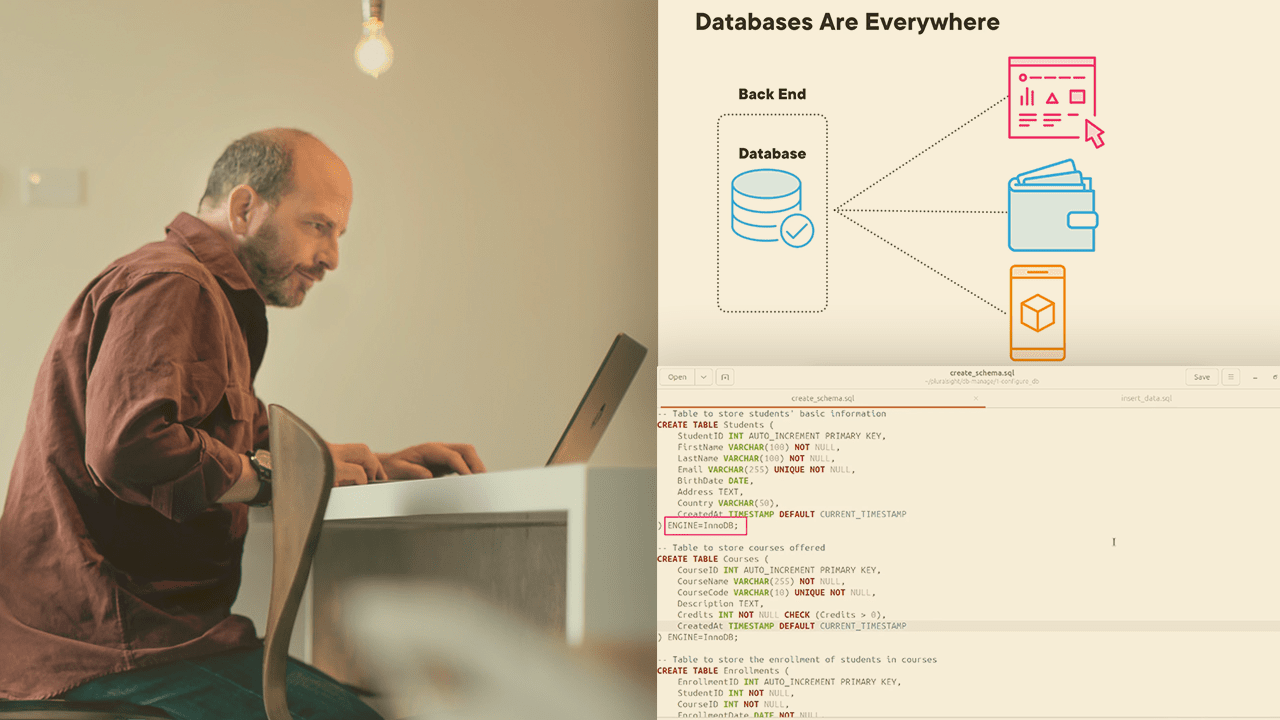
Learn to create, manage, and secure databases with SQL Server and essential DBA tools. Large datasets containing mission-critical data that's designed to be accessed at scale and in large volumes require careful planning and execution. In this course, Database Administration: Creating and Managing Databases, you will be introduced to the concepts and hands-on tools you'll need to design and build a relational database using MySQL. You'll explore key design topics like how to choose a schema and how to select the right storage engine and character set. When you're done, you'll be comfortable setting up a relational database for your own environment.

Pluralsight
Data persistence is at the core of any line of business application. While some companies may have a dedicated database administrator, in many smaller companies the developer wears many hats including database administrator. In this course, Microsoft Azure Developer: Managing Azure SQL Database, you will learn foundational knowledge of the tools available to create, update, and manage an Azure SQL Database. First, you will learn how to migrate the database schema as your application iterates through versions. Next, you will discover several of the layers available to secure access to your database and the information that it contains. Finally, you will explore how to manage the performance of your database to meet ever growing demands. When you’re finished with this course, you will have the skills and knowledge of Azure SQL Database necessary to support your database needs.

YouTube
Learn how to leverage Docker containers for SQL Server development and testing in this 15-minute lightning talk. Discover the benefits of using containerized databases, explore different SQL Server editions, and understand key concepts such as environment variables, data volumes, and base images. Gain insights into stopping containers, managing data files, and coordinating multiple containers. Explore resources to further enhance your knowledge of SQL Server in Docker, empowering you to streamline your database development workflow and improve testing efficiency.

Pluralsight
Handling complex data types and efficiently retrieving information from massive datasets can be challenging for developers, particularly when traditional databases fall short in performance and flexibility. In this course, Vector Databases & Embeddings for Developers, you’ll learn to effectively manage and query complex data types using vector databases and embeddings. First, you’ll explore the standard retrieval model and understand the foundational differences between vector databases and traditional database systems. Next, you’ll discover how to define and utilize embeddings to represent complex data types like text and images in a way that enhances search and retrieval processes. Finally, you’ll learn how to implement these concepts in real-world applications, using C#, Azure to create efficient, intelligent data handling solutions. When you’re finished with this course, you’ll have the skills and knowledge of vector databases and embeddings needed to tackle modern data challenges and enhance your development projects with advanced data analysis and retrieval techniques.

Pluralsight
If you want to successfully migrate databases into the AWS cloud, then this course is for you. By viewing this course, you will learn the skills needed to manage and troubleshoot migrations using the AWS Database Migration Service (DMS). At the core of migrating databases into the AWS cloud is a thorough knowledge of the AWS Database Migration Service (DMS). In this course, Migrating Databases with AWS Database Migration Service, you’ll learn how to migrate databases from on-premise into the AWS cloud. First, you’ll discover how to configure and deploy replication servers that you will use to manage your database migration. Next, you’ll explore DMS tasks - tasks that sit at the heart of your migration. Finally, you’ll learn how to monitor and troubleshoot your database migrations. When you’re finished with this course, you’ll have a foundational knowledge of database migrations that will help you as you move forward to successfully migrate your production databases into AWS.

Udemy
Microsoft SQL Server Database Administration step by step What you'll learn: Microsoft SQL Server SetupInstalling Sample DatabasesCreating Database ObjectsDatabase DesignTracking database activitiesCreating stored proceduresDatabase backup and recoveryMonitoring Database PerformanceDatabase security and user accountsQuerying Database with T-SQLAggregating Data using aggregate functionsFiltering and sorting recordsExtracting data from multiple tables SQL Server is Microsoft’s relational database management software and uses a common set of tools to deploy and manage databases both on-premises and in the cloud. Microsoft SQL Server Management Studio is a rich, integrated administrative client designed to meet the SQL Server and Azure SQL Database administrator's server management requirements. In Management Studio, administrative tasks are accomplished using Object Explorer, which allows you to connect to any server in the SQL Server family and graphically browse its contents. A server can be an instance of the Database Engine, Analysis Services, Reporting Services, Integration Services or Azure SQL Database.The tool components of Management Studio include Registered Servers, Object Explorer, Solution Explorer, Template Explorer, the Object Explorer Details page, and the document window. Use Management Studio to:Register servers.Connect to an instance of the Database Engine, SSAS, SSRS, SSIS or Azure SQL Database.Configure server properties.Manage database and SSAS objects such as cubes, dimensions, and assemblies.Create objects, such as databases, tables, cubes, database users, and logins.Manage files and filegroups.Attach or detach databases.Launch scripting tools.Manage security.View system logs.Monitor current activity.Configure replication.Manage full-text indexes. SQL Server Data Tools (SSDT) is a modern development tool for building SQL Server relational databases, databases in Azure SQL, Analysis Services (AS) data models, Integration Services (IS) packages, and Reporting Services (RS) reports. With SSDT, you can design and deploy any SQL Server content type with the same ease as you would develop an application in Visual Studio.T-SQL, which stands for Transact-SQL and is sometimes referred to as TSQL, is an extension of the SQL language used primarily within Microsoft SQL Server. This means that it provides all the functionality of SQL but with some added extras.

Udemy
Microsoft Project Management tool Azure DevOps Boards. TFS / VSTS is now Azure DevOps. What you'll learn: Azure DevOps (Boards) Project ManagementCreate Epics, Features, Backlogs, Tasks, Queries, ChartsLearn how to create and run queries, charts, and dashboards in Azure DevOps Boards to track project progress and report on key metrics.Learn how to set up and manage project iterations to help you organize work and track progress. In this simple, easy to follow, fast paced video tutorial, learn to create Epics, Features, Product Backlogs & Tasks using Microsoft's Azure DevOps (VSTS / TFS) Boards. Learn to create queries, charts, custom work items and many other features. A full day lecture has been edited so tight, that what resulted was just 1.5 hrs. of video. Just a few hours longThis course has been designed to learn Azure Boards in just a few hours. Even though Azure Boards is a multi day class, the video has been edited so tight that what resulted was just a few hours. You will not see any pauses or time wasted. These have been designed like Tik-Tok videos to keep you engaged.Reviews for my courses:Excellent video!! Especially for a beginner like me. Wow! 'am so happy that i found your video. Keep up your good work Patrick. Ur way of narration-bringing in a steady flow throughout the tutorial. Easy to understand-line by line explanation. Excellent visual clarity - Prema, USA​You are like an angel to all your students. In a simple way you've explained us such difficult and most confusing things. I always believe that teaching is a precious gift and only some lucky people have it - Hari, Australia​Wow, amazing, awesome videos. The best for newbies like me.Thank you very much! - Dev, NicaraguaI was searching for a nice tutorial the whole day and frankly i was losing any hope to find it but then i found your videos... U've got a real gift to explain kind of difficult things in a simple way, i mean i can't imagine a better way to explain that :) thank you very very much! God bless you! - Vaness, Russia​