

Courses
Discover thousands of courses from top institutions and platforms worldwide
Level
Course Type
Duration

Microsoft Learn
Introduction to AD DSAfter completing this module, you'll be able to: Describe AD DS. Describe users, groups, and computers. Identify and describe AD DS forests and domains. Describe OUs. Manage objects and their properties in AD DS. Manage AD DS domain controllers and FSMO rolesAfter completing this module, you'll be able to: Deploy AD DS domain controllers. Maintain AD DS domain controllers. Describe the AD DS global catalog role and its placement considerations. Describe AD DS operations master roles, their placement considerations, and their management tasks. Describe AD DS schema and its management tasks. Implement Group Policy ObjectsAfter completing this module, you'll be able to: Describe GPOs. Describe GPO scope and inheritance. Describe domain-based GPOs. Create and configure GPOs. Explain GPO storage. Describe administrative templates and the Central Store. Manage advanced features of AD DSAfter completing this module, you'll be able to: Identify the purpose, types, and the process of creating trust relationships. Describe the purpose and the process of implementing ESAE forests. Monitor and troubleshoot AD DS replication. Identify the purpose and the process of creating custom AD DS partitions. Implement and manage Active Directory Certificate ServicesAfter completing this module, you'll be able to: Identify the purpose of Public Key Infrastructure (PKI) and components of AD CS. Identify types of AD CS certification authorities and the process of implementing them. Manage certificate enrollment. Manage certificate revocation. Manage certificate trusts.

Udemy
AD DS Security with Lab: domain controllers, account security, audit authentication, managed service accounts, PSO What you'll learn: Securing domain controllersSecurity risks that can affect domain controllersModifying the security settings of domain controllersWhat are RODCs?Deploying an RODCConfiguring a password replication policyImplementing account securityPassword policiesAccount lockout policiesConfiguring a fine-grained password policyTools for creating PSOsImplementing audit authenticationAccount logon and logon eventsConfiguring managed service accounts This course is aimed to IT Pros and is supposed to give the viewer the information they need to know to get started with Active Directory (AD DS) and its key concepts. The goal is to provide coverage of ADDScomponents of advanced AD DS deployments, how to deploy a distributed AD DS environment and· Configure AD DS Security.The course is targeted to help learning Active Directory and do your job more efficiently.After completing this course, you will be able to:· Describe how to Secure domain controllers· Implementing account security.· Implementing audit authentication· Configuring managed service accounts In your organization’s information technology (IT) infrastructure, securing Active Directory Domain Services (AD DS) domain controllers is a critical task. Domain controllers provide access to many different resources, and they contain information about users and their passwords. If a single domain controller is compromised, any objects in the same Active Directory domain or in any trusted domain are at risk of being compromised, too.The Windows Server 2016 operating system provides features and apps that you can use to help secure your network against security threats. The operating system provides measures to secure domain controllers by minimizing their attack surface and determining their domain-controller placements. The operating system also determines the AD DS roles that are used for administration and design, and implements password security, in addition to auditing when attacks occur. You also can use domain controllers to deploy security measures to other clients and servers in your Windows-based infrastructure.AD DS administrators must understand the threats to domain controllers and the methods that they can use to secure AD DS and its domain controllers. ObjectivesAfter completing this module, you will be able to:· Secure domain controllers.· Implement account security.· Implement audit authentication.· Configure managed service accounts (MSAs).

Coursera
This is a self-paced lab that takes place in the Google Cloud console. In this lab, you will configure Service Directory, configure a Service Directory DNS zone, and use Cloud Logging with Service Directory.

YouTube
Explore the security implications of Microsoft's Active Directory Certificate Services (AD CS) in this Black Hat conference talk. Delve into the often-overlooked aspects of AD CS, including its potential for credential theft, machine persistence, domain escalation, and subtle domain persistence. Learn about certificate request processes, client authentication methods, and malicious certificate enrollments. Discover escalation scenarios, NTLM relay attacks, and golden certificate techniques. Gain insights into defensive strategies, including how to protect and audit AD CS implementations. Understand high-level architecture guidance and incident response procedures for AD CS-related security issues. Equip yourself with hunting techniques to identify and mitigate potential threats in your AD CS environment.

Microsoft Learn
This module introduces you to the topology of domain controllers within an Active Directory environment. It also starts you down the path of deploying, managing, and migrating a domain controller between servers.By the end of this module, you'll be able to: Define Active Directory Domain Services. Define Active Directory Domain Services forests and domains. Deploy Active Directory Domain Services domain controllers. Migrate a domain controller to a new site. Manage Active Directory Domain Services operations masters. This module focuses on the tasks associated with managing Active Directory objects and AD domain services domain controllers.By the end of this module, you'll be able to: Define users, groups, and computers. Define organizational units. Manage objects and their properties in Active Directory. Create objects in Active Directory. Configure objects in Active Directory. Perform bulk management tasks for user accounts. Maintain Active Directory Domain Services domain controllers. This module focuses on Group Policy objects, including using them to enforce a robust password policy.By the end of this module, you'll be able to: Define Group Policy Objects. Implement Group Policy Object scope and inheritance. Define domain-based Group Policy Objects. Create and configure a domain-based Group Policy Object. Configure a domain password policy. Configure and apply a fine-grained password policy. This module focuses on maintaining security in an Active Directory environment. It covers things from permissions management to authentication methods to identifying problematic accounts.By the end of this module, you'll be able to: Configure user account rights. Configure user account rights to restrict access. Delegate permissions in Active Directory. Protect User Accounts with the Protected Users group. Describe Windows Defender Credential Guard. Block Windows NTLM authentication. Locate problematic accounts. This guided project helps prepare you to manage Active Directory Domain services, including creating and deploying domains, configuring group policy objects, establishing and enforcing passwords, and maintaining security of Active Directory.In this module, you'll practice how to: Configure domain controller operations. Configure user management operations. Manage password policies. Configure security settings.
Google Cloud Skills Boost
In this lab, you will configure Service Directory, configure a Service Directory DNS zone, and use Cloud Logging with Service Directory.

YouTube
Explore the cutting-edge developments in brain tumor treatment and management in this comprehensive lecture by Dr. Steven D. Chang, a renowned neurosurgeon from Stanford University. Delve into the future of neurosurgery, examining advanced imaging techniques such as Diffusion Tensor Imaging (DTI) and functional MRI. Gain insights into radiosurgery, its advantages over traditional surgery, and its applications in various brain tumor cases. Learn about specific case studies involving brain metastasis, pituitary adenomas, meningiomas, and acoustic neuromas. Understand the benefits of staged CyberKnife stereotactic radiosurgery and its impact on patient outcomes. This informative presentation offers a deep dive into the latest surgical and non-surgical approaches for treating brain tumors, providing valuable knowledge for medical professionals and students in the field of neurosurgery.

Coursera
This is a self-paced lab that takes place in the Google Cloud console. This lab demonstrates how to integrate PSC and Service Directory.

Pluralsight
Learn how to connect your Mac OS X devices to Directory Services. This is the first course in a series of eight courses designed to help you prepare for the ACA-Mac Integration exam. Active Directory (AD) in Windows (or Open Directory in Mac OS X) stores information about user and group accounts, computers, and servers in a secure central directory services structure. This allows the user to have a single user account and password for accessing resources across all servers on the network, such as shared folders, printers, e-mail, and databases. In this course, Connecting Our Macs to Directory Services, you will take a look at how to connect your Mac OS X devices into Windows Active Directory or OS X Open Directory. This is also the first course in a series of eight courses designed to help you prepare for the ACA-Mac Integration exam. You will cover topics such as joining your Mac to both the Active and Open Directories, using the Command Line Interface, and troubleshooting connectivity issues. By the end of this course, you will have a better understanding of how to connect your Mac to Directory Services and you'll be more prepared for the exam.

Udemy
The best course on LDAP and Directory Services essentials. Learn LDAP setup in a practical way and get hand on !! What you'll learn: Understand about directory services and its requirement for storing dataSetup and configure an LDAP server and UI in both web and desktopKnow about Directory Information Tree and how it is builtGet hands-on experience on both phpLDAPadmin and Apache directory StudioWork on LDAP command line tools for making changes to LDAP directory structureKnow about LDIF syntax and use it to make changes to directory structureKnow about LDAP schemas and learn how customized schemas can be madeSetup, configure and do authentication to remote LDAP server from a windows and linux clientLearn to automate LDAP tasks using pythonSetup a replication in LDAP and see a demo failover This is the most comprehensive, yet straight-forward, course for LDAP Directory Services on Udemy! Whether you never knew about LDAP before, already know few basic concepts or want to learn about LDAP Directory Service, this course is for you. I have designed this course considering both beginners and experienced students. With over 30 lectures this comprehensive course covers all topics. This course includes power point presentation, demos,exercises andsupplemental Resources This course will teach you LDAP Directory Services in a practical manner, with every lecture coming as a full screencast. Below are returns you get by investing your time and money on this course: 1. You are getting access to a course which covers all topics in LDAP Directory Services, by leaving no stones unturned 2. Practical demos on every concept will give you an end-to-end picture of LDAP and Directory Services 3. Exercise at the end of every chapter will add fuel to your creativity and will take you to next level 4. You get yourself familiar with tools required to use LDAP 5. You will gain confidence and knowledge to implement LDAP This course is structured in following way: Part 1 - Introduction: LDAP, Directory ServicePart 2 - Directory Information Tree: ObjectClasses, Attribute, Design of DITPart 3 - LDAP Setup: Demo, config, LDAP server, LDAP User Interface (web-based & client-based)Part 4 - LDIF statement: Demo, Syntax, add objectClasses, multiple entities, add/modify attributes, Modify RDNPart 5 - LDAP User Interface: Demo, config, phpLDAPAdmin, Apache Directory Studio, phpLDAPAdmin templates, search, import, exportPart 6 - LDAP command-line tools: Demo, config, syntax, Search, Add, delete, ModifyPart 7 - LDAP Schemas: Demo, Concepts, config, loading schemas, customized schemasPart 8 - Remote LDAP authentication: Demo, config, Linux Authentication, Windows Authentication, pginaPart 9 - LDAP Python Library: Demo, Bind, unbind, add, modify ADD, Modify Replace, Modify Delete, Modify Increment, modify DN, search, deletePart 10 -LDAP Replication: Demo, concepts, config, replication typesSo what are you waiting for? Learn LDAP Directory Services and stay ahead in job market

YouTube
Explore Azure directory services in this comprehensive video tutorial for the AZ-900 certification. Learn about Microsoft Entra ID and Microsoft Entra Domain Services, starting with an overview of Active Directory Domain Services. Dive into the features and capabilities of Microsoft Entra ID, understand the synchronization process between ADDS and Entra ID, and discover the functionalities of Entra Domain Services. Gain essential knowledge for the AZ-900 exam through clear explanations and practical insights. Access additional resources, including a full course playlist and handout, to further enhance your Azure certification preparation.

LinkedIn Learning
Learn how to use Active Directory Certificate Services to manage certificates in Windows Server 2016. Get AD CS administration techniques and study tips for MCSA exam 70-742.

LinkedIn Learning
Learn how to deploy and configure Active Directory Federation Services (AD FS) and enable single sign-on authentication between organizations and domains.

YouTube
Dive into a comprehensive 90-minute tutorial on Windows Server 2008 Active Directory Domain Services. Explore key concepts and functionalities through a series of 13 in-depth video segments. Learn about domain services setup, configuration, and management in Windows Server 2008 environment. Gain practical knowledge on implementing and maintaining Active Directory infrastructure, user and group management, and domain controller operations. Master essential skills for IT professionals and system administrators working with Windows Server 2008 Active Directory.

LinkedIn Learning
Learn how to use Active Directory Certificate Services (AD CS) to verify identity, encrypt communication, and establish trust across a Windows network.
YouTube
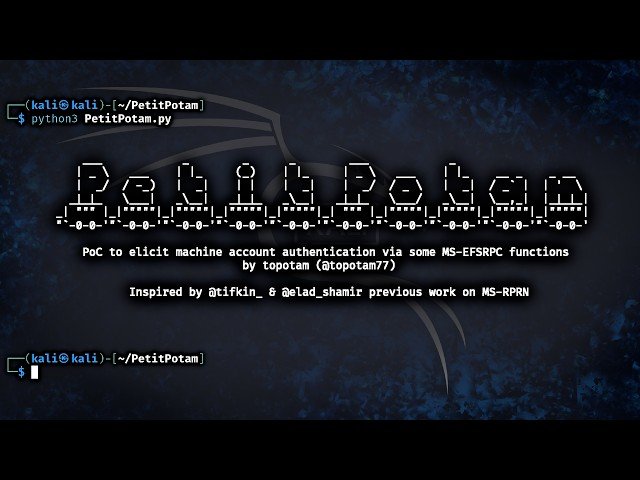
Learn to exploit vulnerabilities in Active Directory Certificate Services through hands-on demonstration and analysis. Discover common attack vectors and techniques used to compromise certificate-based authentication systems in Windows environments. Explore practical methods for identifying misconfigurations and security weaknesses in PKI implementations. Understand how attackers can abuse certificate templates, enrollment processes, and trust relationships to escalate privileges and maintain persistence. Gain insights into defensive strategies and best practices for securing certificate services infrastructure against these attack methods.

YouTube
Explore advanced network defense strategies using Active Directory Services in this comprehensive Black Hat USA 2000 conference talk. Delve into expert insights from speakers Rooster and J.D. Glaser as they share cutting-edge techniques for fortifying your network infrastructure. Learn how to leverage the power of Active Directory to enhance security, streamline user management, and implement robust access controls. Gain valuable knowledge on best practices for configuring and optimizing Active Directory services to protect against potential threats and vulnerabilities. Discover practical tips and real-world examples that will help you strengthen your organization's overall security posture and defend against sophisticated cyber attacks.
Google Cloud Skills Boost
Managed Service for Microsoft Active Directory (AD) is a highly available, hardened Google Cloud service running actual Microsoft AD that enables you to manage authentication and authorization for your AD-dependent workloads, automate AD server maintenance and security configuration, and connect your on-premises AD domain to the cloud.

YouTube
Explore a 45-minute medical education program focused on revolutionizing surgical training. Delve into innovative approaches presented by Elliot Street and Ben Huddleston during this livestreamed event by Houston Methodist DeBakey Heart & Vascular Center. Gain insights into cutting-edge techniques and methodologies aimed at enhancing the skills of cardiovascular surgeons. Learn how this program builds upon Dr. Michael E. DeBakey's legacy of educational excellence in cardiovascular medicine. Discover the latest advancements in surgical education and their potential impact on patient care. Please note that this program may contain graphic medical content.

YouTube
Explore the intricate relationship between Active Directory and DNS in this 46-minute conference talk from BSidesCharm 2023, presented by security experts Jim Sykora and Jake Hildreth from Trimarc. Gain insights into maintaining a robust directory service platform by understanding how Active Directory integrates DNS functionality with LDAP database and Kerberos authentication. Learn essential concepts including Forest DNS, Microsoft DNS configurations, explicit access controls, DNS zones, conditional forwarders, and DNS policies. Discover defensive strategies for DNS security, auditing practices, and best practices for outsourcing DNS. The presenters combine their extensive experience - Sykora's background in identity security and system administration, and Hildreth's expertise in Active Directory security assessments for Fortune 500 companies - to deliver practical knowledge for maintaining secure and efficient AD-DNS implementations.