

Courses
Discover thousands of courses from top institutions and platforms worldwide
Level
Course Type
Duration
Pluralsight
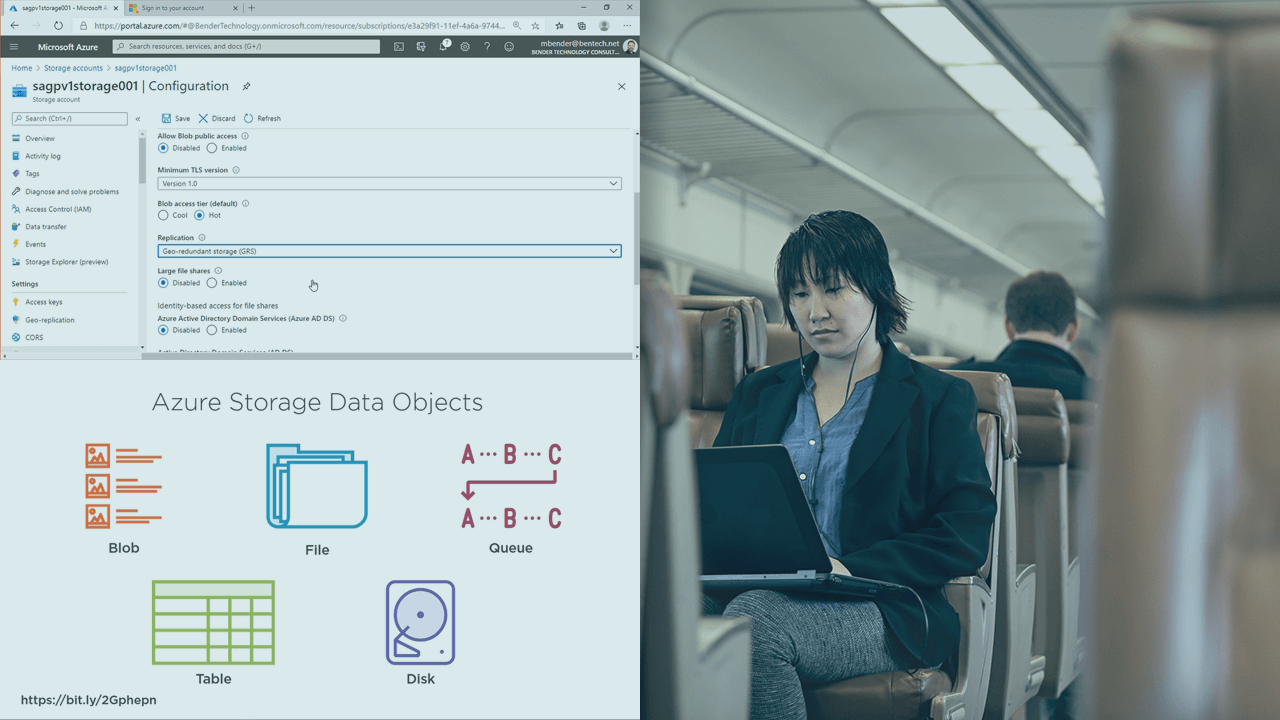
Storage is an important foundation of every Microsoft Azure infrastructure. And it is an important body of knowledge for all Microsoft Azure Administrators seeking to be a Microsoft Certified: Azure Administrator Associate (AZ-104). In this course, Microsoft Azure Administrator: Implement and Manage Storage Accounts, you’ll learn to Azure Storage Accounts. First, you’ll explore implementing Storage Accounts in Azure. Next, you’ll learn all replication options for Storage Accounts in Azure. Last, you’ll explore access control and securing your workloads in Azure Storage. When you’re finished with this course, you’ll have the skills and knowledge of Storage Accounts needed for Exam AZ-104: Microsoft Azure Administrator.

LinkedIn Learning
Learn how to manage your manager. In this course, adapted from the podcast How to Be Awesome at Your Job, Mary Abbajay explains how to build a good relationship with your boss.

LinkedIn Learning
Learn how to create and manage apps with SCCM and prepare for Microsoft certification exam 70-703. See how to deploy apps using PowerShell scripts, and deploy App-V virtual apps.

Pluralsight
Managing resources across a single or several subscriptions is a challenge. In this course, Microsoft Azure Administrator: Manage Subscriptions and Governance, you’ll learn to manage your Azure subscriptions with the services provided. First, you’ll explore how subscriptions work. Next, you’ll discover how to organize your resources using tags. Finally, you’ll learn how to leverage Azure policies to create guardrails for your subscriptions. When you’re finished with this course, you’ll have the skills and knowledge of Azure subscription resources needed to manage and apply governance over Azure subscriptions. This course aligns to exam AZ-104, Microsoft Azure Administrator Associate certification.

Pluralsight
In this course, Microsoft Azure Administrator: Manage Data in Azure Storage, you'll how to manage data in Azure Storage as part of the Manage Storage objective domain for the AZ-104 exam. First, you'll learn how data is managed with import and export Azure Jobs. Then, you'll discover AZCopy and it's usage in managing Azure Storage. Finally, you'll learn the how Azure Storage Explorer makes management easy from your desktop or the cloud. Once you have completed this course, you'll have the skills and knowledge of managing data in Azure Storage needed for Exam 104: Microsoft Azure Administrator.

Pluralsight
Virtual networking is one of those Microsoft Azure topics you want to get right the first time. In this course, Microsoft Azure Administrator: Implement and Manage Virtual Networking, you’ll learn to implement and manage Azure VNets by using Microsoft's own proven best practices. First, you’ll explore VNet design and deployment. Next, you’ll discover how to leverage subnets, peering, and public IP addresses. Finally, you’ll learn how to control VNet routing paths. When you’re finished with this course, you’ll have the skills and knowledge of Azure virtual networks needed to secure and optimize your Azure infrastructure.
Microsoft Learn
Module 1: Discover ways to use an Azure Storage account to manage your data for billing, access, and storage location of your blobs, files, queues, and tables.In this module, you will:Decide how many storage accounts you need for your projectDetermine the appropriate settings for each storage accountCreate a storage account using the Azure portalModule 2: Azure provides a variety of disk storage options for virtual machine workloads. Identify the features of capabilities of each type to ensure your application performs optimally.In this module, you will:Identify the types of disk storage available to virtual machinesIdentify the capabilities of different disk storageIdentify the use cases for each type of disk storageModule 3: Learn how to provide disaster recovery by replicating storage data across regions and failing over to a secondary location.By the end of this module, you'll be able to:Choose the right Azure Storage redundancy option for your organization.Demonstrate how to initiate a storage account failover.Module 4: Learn how Azure Storage provides multilayered security to protect your data with access keys, secure networks, and Advanced Threat Protection monitoring.In this module you will:Explore the Azure Data Lake enterprise-class security features.Understand storage account keys.Understand shared access signatures.Understand transport-level encryption with HTTPS.Understand Advanced Threat Protection.Control network access.Module 5: Azure Storage Explorer allows you to quickly view all the storage services under your account. You can browse through, read, and edit data stored in those services through a user-friendly graphical interface.In this module, you will:Describe the features of Azure Storage ExplorerInstall Storage ExplorerUse Storage Explorer to connect to Azure Storage services and manipulate stored dataModule 6: Learn how and when to use Azure Import/Export to copy large amounts of data from AzureIn this module, you will:Decide whether to use Azure Import/ExportLearn the steps to export data from AzureModule 7: Learn how to move large amounts of data to the cloud by using Azure Data Box devices.In this module, you will:Decide which Azure Data Box device to useLearn the steps to import data by using Azure Data Box DiskModule 8: Evaluate and deploy Azure File Sync to extend the capacity of your on-premises file share.In this module, you will:Evaluate your server's compatibility with Azure File SyncDeploy Azure File SyncTest and troubleshoot file syncModule 9: Learn about Azure VM disk performance and how to enable caching to help optimize read and write access to storage.In this module, you will:Describe the key considerations around disk performance in AzureDescribe the effects of caching on disk performance in AzureEnable and manage cache settings with the Azure portalEnable and manage cache settings with PowerShell
Microsoft Learn
Module 1: Learn how to create Azure users and groups in Azure Active Directory.In this module, you will:Add users to Azure Active Directory.Manage app and resource access by using Azure Active Directory groups.Give guest users access in Azure Active Directory business to business (B2B).Module 2: Manage users and groups in Azure Active DirectoryIn this module, you will:Learn the difference between Azure AD and Windows Server Active DirectoryUnderstand tenants, subscriptions, and usersCreate a new Azure Active DirectoryAdd users and groups to an Azure ADManage roles in an Azure ADLearn how to create a hybrid identity solution with Azure AD ConnectModule 3: Learn how to allow users to reset their password with Azure Active Directory self-service password reset.In this module, you will:Decide whether to implement self-service password reset.Implement self-service password reset to meet your requirements.Configure self-service password reset to customize the experience.Module 4: Learn how to assign management access to a subscription by using Azure role-based access control.In this module, you will:Identify the appropriate role to assign to an employee.Identify scenarios where the Global Administrator for Azure Active Directory might need to temporarily elevate their access in Azure.Grant the employee management access to a subscription.Module 5: Learn how to use Azure role-based access control to effectively manage your team’s access to Azure resources.In this module, you will:Verify access to resources for yourself and othersGrant access to resourcesView activity logs of Azure RBAC changesModule 6: Learn how to create custom roles for Azure resources with role-based access control (RBAC).In this module, you will:Identify role definition structure and propertiesCreate and manage an Azure custom role for resource access managementModule 7: Use Azure Resource Manager to organize resources, enforce standards, and protect critical assets from deletion.In this module, you will:Use resource groups to organize Azure resourcesUse tags to organize resourcesApply policies to enforce standards in your Azure environmentsUse resource locks to protect critical Azure resources from accidental deletionModule 8: Migration to the cloud presents new ways to think about your IT expenses. This module teaches you about the factors that influence cost and tools you can use to help estimate and manage your cloud spend. Prepare for AZ-900.After completing this module, you'll be able to:Use the Total Cost of Ownership Calculator to compare your current datacenter costs to running the same workloads on Azure.Describe the different ways you can purchase Azure products and services.Use the Pricing calculator to estimate the monthly cost of running your cloud workloads.Define some of the major factors that affect total cost and apply recommended practices to minimize cost.Module 9: Learn how to use cost analysis to understand how your costs accrue each month.In this module, you will:Set up your organization for success when using Cost ManagementAnalyze costs on a subscription using cost analysisCreate your first Azure budget based on your analysisModule 10: Learn how to identify Azure resources you can move, and how to move them to a new resource group.In this module, you will:Identify whether you can move resourcesMove resources to another resource groupModule 11: Learn how to manage device identity by using Azure AD join and Enterprise State Roaming.In this module, you will:Describe options to manage device identities in Azure ADConfigure Azure AD join to manage device identitiesConfigure Enterprise State Roaming to reduce the time that users need to configure a new deviceModule 12: Learn how to add custom domain name to Azure Active Directory.In this module, you will:Add a custom domain name in Azure Active DirectoryIdentify the common issues when verifying the custom domain nameModule 13: Use the advanced detection and remediation of identity-based threats to protect your Azure Active Directory identities and applications from compromise.In this module, you will:Describe the features of Azure Active Directory Identity Protection.Describe the investigation and remediation features of Azure Active Directory Identity Protection.Module 14: Learn how to use multi-factor authentication with Azure AD to harden your user accounts.In this module, you will:Learn about Azure AD Multi-Factor Authentication (Azure AD MFA)Create a plan to deploy Azure AD MFATurn on Azure AD MFA for users and specific apps

Coursera
Great leadership doesn't happen by chance—it happens by design. This course helps you create and evolve a personalized leadership checklist that keeps you focused on what matters most. You'll learn the core components of an effective checklist, from daily practices to strategic responsibilities, and how to structure them for clarity and action. Through practical tools, case examples, and hands-on activities, you'll build a Version 1 of your leadership checklist, test it against real challenges, and refine it as your role evolves.

LinkedIn Learning
Looking for a consistent and reliable way to install Windows applications? Learn about the Chocolatey package manager.
Microsoft Learn
Module 1: Learn how to connect your local on-premises networks into Azure using virtual networks, VPN gateways, and Azure ExpressRoute.In this module, you will: Create an Azure Virtual Network Create an Azure VPN Gateway Learn to work with Azure ExpressRoute Module 2: In this module, you will learn how to plan and implement an IP addressing scheme for virtual networks and virtual machines in Azure.In this module, you will: Identify the private IP addressing capabilities of Azure virtual networks. Identify the public IP addressing capabilities of Azure. Identify the requirements for IP addressing when integrating with on-premises networks. Module 3: Use virtual network peering to enable communication across virtual networks in a way that's secure and minimally complex.In this module, you will: Identify use cases for virtual network peering. Identify the features and limitations of virtual network peering. Configure peering connections between virtual networks. Module 4: Find out how Azure network security groups and service endpoints help you secure your virtual machines and Azure services from unauthorized network access.In this module, you will: Identify the capabilities and features of network security groups. Identify the capabilities and features of virtual network service endpoints. Use network security groups to restrict network connectivity. Use virtual network service endpoints to control network traffic to and from Azure services. Module 5: Learn how to deploy Azure Bastion to securely connect to Azure virtual machines directly within the Azure portal.In this module, you will: Evaluate Azure Bastion as a replacement for a VM jumpbox solution Configure Bastion to securely connect to VMs Manage remote sessions by enabling diagnostic logs and monitoring remote sessions Module 6: Learn how to host your domain on Azure DNS.In this module, you will: Configure Azure DNS to host your domain. Module 7: Learn how to control Azure virtual network traffic by implementing custom routes.In this module, you will: Identify the routing capabilities of an Azure virtual network Configure routing within a virtual network Deploy a basic network virtual appliance Configure routing to send traffic through a network virtual appliance Module 8: Learn how to deploy and configure Azure Firewall to protect outbound network traffic for Azure Virtual Desktop.By the end of this module, you'll be able to: Deploy and configure Azure Firewall to protect outbound network traffic for Azure Virtual Desktop Module 9: Learn about the virtual private network (VPN) gateway options in Azure and typical scenarios for using a VPN. Create and test VPNs to securely connect sites to Azure.In this module, you will: Learn the features and use cases of VPN gateways Learn the requirements for provisioning VPN gateways Provision site-to-site VPN gateways Module 10: Connect your on-premises systems and users to Azure and Office 365 by using ExpressRoute for private, dedicated, and guaranteed throughput connectivity.In this module, you will: Describe the features and capabilities of ExpressRoute Describe the use cases for using ExpressRoute to integrate traditional networks with Azure Module 11: In this module, you will learn how to use Azure Load Balancer to distribute traffic between multiple virtual servers or services.In this module, you will: Identify the features and capabilities of Azure Load Balancer. Deploy and configure an Azure Load Balancer. Module 12: Learn how to troubleshoot inbound network connectivity for Azure Load Balancer.In this module, you will: Identify common Azure Load Balancer inbound connectivity issues. Identify steps to resolve issues when virtual machines aren't responding to health probe. Module 13: Improve application resilience by distributing load across multiple servers and use path-based routing to direct web traffic.In this module, you will: Identify the load balancing capabilities of Application Gateway Create an Application Gateway and configure load balancing Configure an Application Gateway to use URL path-based routing Module 14: Learn how to investigate and diagnose problems in your Azure virtual networks by using Network Watcher and other tools.In this module, you will: Identify the tools available to manage and troubleshoot network connectivity in Azure Select the proper tool to manage and troubleshoot network connectivity for various use cases Module 15: Learn how to create and utilize a Content Delivery Network (CDN) within Azure to host commonly used assets, such as images in a website. The module covers Azure CDN and uses Blob Storage as an underlying storage model for stable or non-volatile data.In this module, you will: Configure a static website, hosted in Azure blob storage, to work with a CDN Verify content publishing, and content updating, through the CDN Identify the main configuration issues to consider when deploying a static site with CDN Manage CDN cache to control content update delivery and query string handling Module 16: Discover how Azure Traffic Manager provides DNS load balancing for your application to improve the performance and availability of your application.In this module, you will: Learn how to use Traffic Manager to dynamically distribute network traffic. Set up Traffic Manager for automatic failover to a secondary region. Set up Traffic Manager to redirect client requests to the nearest endpoint.

Pluralsight
The least privilege security principle is critical in the cloud. In this course, Microsoft Azure Administrator: Manage Role-Based Access Control (RBAC), you’ll learn to manage access to Azure resources. First, you’ll explore how to assign roles to Azure resources. Next, you’ll discover how to limit access through RBAC. Finally, you’ll see how to create a custom role. When you’re finished with this course, you’ll have the skills and knowledge of managing access needed to properly secure your Azure environment. This course aligns to exam AZ-104, Microsoft Azure Administrator Associate certification.
Microsoft Learn
Module 1: Learn about the most important aspects of planning Linux environments in Azure.After completing this module, you'll be able to: Plan the network environment and sizing of Microsoft Azure virtual machines (VMs) running Linux. Apply established best practices for deploying and configuring Linux on Azure VMs. Optimize your Linux environment on Azure VMs for performance and functionality. Module 2: Learn about different methods of provisioning Linux virtual machines in Microsoft Azure.After completing this module, you'll be able to: Provision a Linux virtual machine (VM) by using the Azure portal. Provision an Azure VM running Linux by using the Azure CLI. Provision an Azure VM running Linux by using Hashicorp Terraform. Provision an Azure VM running Linux by using Bicep. Module 3: Learn to create an Azure virtual machine in minutes that can be used like a local physical desktop or server.In this module, you will: Create a Windows virtual machine using the Azure portal Connect to a running Windows virtual machine using Remote Desktop Install software and change the network configuration on a VM using the Azure portal Module 4: Learn how to use the cross-platform Azure CLI to create, start, stop, and perform other management tasks related to virtual machines in Azure.In this module, you will: Create a virtual machine with the Azure CLI. Resize virtual machines with the Azure CLI. Perform basic management tasks using the Azure CLI. Connect to a running VM with SSH and the Azure CLI. Module 5: Learn about your virtual machine storage options and how to choose between standard and premium, managed and unmanaged disks for your Azure virtual machine.In this module, you will: Create a virtual machine (VM) Configure and attach virtual hard drives (VHDs) to an existing VM Determine whether you need premium disks Resize disks for a VM Module 6: Explore the options for Azure disk encryption to encrypt OS and data disks on existing and new virtual machines.In this module, you will: Determine which encryption method is best for your VM. Encrypt existing virtual machine disks using the Azure portal. Encrypt existing virtual machine disks using PowerShell. Modify Azure Resource Manager templates to automate disk encryption on new VMs. Module 7: Learn to use Azure Update Management to update virtual machines, verify agent connectivity, and use Azure Log Analytics in your cloud environment.In this module, you will: Deploy Update Management to a virtual machine. Schedule recurring security updates. Schedule recurring critical updates. Module 8: Write JSON Azure Resource Manager templates by using Visual Studio Code to deploy your infrastructure to Azure consistently and reliably.In this module, you will: Implement a JSON ARM template by using Visual Studio Code. Declare resources and add flexibility to your template by adding resources, parameters, and outputs. Module 9: Standardize and automate your virtual machine deployments to minimize manual configuration, variance, and error.In this module, you will: Identify the methods to create a specialized virtual hard disk. Create a virtual machine from an existing managed disk. Create a virtual machine image. Create a virtual machine from an existing virtual machine image. Module 10: Enable your application to automatically adjust to changes in load while minimizing costs with Virtual Machine Scale Sets.In this module, you will: Identify the features and capabilities of Virtual Machine Scale Sets. Identify the use cases for running applications on Virtual Machine Scale Sets. Deploy an application on a Virtual Machine Scale Set. Module 11: Learn how to protect your virtual machine settings with Azure Automation State ConfigurationIn this module, you will: Identify the capabilities of Azure Automation State Configuration. Learn how to onboard VMs for management by Azure Automation. Automatically update VMs to maintain a desired state configuration (DSC). Module 12: Discover how to create a Docker image and store it in the Azure Container Registry, then use Azure App Service to deploy a web application based on the image.In this module, you will: Create Docker images and store them in a repository in Azure Container Registry. Use Azure App Service to run web apps that are based on Docker images held in Container Registry. Use webhooks to configure continuous deployment of a web app that's based on a Docker image. Module 13: Learn how to respond to periods of increased activity by incrementally increasing the resources available and then freeing these resources when activity drops.In this module, you will: Scale a web app in and out manually. Scale a web app up and down. Module 14: Learn how to run and troubleshoot containerized apps using Docker containers with Azure Container Instances.In this module, you will: Run containers in Azure Container Instances Control what happens when your container exits Use environment variables to configure your container when it starts Attach a data volume to persist data when your container exits Learn some basic ways to troubleshoot issues on your Azure containers Module 15: Get acquainted with the Azure Kubernetes open-source container-orchestration system for automating application deployment, scaling, and management.In this module, you will: Evaluate whether Azure Kubernetes Service is an appropriate Kubernetes orchestration platform for you Describe how the components of Azure Kubernetes Service work to support compute container orchestration

Pluralsight
Local Active Directory and Azure Active Directory are both identity stores; however, the similarities pretty much end there. In this course, Microsoft Azure Administrator: Manage Azure Active Directory Objects, you’ll learn to how to create and manage user, group, and device identities in Azure AD. First, you’ll explore Azure AD user and group creation. Next, you’ll discover how to enroll and administer devices in Azure AD. Finally, you’ll learn how to apply administrative automation to your Azure ID identities. When you’re finished with this course, you’ll have the skills and knowledge of Azure AD identity management needed to succeed on your Azure Administrator certification exam and perform high-impact work as an Azure administrator.

CodeSignal
This course focuses on understanding why managers are crucial to team success and the positive impact they can have. It covers recognizing both effective and ineffective management behaviors and highlights the unique value managers bring to their teams.

Udemy
Learn how to transition from individual contributor to Manager and Leader with confidence! What you'll learn: Welcome to your career in management. But most important…Welcome to leadership. Even for the most gifted individuals, the process of becoming a leader is a rigorous and many times an exhausting journey. The rewards, however, can be enormous. I surveyed a group of managers across many disciplines and asked the question, “As a new manager, what do you wish you learned early in your career?” What follows in this course, is a result of the responses, as well as my personal experience coaching and mentoring new managers. I will open this course by asking you to be patient with yourself. You do not develop leadership skills overnight. It takes practice, it takes trying new things, it takes making mistakes. Yes, sometimes you will fail. That is ok. It is ok to acknowledge when something doesn’t work, it is ok to celebrate and build on your successes. I have broken this course into individual modules. These are small bite sized modules that you can view either one after the other, or one at a time as you drink your morning coffee. Feel free to jump around and view the modules that are of the most importance to you. Take what works, challenge what doesn’t, try new things. I’m excited to join you in this journey. It’s time to think about success. Let’s Get Started. Welcome to your career in management. But most important…Welcome to leadership. Why did you make this big move? To grow personally and professionally? To make a difference? To lead others to realize their success? All of the above?All this, and more! Even for the most gifted individuals, the process of becoming a leader is a rigorous and many times an exhausting journey. The rewards, however, can be enormous. I surveyed a group of managers across many disciplines and asked the question, “As a new manager, what do you wish you learned early in your career?” What follows in this course, is a result of the responses, as well as my personal experience coaching and mentoring new managers. I will begin by asking you to be patient with yourself. You do not develop leadership skills overnight. It takes practice, it takes trying new things, it takes making mistakes. Yes, sometimes you will fail. That is ok. It is ok to acknowledge when something doesn’t work, it is ok to celebrate and build on your successes. I have broken this course into individual modules. These are small bite sized modules that you can view either one after the other, or one at a time as you drink your morning coffee. Feel free to jump around and view the modules that are of the most importance to you. Take what works, challenge what doesn’t, try new things.The Chapters include:Introduction to ManagementDeveloping Your Leadership StyleLeadership ResponsibilitiesLeadership CommunicationTeam DevelopmentYour Growth and DevelopmentManagers Toolkit I’m excited to join you in this journey. It’s time to think about success. Let’s Get Started.

LinkedIn Learning
Learn the skills you need as a middle manager, including how to build strong hybrid teams, onboard new employees, conduct performance reviews and give feedback, develop OKRs to drive business alignment, trust your teams to do their best work, build visibility online as a remote leader, and communicate across cultures virtually. After completing this learning path, advance your skills with Manage Remote and Hybrid Teams as a Senior Manager.Build strong hybrid/remote teams.Onboard new employees effectively.Create OKRs that drive alignment, autonomy, and accountability.Communicate across cultures virtually.

LinkedIn Learning
Discover what it means to lead at a distance. As a new manager, learn how to run effective virtual and hybrid meetings, build a virtual team culture, communicate across cultures, whether working virtually or in person, and drive engagement, productivity, and growth. After completing this learning path, advance your skills with Manage Remote and Hybrid Teams as a Middle Manager.Discover what it means to lead at a distance.Drive engagement, productivity, and growth remotely.Run effective virtual and hybrid meetings.Communicate across cultures virtually.

LinkedIn Learning
As a senior manager, you're leading distributed teams remotely, in an office setting or both. In this learning path, you’ll learn how to plan for and embrace this new reality, including how to run collaborative hybrid teams, communicate across cultures and create great employee experiences, coach your people, and drive results and resolve conflict.Plan for the work-from-anywhere organization.Build a high-performance work culture.Communicate across cultures virtually.Drive results and resolve conflict.
Microsoft Learn
Learn how to configure virtual networks and subnets, including IP addressing.In this module, you learn how to: Describe Azure virtual network features and components. Identify features and usage cases for subnets and subnetting. Identify usage cases for private and public IP addresses. Create a virtual network and assign IP address. Learn how to implement network security groups, and ensure network security group rules are correctly applied.In this module, you learn how to: Determine when to use network security groups. Create network security groups. Implement and evaluate network security group rules. Describe the function of application security groups. Learn how to host the Domain Name System (DNS) records for your domains on Azure infrastructure by using Azure DNS.In this module, you will: Configure Azure DNS to host your domain. Learn to configure an Azure Virtual Network peering connection and address transit and connectivity concerns.In this module, you learn how to: Identify usage cases and product features of Azure Virtual Network peering. Configure your network to implement Azure VPN Gateway for transit connectivity. Extend peering by using a hub and spoke network with user-defined routes and service chaining. Learn how to control Azure virtual network traffic by implementing custom routes.In this module, you will: Identify the routing capabilities of an Azure virtual network. Configure routing within a virtual network. Deploy a basic network virtual appliance. Configure routing to send traffic through a network virtual appliance. This module explains what Azure Load Balancer does, how it works, and when you should choose to use Load Balancer as a solution to meet your organization's needs.In this module, you will: Learn what Azure Load Balancer is and the functionality it provides. Determine whether Load Balancer meets the needs of your organization. This module explains what Azure Application Gateway does, how it works, and when you should choose to use Application Gateway as a solution to meet your organization's needs.In this module, you'll: Learn what Azure Application Gateway is and the functionality it provides. Determine whether Application Gateway meets the needs of your organization. This module explains what Azure Network Watcher does, how it works, and when you should choose to use Network Watcher as a solution to meet your organization's needs.In this module, you will: Learn what Azure Network Watcher is and the functionality it provides. Determine whether Azure Network Watcher meets the needs of your organization.