

Courses
Discover thousands of courses from top institutions and platforms worldwide
Level
Course Type
Duration

Coursera
AI for Mechanical Engineers is designed to help mechanical engineering professionals harness the power of artificial intelligence in their practice. With technological advancements rapidly reshaping industries, this series provides a comprehensive foundation in AI applications essential to mechanical engineering domains, empowering you to lead the integration of AI technologies in your field. From optimizing design processes to revolutionizing autonomous systems and addressing energy and biomedical challenges, you will delve into cutting-edge AI methodologies tailored for mechanical engineering contexts. After completing the series, you will be equipped with the knowledge and skills to navigate the evolving landscape of mechanical engineering and drive transformative change through the integration of AI technologies.

YouTube
Explore a 30-minute video tutorial on solving a problem related to translational mechanical systems in control systems. Learn how to calculate the transfer function of a mechanical system with two degrees of freedom using free body diagrams. Understand the concept of free body diagrams, sign conventions for force polarity in translational mechanical systems, and how to derive equations of motion. Follow along with step-by-step analysis and calculations, gaining practical insights into modeling physical and mechanical systems for control engineering applications.

Udemy
Learn Python to solve problems in mechanical fields. What you'll learn: Python Programming in Mechanical EngineeringHow to use Python to solve and analyze engineering problemUse Python for Data AnalysisUse of Python in Simulation Softwares This Course will bring awareness of importance of python and applications of python in solving engineering problems. We will see some important libraries like SciPy, Numpy, Matplotlib, Pandas etc. used in scientific computation.This course includes Python Programs on Mechanics, Machine Design, Fluid Mechanics, Thermal Science, Heat Transfer, Vibrations, Optimization etc. It has covered various types of plots including line plots and 2D,3D contours plots where we can use this in visualizing engineering data.We will review how to make plots as well as how to make interactive plots, analyze test data and some optimization part.It covers from basic to advanced programs in mechanical fields.It has following sections1. Basic Concepts in Python2.Programs on Mechanics, Machine Design etc.3. Programs on Mechanical Vibrations4. Programs on Fluid Mechanics, Thermal Science and Heat Problems.5. Programs on Engineering Mathematics6. Some Advanced programs like FFT use, Filter, Data Analysis.7. Build Interactive GUI applicationWhat you will learn,- Importance of python in mechanical fields in research and computations.- Basics of Python programs from engineering point of view.- Learn to solve engineering problems.- Make yourself ready for one step ahead.- You can build a project on yourself in your favorite domain.- You will be able to use loops, functions, different libraries, custom functions to solve engineering problems.

Udemy
Matlab for Mechanical Engineers What you'll learn: Numerical Methods for Mechanical EngineersMatlab scripting Numerical methods are used for solving complex Mechanical problems.In this course Matlab Scripting is used to solve the Mechanical Problems.You will learn How to write Matlab ScriptingYou will learn how Matlab Scripting used for solving numerical problems and results VisualizationAt the end of the course you will gain some knowledge on how this scripting will be helpful for Mechanical & Aerospace Engineering Applications

Udemy
Mechanical Engineering HVAC MUST LEARN Concepts| Mechanical Engineering HVAC Course | Mechanical Engineering Expertise What you'll learn: The Interlink Between Mechanical Engineering and HVAC EngineeringHVAC Design Principles that Mechanical Engineers Should be equipped withHVAC Key Terminology that Mechanical Engineers Should be Familiar WithHVAC Design SequenceVarious Types of HVAC SystemsUnderstanding of Various HVAC ApplicationsHow to Conduct Basic HVAC based Calculations as Mechanical Engineers This an HVAC specialized course designed specifically for Mechanical Engineers who wish to enhance their knowledge and skills in the field of (HVAC) systems, heating, ventilation, and air conditioning This course is part of a comprehensive series of courses that address the unique needs and challenges faced by mechanical engineers in the HVAC industry.In this course, participants will delve into the field of HVAC Engineering and gain a deep understanding of the principles, design considerations, and practical applications. Through a combination of theoretical concepts and Practical Examples, students will develop the Awareness and Understanding of Key Concepts and Essentials that Every Mechanical Engineer should be equipped with.Through the Guidance of our Experienced Mechanical Engineering Instructors who are equipped with extensive industry experience and track record of excellence, you are going to acquire valuable information worth Years of Practical Field Experience.By completing this course, Mechanical Engineers will acquire specialized expertise needed to deal with the domain of HVAC. This knowledge will enable them to contribute further and develop their career , awareness , decision making and value towards becoming well rounded mechanical engineers that possess essential knowledge and skillset. This Course is the bridge between Mechanical Engineering and HVAC Engineering The Course will teach you the following: The Definition of HVACKey HVAC Principles and Technical Terminology that every Mechanical Engineer Should Learn.Types of HVAC Systems.Interlink between Mechanical Engineering and HVAC systems.The application of HVAC for Mechanical Engineers.HVAC Engineering Principles that Mechanical Engineers Should Know.HVAC Design Sequence to help you Stand out as a Mechanical Engineer.MUSTlearn terms and essentials for Mechanical Engineers exploring the field of HVAC. By the end of the Course you should be able to:Understand the various terminology used for HVAC systems.Understand how HVAC systems work from a Mechanical Engineering Point of View.Differentiate between HVAC systems.Identify HVAC system components.Explain and Discuss HVAC essential concepts as a Mechanical EngineerThe course is developed by a Project Manager , Mechanical Engineer and a Certified/Licensed Educator hence providing you with premium knowledge and exceptional Delivery. The Course also includes useful Downloadable resources that can supplement your learning Process. Our Courses have been Featured on Udemy as one of the Highest Rated and Suggested Courses for similar Aspiring Professionals , check out the reviews from our growing community who share similar learning goals and span over many technical professions.

Coursera
The course provides the principles of modelling and simulation of modern mechatronic systems, which are mechanical systems integrated with several types of sensors and actuators. The aim of the course is to show different methodologies to improve the potential of mechanical systems by transforming them into mechatronic systems based on virtual models. In particular, the lessons will be focused on case studies in three engineering fields: robotics, controlled electro-hydraulic actuators and smart devices.

Udemy
Learn about the fundamentals of materials and their selection for mechanical engineering design for design engineers What you'll learn: Basics of Material properties in mechanical designWhat is Ductility, hardness, toughness, strength , fatigue etcWhat is the generic material selection processImportance of Material selectionMaterial indices to guide material selectionHow to derive material index for simple mechanical loading applications Materials are an integral part of mechanical design and engineering.Understanding of properties , how they matter for product performance are a key knowledge set for any engineer designing products big or small . This course attempts to provide insights into the following topicsRole of material selection in Design processThe importance of materials Types of materialsThe Mechanical propertiesModulusDuctility and brittlenessStrengthHardnessResilience and ToughnessFracture toughnessFatigue strengthWearCreepInternal damping - loss coefficientThermal properties - Conductivity, Thermal expansion and heat capacity Introduction to peculiar nature of various base materials and compositesMaterial chartsMaterial selection processMaterial indicesDerivation of indices for various loading applicationApplying indices on the Ashby charts for material selectionThe course is intended to be a starting point for deep study into material selection .Materials is of course a very vast subject . This course can be a good reference to get a taste for the field of material selection.If you are a design engineer and looking to refresh and maybe pickup on new concepts regarding materials this course will be for you . If you are a student who is looking to start their learning journey in area of materials of mechanical design for product development then this should be a good starting point. Course is designed to be precise and to the point and focuses on concepts and not only the facts .

Pluralsight
By using the Fabrication Tools within Revit you can produce manufacturing/shop drawings without the need to re-design a consultants model. In such a competitive and seemingly inefficient industry, tools like this and the know-how required to master them can help you get more value out of time spent on projects. In this course, Generating Fabrication Models from Revit Mechanical Systems, you will learn how to take a design intent model and transform it into a Fabrication Model that can be exported to typical fabrication software like Fabrication CAMDuct used in sheetmetal workshops. You will also get a quick overview of the Fabrication Parts Database in CAMDuct. Finally, you'll learn even more about Fabrication Parts Database in CAMDuct - specifically relationship it has to Revit. Software required: Revit 2017, CAMDuct 2017.

Coursera
MEMS devices leverage the same equipment and processes used for semiconductor devices to create microscale sensors and actuators that drive innovation across a wide range of technologies in modern society. Through this course, learners will be able to demonstrate how these processes are specifically used for MEMS fabrication and highlight some differences from semiconductor fabrication. Key applications in consumer, industrial, aerospace, and medical applications are highlighted and described in more detail. This course is part of the Semiconductor and MEMS Fabrication Specialization. It is recommended that learners take the previous courses of the Specialization prior to this course. Please disregard module numbers because the content has been reorganized to improve comprehension and flow of the specialization.

YouTube
Explore the fascinating world of mechanical vibration in this hour-long Christmas lecture from The Royal Institution, where Leonard Maunder investigates the different types of vibration that affect machines and structures. Discover how engineers have advanced their understanding of mechanical vibration and developed practical methods to reduce it as machine speeds and performance continue to increase. Learn about the natural tendency of machines and structures to vibrate and examine the engineering solutions developed to counter these vibrations, particularly in applications where safety is critical. Understand the fundamental principles behind vibration phenomena through demonstrations and explanations that reveal why virtually no moving part is now manufactured without considering vibration effects. Gain insights into this increasingly important field of engineering as Maunder demonstrates how knowledge of vibration is essential for creating faster, more accurate, and safer mechanical systems.

Udemy
Learn Active Directory, Microsoft Intune, Group Policy, DNS, Azure AD, Microsoft 365, Storage, Backup, WSUS and Azure What you'll learn: Learn Active Directory, Group Policy, DNS, Azure Active DirectoryLearn Windows Server Administration, WSUS, Microsoft Intune, MDM, Windows Server SecurityStorage Management, Data Recovery & Performance Management.Manage applications using Microsoft IntuneIntroduction to Cloud Computing: Overview of cloud computing models (IaaS, PaaS, SaaS).Cloud Infrastructure Management: Provisioning and managing virtual machines (VMs) in the cloud. Networking concepts in the cloud environmentProject Work and Hands-On Labs: Managing costs and resource optimization in the cloud. Implementing governance policies and compliance. The IT System Engineering and Cloud System Administration course is designed to provide participants with comprehensive knowledge and hands-on skills required to excel in the field of managing and maintaining modern IT systems and cloud-based infrastructures. This course offers a deep dive into the fundamental concepts, best practices, and advanced techniques necessary for effective IT system engineering and cloud system administration. Course Objectives: In this course, you will get hands-on experience while completing the following tasks: 1. Fundamental IT System Concepts: Understand the foundational principles of IT systems, including hardware, software, networking, and security.2. Operating Systems Mastery: Gain proficiency in installing, configuring, and managing various operating systems, including Windows Servers, Windows Client Operating System and virtualization technologies3. Cloud Computing Basics: Explore the fundamentals of cloud computing, including cloud models (IaaS, PaaS, SaaS), virtualization, and cloud service providers (e.g. Azure).4. Cloud Infrastructure Management: Acquire skills to deploy, monitor, and manage resources in cloud environments, including virtual machines, storage, and networking components.5. Security and Compliance: Understand IT security best practices, encryption, access controls, and compliance considerations when working with IT systems and cloud services.6. Troubleshooting and Problem Solving: Develop the skills to diagnose and resolve complex IT issues in both on-premises and cloud environments.7. Introduction to Microsoft Intune: Understand the core concepts, features, and benefits of Microsoft Intune as a unified endpoint management solution.8. Device Enrollment and Configuration: Learn how to enroll and configure various types of devices (Windows, iOS, Android) into Intune for seamless management.9. Introduction to Active Directory: Understand the core concepts, components, and architecture of Microsoft Active Directory and its role in network infrastructure.10. Domain Services and Domain Controllers: Learn how to create and manage Active Directory domains, domain controllers, and trust relationships.11. User and Group Management: Acquire skills to create, manage, and maintain user and group accounts, including user authentication and access control.12. Group Policy Management: Explore the creation and application of Group Policy Objects (GPOs) for centralized configuration, security policies, and software deployment.13. Organizational Units (OUs): Understand how to design and implement OUs to organize and manage network resources efficiently.14. DNS and Active Directory Integration: Understand the integration between Active Directory and DNS for proper name resolution and network functionality.15. Active Directory Trusts: Explore the setup and management of different types of trusts, including cross-forest and external trusts.16. Introduction to WSUS: Understand the importance of WSUS in maintaining system security, patch management, and software updates within a Windows network.17. WSUS Deployment Planning: Learn how to plan for WSUS deployment, including server placement, network considerations, and integration with existing infrastructure.18. WSUS Installation and Configuration: Acquire skills to install and configure the WSUS server, including database setup, synchronization options, and proxy server integration.19. Target Groups and Computer Groups: Gain proficiency in organizing computers into target groups and computer groups for more efficient update management.And much more. Course Format: The course consists of a combination of lectures, hands-on labs, practical exercises, and real-world scenarios. Participants will have access to a dedicated lab environment to gain practical experience in configuring and managing IT systems and cloud services. The course culminates in a final project where participants will design and implement a comprehensive IT system using cloud resources. By the end of this course, participants will be well-equipped to take on roles as IT system engineers and cloud system administrators, capable of effectively managing and optimizing IT infrastructure in both traditional and cloud-based environments.

Udemy
Learn Sheet metal design, processes and practical design considerations along with Design projects. What you'll learn: How to design effectively with sheet metalGuidelines to be followed when designing for sheet metalUnderstand the principles at play behind the factors considered in designHow Material properties affect the Part quality and design considerationsDesigning simple sheet metal brackets using Fusion 360 Sheet metal design is an important skill in industry today and will be in the future. Due to its versatility designing with sheet metal finds applications in almost all major industries where physical products are manufactured This course covers the essential basic theoretical and practical knowledge required for Designing Sheet metal parts aimed at Design engineers who are designing products The common processesMaterials and the properties which matter for designWhat is anisotropyComparison between hardness, toughness and strengthWhat happens to the Material when it is formed or Bent?The Theory behind Forming and BendingForm-ability and Bend-ability of metal sheets and what factors affect themWhat are underlying principles which make a metal formable? Forming limit diagrams and how they are createdBending Parameters in designBending direction and its affect on qualityK factor, Neutral axis, Bend allowanceThe concept of Spring-back and ways to reduce itWhat is wrinkling and why does it occur? Deep drawing process and PracticeRolling, hydroforming, Stretch formingJoining processes and their comparisonEquipment used to perform operationsDesign Guidelines to create cost- effective designs which are suitable for manufacturing.Design projects with considerations So if you are a student exploring the world of product design or a design engineer who wants to make products with sheet metal then this courses will be a good value addition. The course is designed with short to the point explanations with focus on right understanding towards thoughtful design.
Udemy
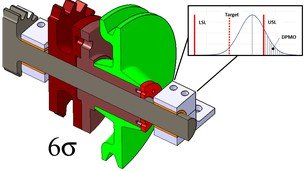
Estimate the quality level of your assembly as a PRO to predict Defects + Examples + Homeworks + Templates What you'll learn: Worst-Case approachStatistical approach (RSS)Six-Sigma approachCreate the loop for tolerance analysis in 2DEstimate the quality level of the assemblyEstimate the expected Defects Per Million of Opportunities (DPMO)Inflation factors for non-normal distributions (Ci)Process capablity index (Cp) from manufacturingDynamic shift (k) for loss of performance over timeUnderstand trade-offs for tolerance analysisCustomer requirements (LSL, USL) Stack up and Tolerance Design is all about quality, or in other words, the allowable parts to be rejected during the process. In escence, this results in an iterative process between the design department, manufacturing and the customer. In this course you will learn the concepts to master plus/minus tolerance stack ups in 2D. At then end, you will become a valuable member for your company because you will be capable to assess assemblies and propose changes to meet critical requirements. Although currently there are several software which run complex tolerance analysis in 3D, in my experience, most of the times you can simplify the problem with a 2D analysis, so as mechanical designer YOU MUST be capable of performing 2D analysis in order to save valuable resources to the company.First, you will learn the basics: The definition of nominal value, tolerance, standard deviation, normal distribution and the importance of tolerance analysis in mechanical design. Then. you will learn how to create the sketch (loop) to follow in the calculation of tolerance analysis. Several exercises will be provided so you can practice this process.Next you will Learn how to perform a linear stack ups with three approaches: Worst Case: When no rejections are allowed. This apporach results in the most expensive, but it is used in critical applications.Statistical: Some rejections are allowed. The costs are reduced because some defects will always be presented.Six-Sigma:Complex considerations such as process distributions, process caapability and loss of performance are taken into account to improve the design at different quality levels. Finally, for each approach I will provide you five assemblies with different requirements. You will need to apply the concepts to find the suitable design which meet the quality levels and solve the critical clearances. A template in excel will allow you to perform these calculations.Please note: We will cover ONLY plus/minus tolerances. But the knowledge is also applicable for geometric tolerances.This course is based in my own experience as designer in the aerospace industry for 10 years. I used this methods everyday to discuss initial changes with customer, find a suitable provider and reduce costs with manufacturing.

YouTube
Explore normal modes of mechanical systems in this comprehensive lecture from a course on analytical dynamics. Delve into the patterns of motion where all parts move together, focusing on oscillatory, steady drift, and unstable modes. Analyze a two-degree-of-freedom system with masses and springs to find natural frequencies and mode shapes. Examine general motion near equilibrium, geometric interpretations of equations of motion, and the concept of normal coordinates. Understand the importance of identifying normal modes in forced mechanical systems and their potential for large responses near natural frequencies. Gain insights into frequency-response curves, resonance, and the application of these concepts to both linear and nonlinear oscillators.

CourseHorse
This training course is designed to give participants the knowledge and skills to become a Collaboration Communications Systems Engineer. Participants should understand the fundamentals of networking, telecommunications, audio/visual and meeting room technologies, identity and access management, and Microsoft Teams. They will gain hands-on experience configuring and deploying Microsoft Teams Phone, meetings and certified devices including Microsoft Teams Rooms and Surface Hub. The course will also cover how to manage and monitor Teams Phone, meetings, and certified devices using the Microsoft Teams admin center, PowerShell, the Microsoft Teams Rooms Pro Portal, and the Call Quality Dashboard. In addition, the course will cover configuring and deploying Microsoft Teams Phone with PSTN connectivity through Microsoft Calling Plans, Operator Connect, Teams Phone Mobile, and Direct Routing. Who Should Attend? Collaboration Communications Systems Engineers are responsible for planning, deploying, configuring, maintaining, and troubleshooting Microsoft Teams Phone, meetings, and personal and shared space devices, including Microsoft Teams Rooms and Surface Hub. Collaboration Communications Systems Engineers have a fundamental understanding of networking, telecommunications, audio/visual and meeting room technologies, identity and access management. They are proficient in managing and monitoring Teams Phone, meetings, and certified devices using the Microsoft Teams admin center, PowerShell, the Microsoft Teams Rooms Pro Portal, and the Call Quality Dashboard. They deploy and configure Microsoft Teams Phone with PSTN connectivity through Microsoft Calling Plans, Operator Connect, Teams Phone Mobile, and Direct Routing. Collaboration Communications Systems Engineers work with Teams Administrators, Microsoft Identity and Access Administrators, and Microsoft 365 Administrators. In addition, they may work with owners of other workloads, including facilities managers, network engineers, security engineers, device manufacturers, telephony providers, and Microsoft Certified solutions providers. prerequisites Microsoft 365 and Microsoft Teams Networking, telecommunications, and audio/visual basics Identity and access management basics Course Outline 1 - Introduction to Teams meetings and calling Overview of Teams meetings and events Overview of Teams Phone Overview of auto attendants and call queues Overview of Teams devices 2 - Plan for Teams Phone Plan to deploy Teams Phone Plan for Teams Phone PSTN connectivity Determine license requirements Plan for Teams Phone devices Plan and design Teams Phone features Plan for voicemail 3 - Plan for Microsoft Teams Rooms and Surface Hub Determine license requirements for Microsoft Teams Rooms and shared devices Understand differences between Microsoft Teams Rooms on Android and Windows Understand Microsoft Teams Rooms on Surface Hub 2S Understand and plan Teams Room accessories, components, and peripherals Understand Teams Rooms management options 4 - Plan and optimize network performance for Teams media Understand Teams network requirements Design network for media optimization Design and implement QoS 5 - Configure and deploy Teams Phone Configure emergency calling for Teams Calling Plans Manage and configure Microsoft PSTN numbers Configure Operator Connect and Teams Phone Mobile Configure Teams Phone policies Create and manage Teams policies Configure Audio Conferencing 6 - Configure and deploy Teams Phone with Direct Routing Design Direct Routing call flows Implement SIP trunking with Direct Routing Configure Emergency Calling for Direct Routing Extend Teams Direct Routing infrastructure Deploy and maintain a survivable branch appliance 7 - Extend Teams Phone with additional services Understand how Teams interacts with additional services Configure compliance recording in Teams Configure and integrate a certified contact center in Teams Design and deploy voice bots in Teams 8 - Manage meetings and events experiences Explore meetings and events in Microsoft Teams Configure meeting settings Create and manage meeting policies Configure audio conferencing Create and manage meeting templates and template policies Create and manage meetings customization policies Configure live events settings Create and manage live events policies Examine live events across Microsoft 365 9 - Guided project - Create and assign Teams policies to meet business requirements in Microsoft Teams Prepare 10 - Configure and manage voice users Enable users for Teams Phone Enable users for Direct Routing with Teams Phone Enable additional calling features for Teams Phone Enable users for Teams Phone Mobile 11 - Configure auto attendants and call queues Design call flows for auto attendants and call queues Configure auto attendants and call queues Deploy a channel-based call queue Configure resource accounts Configure Microsoft 365 groups for voicemail Interpret call queue conference modes Interpret call queue routing methods Configure holidays for auto attendants and call queues Configure custom music on hold 12 - Configure, deploy, and manage Teams devices Manage Microsoft Teams Phones Manage Microsoft Teams Room Systems Microsoft Teams Rooms management options Manage Surface Hub 2S devices Configure Microsoft Teams SIP gateway Manage Microsoft Teams displays Remote provisioning and sign in for Teams Phones Update Microsoft Teams devices remotely Manage Microsoft Teams device tags 13 - Guided project - Prepare meeting room experiences Prepare 14 - Monitor and troubleshoot Teams collaboration communications systems Diagnose and troubleshoot phone number assignment Diagnose and troubleshoot Teams client issues Diagnose and troubleshoot call failure and call quality issues Report on and troubleshoot Teams calls with Call Quality Dashboard Diagnose and troubleshoot Direct Routing issues Troubleshoot and monitor Teams devices Troubleshoot Teams meetings and calling Troubleshoot Teams Rooms devices

YouTube
AutoCAD Full Course for Mechanical, Civil, Architect, Interior and Electrical Engineering. This AutoCAD training will give you confidence to say that you know AutoCAD 2D perfectly & will able to create complicated AutoCAD 2D drawings very easily. Please also solve the practice exercises after completion of each lecture, link to practice exercises is given below in chapters.

YouTube
Learn about centrifugal clutches in this 34-minute engineering lecture that examines their unique operating principles based on centrifugal force for automatic engagement and disengagement. Master the calculations for key parameters like engagement speed and power transmission while exploring practical applications, advantages, and limitations in mechanical systems. Gain valuable insights into this specialized clutch design as part of a comprehensive mechanical transmission systems curriculum that offers certification options for course credits in Indian Universities under UGC and AICTE guidelines.
YouTube
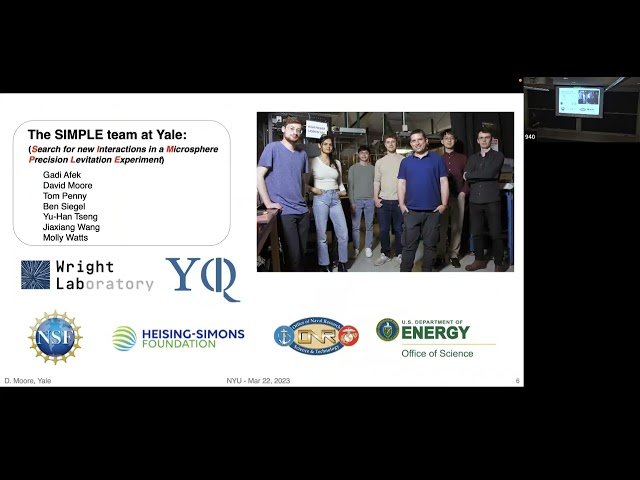
Join a High Energy Physics seminar exploring the groundbreaking use of mechanical sensors in dark matter detection, presented by Yale's David Moore. Discover how optomechanical systems have transformed the detection of minute forces, reaching quantum measurement limits and enabling innovative searches for weakly coupled phenomena. Learn about a pioneering search using an optically levitated nanogram mass sensor that demonstrates superior sensitivity compared to large underground detectors for specific dark matter candidates. Explore how these sensors can track directional correlations with Earth's galactic motion, providing definitive confirmation of dark matter signals. Delve into topics including optical traps, spin cooling, kinematic detection, phenomenology, and the future applications of these sensors in precision tests for nuclear and particle physics, including investigations of sterile neutrinos and other fundamental measurements.

YouTube
Explore the cutting-edge research on levitated nano-mechanical systems for sensing in this 49-minute conference talk by Peter Barker from University College London, UK. Delve into the characterization and calibration techniques essential for advancing these sophisticated sensing technologies. Gain insights into the potential applications and implications of these systems in the context of witnessing quantum aspects of gravity in laboratory settings. Part of the "Witnessing Quantum Aspects of Gravity in a Lab" conference hosted by ICTP-SAIFR from September 23-27, 2024, this talk offers a unique opportunity to understand the latest developments in nano-mechanical sensing and its role in pushing the boundaries of quantum gravity research.
CourseHorse
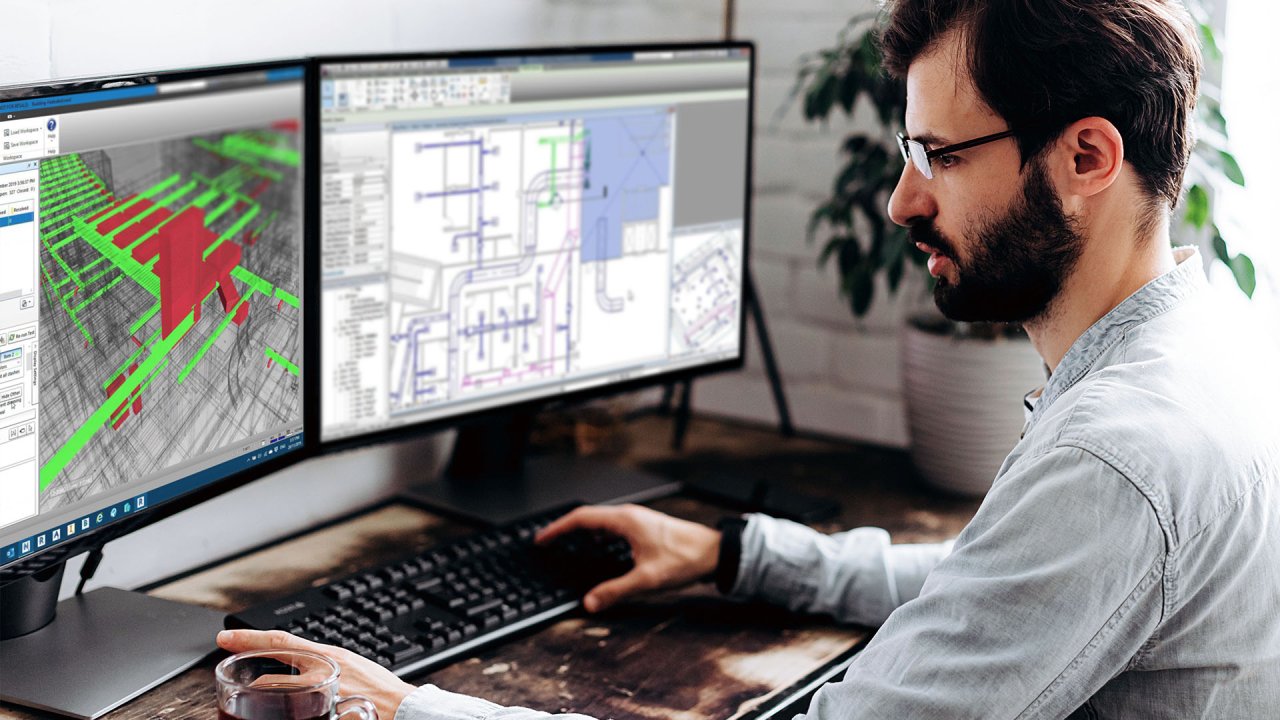
Revit Mechanical Course OverviewWhat Will You Learn? The Revit Mechanical course equips students with essential skills to design, manage, and optimize mechanical systems using Autodesk Revit. Through practical projects and real-world applications, students will gain expertise in setting up projects, placing equipment, designing duct systems, and working with mechanical families. This course emphasizes best practices for mechanical system modeling, making it ideal for professionals in HVAC (Heating, Ventilation, and Air Conditioning) and MEP (Mechanical, Electrical, and Plumbing) design. By completing this course, you will: Master Revit's mechanical design tools and workflows. Learn how to set up projects for mechanical systems in a BIM environment. Understand equipment placement and system connections in mechanical designs. Gain hands-on experience creating, managing, and editing duct systems. Work with mechanical families to customize project elements. Learn to generate schedules and sheets for project documentation. Develop tagging and annotation techniques to finalize mechanical system designs. Benefits of Taking Revit Mechanical at VDCI: Industry-Aligned Curriculum – Gain knowledge aligned with AEC industry standards, ensuring you develop relevant skills applicable to professional projects. Flexible, Self-Paced Learning – Access course materials anytime, allowing you to learn at your own pace while maintaining a structured learning path. Real-World Projects & Application – Work on hands-on assignments that reflect actual industry tasks, giving you practical experience with Revit. Instructor Feedback & Graded Assignments – Receive detailed critiques on your work, ensuring continuous skill development and improvement. Certification & Digital Credentials – Earn recognized credentials that validate your expertise and boost your career prospects in architecture, engineering, and construction. Collaborative Learning Environment – Engage with instructors and peers through discussion forums, fostering an interactive and supportive learning experience. Enhanced Visualization & Presentation Skills – Improve client presentations with professional-quality renderings and walkthroughs. Course Lessons and Projects Lesson 1: Project Setup & Organization In this foundational lesson, students will learn the critical steps for setting up a Revit project for mechanical systems. Proper project organization ensures accuracy, efficiency, and adherence to industry standards. Skills Learned: Understanding Revit's mechanical workspace and interface. Configuring project templates for MEP projects. Setting up levels, views, and mechanical disciplines. Linking architectural models to mechanical projects. Assigning system classifications and mechanical settings. Project: Organize a Revit project with proper levels, grids, and linked architectural models. Lesson 2: Mechanical Equipment Placement This lesson focuses on correctly placing mechanical equipment and integrating it efficiently into a Revit project. Skills Learned: Selecting and placing mechanical equipment (AHUs, boilers, chillers, etc.). Connecting mechanical systems to architectural and structural models. Understanding clearance zones and maintenance access requirements. Editing and modifying equipment placement for system efficiency. Project: Place HVAC and mechanical equipment in a Revit model, ensuring proper orientation and connection points. Lesson 3: Duct Systems & Airflow Design Students will learn the essential tools for creating and managing duct systems in Revit. Skills Learned: Designing supply, return, and exhaust duct systems. Understanding duct sizing and velocity calculations. Connecting mechanical equipment to ducts. Modifying and optimizing duct routing. Analyzing airflow efficiency within mechanical spaces. Project: Design a complete HVAC duct system, ensuring airflow efficiency and proper connections. Lesson 4: Mechanical Families & Custom Components Students will explore Revit families and how to customize mechanical components for project needs. Skills Learned: Understanding Revit family categories and parameters. Creating custom mechanical families for HVAC components. Modifying existing Revit families for project-specific requirements. Implementing shared parameters for system coordination. Project: Develop a custom mechanical family for a unique HVAC component. Lesson 5: Schedules & Documentation This lesson covers generating schedules and creating documentation sheets for mechanical systems. Skills Learned: Creating and managing schedules for mechanical components. Extracting system data for analysis and reporting. Organizing sheet layouts with mechanical views and annotations. Preparing documentation for coordination with other disciplines. Project: Generate a set of mechanical schedules and create professional documentation sheets. Lesson 6: Tagging & Finalizing System Documentation The final lesson focuses on annotation and final documentation, ensuring that mechanical systems are clearly labeled and prepared for construction. Skills Learned: Applying tags to mechanical equipment and ductwork. Using annotation tools for clear communication in project documentation. Creating legends and keynotes for mechanical components. Exporting final mechanical documentation for review and approval. Project: Apply tags and annotations to a completed mechanical model. Who Should Take This Course? This course is ideal for professionals and students who want to specialize in mechanical design using Revit. Whether you are a beginner or an experienced professional, this course provides valuable knowledge for a variety of industries. Target Audience: Mechanical Engineers & Designers: Gain expertise in HVAC and mechanical system design. HVAC Technicians & Specialists: Learn to model and document HVAC systems efficiently. MEP Engineers & Consultants: Develop skills to integrate mechanical systems into coordinated MEP workflows. CAD Drafters & BIM Technicians: Expand your knowledge by incorporating Revit's mechanical tools. Construction Professionals & Project Managers: Understand how mechanical systems are designed, documented, and coordinated. Students & Recent Graduates: Build a strong portfolio of mechanical design projects. Career Applications & Industry Relevance The skills gained in this course are highly sought after in the HVAC, mechanical engineering, and MEP industries. Revit Mechanical expertise can open career opportunities in the following roles: HVAC Design Engineer: Design heating, cooling, and ventilation systems. MEP BIM Coordinator: Manage mechanical systems in multidisciplinary BIM environments. Mechanical CAD Designer: Create detailed drawings for HVAC and plumbing systems. Construction Project Engineer: Oversee mechanical system implementation in construction projects. Building Systems Consultant: Provide expertise on energy efficiency and mechanical system optimization. Facility Manager: Manage mechanical infrastructure within large buildings. With the increasing adoption of Building Information Modeling (BIM), proficiency in Revit Mechanical enhances career prospects, enabling professionals to design and manage mechanical systems efficiently in modern construction and engineering projects.