

Courses
Discover thousands of courses from top institutions and platforms worldwide
Level
Course Type
Duration

Udemy
Climate Tracker's Multimedia Journalism Course What you'll learn: Video, photography, podcast Are you a young journalist looking to expand your toolkit? Then this is the right opportunity for you. Sign up to our free online Multimedia Journalism Course and learn how to take better pictures, produce high-quality videos and create your own podcast using free software and low-cost equipment. Through video tutorials and online materials, we will equip you with the tools and the know-how that you need to break into multimedia journalism. Sign up today and take your reporting to the next level.

YouTube
Get introduced to Multimedia and its role in jobs, hardware advances, copyright, and copyright infringement. Learn about multimedia analysis and processing and calculating file size of images, audio and video in this short video series by Eddie Woo.
Udacity
In this course, you will delve into the captivating field of multimedia, explore various aspects, including image processing, web media, color manipulation, and digital audio.
YouTube
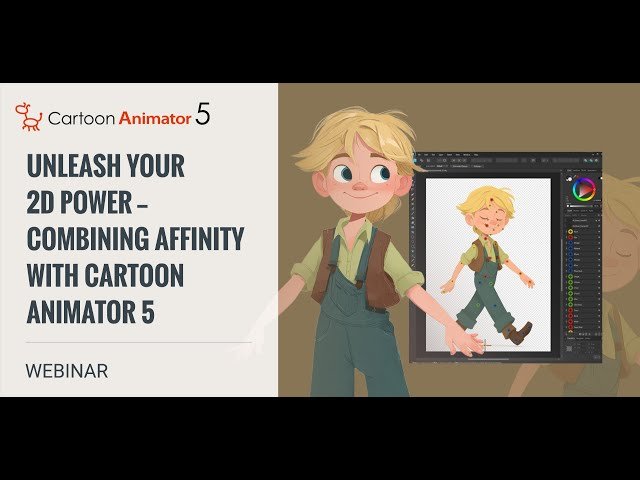
Learn to enhance your 2D animation workflow by combining Affinity Designer with Cartoon Animator 5 in this comprehensive 1 hour 40 minute webinar from Reallusion. Master the complete pipeline from asset preparation to final animation through practical, step-by-step demonstrations. Discover how to prepare and enhance visual assets in Affinity Photo 2, then seamlessly import and animate them using professional 2D animation techniques. Explore character and prop drawing fundamentals, proper file structuring for animation workflows, and efficient methods for bringing Affinity files into Cartoon Animator 5. Gain hands-on experience setting up bone systems and timeline management for smooth character animation. Perfect for both beginning designers looking to expand their skills and experienced animators seeking to optimize their visual quality and workflow efficiency. Access downloadable project files and free software to follow along with the demonstrations, plus participate in live Q&A sessions to address specific workflow challenges.

YouTube
Explore multimedia capabilities and media center options in Ubuntu during this comprehensive one-hour session. Discover how to set up and optimize your Ubuntu system for various multimedia tasks, including audio and video playback, streaming, and content management. Learn about popular media center applications and their features, enabling you to create a powerful entertainment hub using your Ubuntu machine. Gain insights into troubleshooting common multimedia issues and enhancing your overall multimedia experience on the Ubuntu platform.

Coursera
Copyright questions about different formats (data, images, music and video) can be especially difficult. Sometimes the law specifically distinguishes between these different formats, and in most cases there are media-specific considerations that impact a copyright analysis. In this course we will look at four different media, paying special attention to the unique issues for each one and the kinds of information that is important when making copyright decisions for each type of material. We will work through fair use issues for each multimedia format, look at format-specific exceptions in the law, and consider unique issues for seeking permission for film, music, images and data. At the end of this course, participants will have a deeper understanding of how to apply our framework for making copyright decisions, and will be more comfortable with assessing multimedia issues. They will have gained more and more diverse experience for considering fair use.

Coursera
Discover the core skills behind compelling digital content in our Multimedia Content Creation course—designed for both aspiring and experienced creators. In this course, you’ll learn how to create multimedia content that grabs attention, tells your story, and connects with audiences on any platform. Throughout this course, you’ll gain hands-on experience in multimedia content creation, developing versatile skills you can apply to everything from social media posts and marketing campaigns to presentations and branded assets. Whether you're designing for video, social graphics, or web layouts, this course emphasizes multimedia content flexibility, empowering you to craft content in various engaging formats. By the end of the course, you’ll have the confidence and creative toolkit to deliver high-quality multimedia content that stands out in today’s digital landscape

Coursera
This is an Intermediate Course intended for learners passionate about Android Development and have basic knowledge of Android Development. Embark on a comprehensive exploration of Android's architectural components, complemented by an in-depth study of its multimedia frameworks. Designed for software developers, mobile app enthusiasts, and tech professionals, this course offers profound insights into the Android operating system's inner mechanics. Begin your journey with a detailed examination of the architecture that forms the foundation of the Android operating system. Delve into the layers and components of Android, understanding the significant roles of the Linux kernel, runtime, libraries, and the application framework. This foundational knowledge ensures a thorough understanding of the elements that empower countless Android devices. Transition into the multifaceted world of Android's multimedia capabilities. This section encompasses media playback, capture, and a meticulous exploration of audio and video playback techniques. Equipped with this knowledge, you'll be poised to craft captivating multimedia experiences tailored for a wide array of users. Proceed to a deeper understanding of multimedia capture and manipulation. Utilize the advanced Camera2 API, grasp the nuances of audio capture, and perfect the art of video recording and customization techniques. By the end of this segment, you'll possess the expertise to create immersive multimedia applications. Conclude with an exploration into the cutting-edge aspects of multimedia optimization within the Android ecosystem. This final section furnishes you with the skills and insights required for efficient media playback, adaptive streaming, content delivery optimization, and a forward-looking perspective on Android multimedia trends. By the end of this course, participants will master Android's core architectural components and multimedia frameworks. They'll be skilled in developing, optimizing, and customizing multimedia applications, ensuring efficiency and user-friendly experiences. Additionally, they'll be well-versed in the latest trends and advancements in Android multimedia. Disclaimer: This course is an independent educational resource developed by Board Infinity and is not affiliated with, endorsed by, sponsored by, or officially associated with Alphabet Inc or any of its subsidiaries or affiliates. This course is not an official preparation material of Alphabet Inc. All trademarks, service marks, and company names mentioned are the property of their respective owners and are used for identification purposes only.

Coursera
In this specialization you’ll be equipped with the creative and strategic skills needed to produce high-impact content across social media and marketing channels. Through three hands-on courses, Social Media Content and Strategy, Multichannel Marketing, and Multimedia Content Creation, you’ll explore how to craft compelling social media strategies, manage multichannel campaigns, and create multimedia assets that resonate with diverse audiences. You’ll gain practical experience designing videos, graphics, podcasts, and infographics using industry-standard tools. The program emphasizes storytelling, visual design, and content optimization for platforms like Instagram, TikTok, and email. Whether you're a beginner or looking to expand your creative toolkit, this specialization offers flexible, project-based learning aligned with real-world marketing roles.

YouTube
Explore the latest developments in multimedia forensics through this informative 36-minute lecture by Dr. Surbhi Mathur from Forensic 365. Gain insights into the critical distinctions between cyber forensics and multimedia forensics, illustrated with real-case discussions. Delve into the importance of digital evidence in the modern age and discover how emerging trends are shaping the field of multimedia forensic investigation. Learn about cutting-edge techniques and technologies used to analyze and authenticate digital media, including images, videos, and audio files. Enhance your understanding of how forensic experts tackle challenges in the rapidly evolving digital landscape and apply this knowledge to real-world scenarios in criminal investigations, legal proceedings, and digital security.

Swayam
Learn HTML, CSS, and responsive design for creating user-friendly websites.Master JavaScript and Bootstrap for dynamic, interactive web development.Explore CSS animations, APIs, AJAX, and SEO for advanced web techniques.Gain proficiency in multimedia tools like CorelDRAW, Photoshop, and PageMaker.Create 2D animations in Flash and 3D content using Blender.Develop video editing, motion graphics, and special effects skills.Apply knowledge through real-world web and multimedia projects.Use industry-standard tools like Adobe After Effects

YouTube
Dive into a comprehensive 2-hour tutorial on Adobe Character Animator, led by Scott Evans, a 2D CH specialist from Taiyaki Studios. Master the software's fundamentals, from basic operations to advanced techniques, suitable for both beginners and experienced animators. Explore key features including lip syncing, swapset triggers, motion capture, walk cycles, scene cameras, and integration with Photoshop. Learn to create, manipulate, and export animations efficiently. Practice with free downloadable Vambie characters, designed in partnership with Vambie Inc. Gain insights into the Vambie story, community, and potential for content creation. Discover how to leverage Adobe Character Animator for producing engaging cartoons and social media content.

XuetangX
Welcome to the Advanced Multimedia Techniques Course, an in-depth exploration of digital media production using Adobe's industry-leading software suite. This course is tailored for those with foundational multimedia skills looking to advance their expertise in graphic design, video editing, and motion graphics with Photoshop, Premiere Pro, and After Effects.

Coursera
Content is an eminent example of the features that contributed to the success of wireless Internet. Mobile platforms such as the Snapdragon™ processor have special hardware and software capabilities to make acquisition, processing and rendering of multimedia content efficient and cost-effective. In this course, you will learn the principles of video and audio codecs used for media content in iTunes, Google Play, YouTube, Netflix, etc. You will learn the file formats and codec settings for optimizing quality and media bandwidth and apply them in developing a basic media player application. Learning Goals: After completing this course, you will be able to: 1. Explain the tradeoffs between media quality and bandwidth for content delivery. 2. Extract and display metadata from media files. 3. Implement and demonstrate a simple media player application using DragonBoard™ 410c.

YouTube
Learn how to create effective lip sync mouths in Adobe Character Animator with this comprehensive tutorial. Explore two free example mouth sets in both Photoshop PSD and Illustrator AI formats, and gain insights into the mechanics of mouths in Character Animator. Master techniques for achieving optimal lip sync results, including simple mouth overview, basic mouth rigging, working with multiple mouth sets, triggering extra mouths, and creating custom mouths. Download the free Character Animator Mouths Pack and follow along with step-by-step instructions to enhance your character animation skills. Perfect for beginners and experienced animators alike, this tutorial provides valuable resources and tips to improve your lip sync animations in Adobe Character Animator.

YouTube
Explore multimedia processing using FFMpeg and Python in this 34-minute conference talk from EuroPython 2024. Discover the power of FFMpeg, a comprehensive cross-platform solution for recording, converting, and streaming audio and video. Learn how to leverage this versatile tool within Python applications, overcoming the complexities of its command-line interface. Gain insights into handling various codecs and formats efficiently, and understand how to integrate FFMpeg's capabilities into your Python projects without encountering common pitfalls.

LinkedIn Learning
Ed Kashi and Julie Winokur discuss their artistic journeys and how their paths led them to create a nonprofit production company that tells stories about positive social change.
YouTube
Explore effective multimedia strategies for community engagement in this comprehensive workshop from the Science, Policy, and Engagement series. Dive into key aspects of multimedia production, including pre-production (3:18-29:25), production (29:26-1:05:20), and post-production with a focus on drawing (1:06:00-1:22:10). Gain insights on leveraging multimedia in media and policy contexts, followed by an informative Q&A session (1:22:10-1:53:00). Learn valuable techniques to enhance your communication and outreach efforts through various multimedia formats.

Pluralsight
Adobe Character Animator CC lets you animate any Photoshop or Illustrator file using your face and voice with your computer’s webcam and microphone, making performance capture animation fun and accessible.

YouTube
Dive into a comprehensive 65-minute tutorial on motion design for beginners, focusing on animating in Adobe Illustrator and After Effects. Follow professional graphic designer and animator Jess Riley as she guides you through the process of creating a custom graphic design in Illustrator and bringing it to life with animation in After Effects, all without using plugins. Learn essential techniques such as designing characters, drawing facial features and hands, creating highlights and shadows, and preparing layers for animation. Master the transition from Illustrator to After Effects, including importing files, fixing layer issues, and parenting layers. Explore various animation techniques, including eye movements, sticker background and text animations, and creating a sticker peel effect. Conclude with learning how to use the posterize time effect for an old-school animated look. Perfect for graphic designers looking to add motion to their work or animators wanting to create custom designs in Illustrator.