

Courses
Discover thousands of courses from top institutions and platforms worldwide
Level
Course Type
Duration

LinkedIn Learning
Learn how to manage your manager. In this course, adapted from the podcast How to Be Awesome at Your Job, Mary Abbajay explains how to build a good relationship with your boss.

LinkedIn Learning
Learn how to create and manage apps with SCCM and prepare for Microsoft certification exam 70-703. See how to deploy apps using PowerShell scripts, and deploy App-V virtual apps.
VDCI
Transform ordinary living spaces into extraordinary environments with a comprehensive training program focused on residential interior design. Master essential tools like Revit, SketchUp Pro, and Photoshop to create stunning visuals, precise blueprints, and functional layouts.

YouTube
Explore the crucial role of community managers in open source software projects through this informative conference talk. Gain insights into the responsibilities and value of community managers as Nanci Lancaster from VMware and Karen Chu from Microsoft break down the multifaceted aspects of this often misunderstood position. Learn how community managers support maintainers, engage with users and contributors, and foster a thriving project ecosystem. Discover key areas of focus including maintainer and contributor experience, event management, social media communications, GitHub repository health, and community meetings. Understand how dedicated community managers can alleviate the burden on project maintainers and contribute to the overall success of open source initiatives.

VDCI
Learn the fundamentals of blueprint reading for residential construction, from understanding drawing types to interpreting complex construction documents, to gain a solid foundation for your career in the construction industry.

LinkedIn Learning
Learn how to create real-time renderings of residential projects with Enscape and Revit.

Coursera
Great leadership doesn't happen by chance—it happens by design. This course helps you create and evolve a personalized leadership checklist that keeps you focused on what matters most. You'll learn the core components of an effective checklist, from daily practices to strategic responsibilities, and how to structure them for clarity and action. Through practical tools, case examples, and hands-on activities, you'll build a Version 1 of your leadership checklist, test it against real challenges, and refine it as your role evolves.

LinkedIn Learning
Looking for a consistent and reliable way to install Windows applications? Learn about the Chocolatey package manager.

YouTube
Explore a comprehensive update on Kubeflow 1.0 in this 44-minute conference talk by Josh Bottum, a Kubeflow Community Product Manager from Arrikto. Gain insights into the Kubeflow Community and feature development process, user survey results, and key features of Kubeflow 1.0. Discover significant business benefits and real-world use cases from top deployments. Watch a live demonstration of building, training, and deploying a versioned Kubeflow Pipeline. Learn about Kubeflow's mission, components, and functionality, including storage and end-to-end user experience. Dive into the Kubeflow dashboard, Jupiter Lab, machine learning capabilities, and upcoming features in Kubeflow 1.1.1. Understand how Kubeflow compares to non-Kubeflow solutions and explore its potential for streamlining machine learning workflows in cloud-native environments.
Noble Desktop
Build a strong foundation in residential blueprint reading by learning how to interpret drawing types and navigate complex construction documents, a fundamental skill for anyone pursuing a career in the construction industry.

Pluralsight
Throughout these lessons, we will learn how to create an exterior architectural model using AutoCAD. Software required: AutoCAD 2015. Throughout these lessons, we will learn how to create an exterior architectural model using AutoCAD. We will use time-saving techniques to create models quickly and easily. We will focus on the techniques used to create high-quality models. We will also make sure that the model can be easily linked to a rendering software such as 3ds Max. By the end of this training, you will have a working knowledge of how to create quick models with high quality. Software required: AutoCAD 2015.

YouTube
Explore effective strategies for using social media to communicate scientific findings and engage with diverse audiences in this webinar. Learn how to leverage multimedia content, choose appropriate platforms, and craft compelling messages that resonate with your target audience. Discover the importance of community science, understand the Thriving Earth Exchange process, and gain insights into successful case studies. Delve into various social media outlets, scheduling tools, and best practices for scientists and community managers. Acquire tips on creating engaging content, including video production, Facebook Live sessions, and podcasting. Address challenges such as dealing with trolls and maintaining scientific integrity online. Gain valuable insights on building a following, persistence in social media efforts, and adapting to emerging platforms like Snapchat for research and science communication.

YouTube
Learn how to create engaging science videos for diverse audiences in this collaborative webinar from AGU's Sharing Science and Thriving Earth Exchange programs. Discover tips, tools, and techniques for effective video production, including goal-setting, message framing, interview techniques, and technical aspects such as lighting, audio recording, and editing. Explore the importance of community science projects and gain insights on communicating complex scientific concepts to various stakeholders. Acquire practical skills to enhance your science communication efforts through visual storytelling.

CodeSignal
This course focuses on understanding why managers are crucial to team success and the positive impact they can have. It covers recognizing both effective and ineffective management behaviors and highlights the unique value managers bring to their teams.

Udemy
Learn how to transition from individual contributor to Manager and Leader with confidence! What you'll learn: Welcome to your career in management. But most important…Welcome to leadership. Even for the most gifted individuals, the process of becoming a leader is a rigorous and many times an exhausting journey. The rewards, however, can be enormous. I surveyed a group of managers across many disciplines and asked the question, “As a new manager, what do you wish you learned early in your career?” What follows in this course, is a result of the responses, as well as my personal experience coaching and mentoring new managers. I will open this course by asking you to be patient with yourself. You do not develop leadership skills overnight. It takes practice, it takes trying new things, it takes making mistakes. Yes, sometimes you will fail. That is ok. It is ok to acknowledge when something doesn’t work, it is ok to celebrate and build on your successes. I have broken this course into individual modules. These are small bite sized modules that you can view either one after the other, or one at a time as you drink your morning coffee. Feel free to jump around and view the modules that are of the most importance to you. Take what works, challenge what doesn’t, try new things. I’m excited to join you in this journey. It’s time to think about success. Let’s Get Started. Welcome to your career in management. But most important…Welcome to leadership. Why did you make this big move? To grow personally and professionally? To make a difference? To lead others to realize their success? All of the above?All this, and more! Even for the most gifted individuals, the process of becoming a leader is a rigorous and many times an exhausting journey. The rewards, however, can be enormous. I surveyed a group of managers across many disciplines and asked the question, “As a new manager, what do you wish you learned early in your career?” What follows in this course, is a result of the responses, as well as my personal experience coaching and mentoring new managers. I will begin by asking you to be patient with yourself. You do not develop leadership skills overnight. It takes practice, it takes trying new things, it takes making mistakes. Yes, sometimes you will fail. That is ok. It is ok to acknowledge when something doesn’t work, it is ok to celebrate and build on your successes. I have broken this course into individual modules. These are small bite sized modules that you can view either one after the other, or one at a time as you drink your morning coffee. Feel free to jump around and view the modules that are of the most importance to you. Take what works, challenge what doesn’t, try new things.The Chapters include:Introduction to ManagementDeveloping Your Leadership StyleLeadership ResponsibilitiesLeadership CommunicationTeam DevelopmentYour Growth and DevelopmentManagers Toolkit I’m excited to join you in this journey. It’s time to think about success. Let’s Get Started.

LinkedIn Learning
Learn the skills you need as a middle manager, including how to build strong hybrid teams, onboard new employees, conduct performance reviews and give feedback, develop OKRs to drive business alignment, trust your teams to do their best work, build visibility online as a remote leader, and communicate across cultures virtually. After completing this learning path, advance your skills with Manage Remote and Hybrid Teams as a Senior Manager.Build strong hybrid/remote teams.Onboard new employees effectively.Create OKRs that drive alignment, autonomy, and accountability.Communicate across cultures virtually.

LinkedIn Learning
Discover what it means to lead at a distance. As a new manager, learn how to run effective virtual and hybrid meetings, build a virtual team culture, communicate across cultures, whether working virtually or in person, and drive engagement, productivity, and growth. After completing this learning path, advance your skills with Manage Remote and Hybrid Teams as a Middle Manager.Discover what it means to lead at a distance.Drive engagement, productivity, and growth remotely.Run effective virtual and hybrid meetings.Communicate across cultures virtually.

LinkedIn Learning
As a senior manager, you're leading distributed teams remotely, in an office setting or both. In this learning path, you’ll learn how to plan for and embrace this new reality, including how to run collaborative hybrid teams, communicate across cultures and create great employee experiences, coach your people, and drive results and resolve conflict.Plan for the work-from-anywhere organization.Build a high-performance work culture.Communicate across cultures virtually.Drive results and resolve conflict.

CourseHorse
Interior Design for Residential Course Overview What You Will Learn The Interior Design for Residential course is a comprehensive, self-paced training program designed to equip students with the skills and knowledge to create functional and aesthetically pleasing living spaces. Throughout the program, students will learn to use industry-standard software such as AutoCAD, SketchUp Pro, Photoshop, and Illustrator to develop precise floor plans, 3D models, and compelling visual presentations. This course is ideal for individuals looking to build a strong foundation in residential interior design, whether for personal projects or professional advancement. By completing this course, you will: Learn how to read and interpret residential blueprints and construction documents. Develop proficiency in AutoCAD for creating detailed floor plans, elevations, and sections. Master SketchUp Pro for 3D modeling, space planning, and realistic renderings. Use Photoshop and Illustrator to enhance presentations, marketing materials, and digital layouts. Apply key design principles, including spatial organization, material selection, and lighting techniques. Create professional-level projects that showcase your technical and creative skills. Earn a verified digital certificate upon successful course completion. Benefits of the Interior Design for Residential Course This course provides a structured, hands-on learning experience designed to prepare students for real-world interior design projects. Self-Paced Learning with Instructor Support – Progress at your own speed while receiving expert guidance from industry professionals. Comprehensive Training – Learn and apply essential skills across 12 structured courses. Industry-Recognized Certification – Earn a verified digital certificate that adds credibility to your portfolio. Project-Based Learning – Work on real-world interior design projects to build hands-on experience. Professional-Grade Software Access – Gain expertise in AutoCAD, SketchUp, Photoshop, and Illustrator. Career-Ready Skills – Develop a portfolio that showcases your ability to create well-designed residential interiors. Course Lessons and Projects Blueprint Reading for Residential Construction Gain an understanding of how to read and interpret residential blueprints and construction documents. Learn architectural symbols, scales, and notation. Analyze floor plans, elevations, and MEP (Mechanical, Electrical, and Plumbing) drawings. Understand blueprint consistency and compliance for permitting. Project: Interpret and analyze a full set of residential construction documents. Introduction to AutoCAD Build essential skills in AutoCAD to create precise technical drawings for residential interiors. Develop residential floor plans, kitchen layouts, and bath fixture placements. Utilize layers, blocks, and annotations for organized drafting. Learn best practices for printing and exporting professional drawings. Project: Design a detailed residential floor plan with kitchen and bath elements. Intermediate AutoCAD Expand your AutoCAD skills by producing a full set of construction documents. Develop complete floor plans, foundation layouts, and roof plans. Use external references and advanced layer management for efficiency. Apply sheet layout environments and industry-standard CAD workflows. Project: Draft a complete set of construction documents for a residential project. AutoCAD Construction Documents I Learn how to create professional construction drawings for residential projects. Develop architectural and structural details for residential interiors. Draft elevation views, building sections, and site plans. Ensure compliance with National CAD Standards. Project: Produce a construction document set, including detailed elevations and architectural plans. AutoCAD Construction Documents II Advance your understanding of construction documents with in-depth detailing techniques. Draft precise interior elevations and detail drawings. Ensure coordination between floor plans and structural components. Refine title blocks and sheet organization for a professional drawing set. Project: Complete a full set of residential construction documents with industry-standard detailing. CAD Detailing Focus on architectural detailing for cabinetry, millwork, and built-in furniture. Learn to create detailed interior construction drawings. Apply best practices in drafting and annotation. Ensure precision in scale, materials, and dimensioning. Project: Develop a series of detailed millwork drawings for a residential space. Introduction to SketchUp Pro Learn to create 3D models for interior spaces using SketchUp Pro. Model floor plans, furniture, and custom design elements. Apply textures, lighting, and rendering techniques. Use geo-location tools to integrate environmental context. Project: Build a detailed 3D model of a residential interior. Intermediate SketchUp Pro Expand your SketchUp skills with advanced modeling techniques. Develop realistic visualizations for residential interiors. Apply advanced texturing, material mapping, and lighting effects. Create photorealistic renderings for client presentations. Project: Produce a fully rendered 3D interior design project. Introduction to Photoshop Enhance visual presentations and edit design imagery with Photoshop. Develop photorealistic renderings for interior projects. Use masking, layering, and blending techniques for polished visuals. Create marketing materials and project presentations. Project: Design a high-quality residential design presentation. Intermediate Photoshop Refine image editing and presentation techniques for professional design projects. Develop advanced digital compositions and color corrections. Create visually compelling room makeovers and mood boards. Optimize images for print and digital portfolios. Project: Finalize a comprehensive residential design proposal. Introduction to Illustrator Learn vector-based design techniques for branding and marketing. Develop custom graphics for residential presentations. Create floor plan diagrams and icon-based visuals. Prepare print and web-ready materials for clients. Project: Design a professional branding package for a residential design project. Intermediate Illustrator Advance your graphic design skills to create polished visual presentations. Develop infographics, material boards, and presentation templates. Enhance portfolio materials with refined vector illustrations. Export files in multiple formats for professional use. Project: Produce a complete marketing package for a residential design portfolio. Who Should Take This Course? This course is perfect for individuals in a variety of scenarios, including: Those who want to transition into a creative career but lack technical design training. Homeowners planning to redesign their space and want to visualize their ideas professionally. Freelancers or small business owners looking to offer interior design services. Real estate professionals who want to enhance listings with professional floor plans and 3D renderings. Students or career changers who need a portfolio of design work to enter the industry. Career Applications & Industry Relevance The skills gained in this course apply to multiple fields, including: Interior Design & Home Staging Architectural Drafting 3D Visualization & Rendering Real Estate Marketing & Property Development Home Renovation & Space Planning
CourseHorse
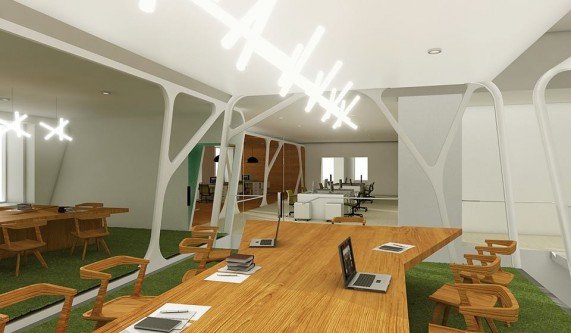
Fundamentals of Residential Lighting takes you through the principal spaces in the home in four sessions, looking at lighting effects, techniques, and tools.As a participant, you will learn how we see, including the perception of color and what makes objects, surfaces, and tasks stand out. You will practice visualizing, describing, and planning lighting effects using typical residential floorplans. LED technology and controls are explained and common problems will be confronted. Explanation of lighting vocabulary will help you select and shop for lighting equipment.Following the introductory “Designing in Light and Color”, the course moves through the Kitchen, home office, dining room, living room, bedroom and bathrooms. These sessions address the significant design issues and explore various approaches to lighting each type of space.Each sessions includes a design exercise to try on lighting ideas; home-based observation to develop critical vision; and a key issue review to reinforce understanding. Although we are working remotely, you will be able – and expected – to engage fully in the sessions.