

Courses
Discover thousands of courses from top institutions and platforms worldwide
Level
Course Type
Duration
YouTube
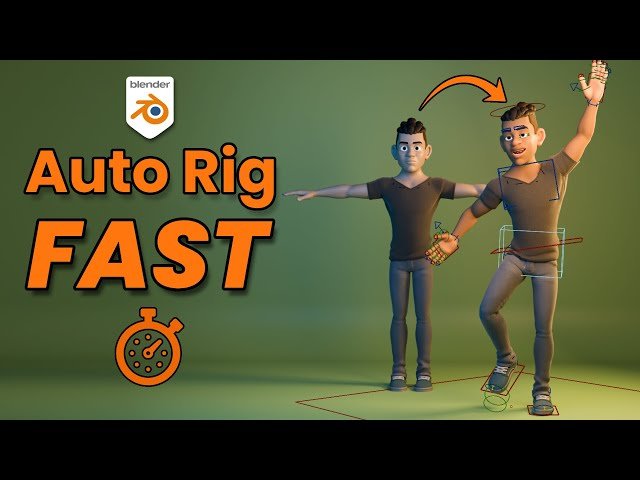
Explore the capabilities of "Rig Creator," one of the newest auto-rigging addons for Blender, in this 11-minute video tutorial from CGDive. Learn how this free tool compares to established options like Rigify and Auto-Rig Pro. Follow along with the comprehensive demonstration covering download and installation, basic functionality, human rigging, face rigging, weight painting, and fundamental rigging concepts. Discover the main features including physics capabilities, customization options, and one-click rig presets. Perfect for Blender artists looking to streamline their character rigging workflow with cutting-edge tools.

YouTube
Learn the complete workflow for transferring rigged and animated characters from Blender to Godot Engine in this comprehensive tutorial. Explore a bullet-proof rig setup, GLTF export settings, and Godot configuration. Master essential techniques including control rig overview, game rig creation, GLTF export and import, third-person setup, looping animations, character movement and jumping, camera controls, animation speed adjustments, and various animation setups such as idle, walk, run, crouch, jump, and stretch. Discover finishing touches like hiding the mouse cursor to polish your game project.

YouTube
Learn how to quickly rig a humanoid 3D avatar with fingers using Maya 2022's auto-rigger in this comprehensive 29-minute tutorial. Follow step-by-step instructions to import FBX/OBJ files, unbind skin weights, adjust the skeleton, create and map fingers, and export the rigged model for use in other 3D software like Unreal Engine, Unity, or iClone. Master techniques such as unlocking Maya's Human IK, adjusting the full-body skeleton, adding fingers to hands, binding skin weights, and locking the Human IK with mapped fingers. Benefit from real-time keyboard and mouse demonstrations to ensure successful implementation of each step in the rigging process.

YouTube
Explore a comprehensive overview of Blender auto-riggers in this 18-minute video from CGDive. Discover both popular and lesser-known auto-rigging tools beyond the standard Rigify. Learn about specialized auto-riggers for different purposes including deform rig generators, control rig generators, face auto-rigging, and vehicle auto-rigging. The video provides a rigging learning path for beginners and compares different auto-rigging solutions to help you choose the right one for your projects. Access additional resources through the provided resource site to enhance your Blender rigging workflow.

YouTube
Learn how to add a cloth simulation to a rigged and animated character in Blender 2.83 in this 16-minute tutorial. Explore techniques for creating realistic clothing dynamics on moving characters, enhancing your 3D animation skills. Gain insights into cloth simulation settings, collision detection, and how to integrate clothing with character rigs effectively. Perfect for 3D artists and animators looking to elevate their character designs with dynamic clothing elements.

YouTube
Explore the theoretical aspects of jets at the Electron-Ion Collider (EIC) in this 56-minute lecture by Felix Ringer, part of the International School and Workshop on Probing Hadron Structure at the EIC. Delve into the physics of jet production and their role in understanding nucleon structure, quark-gluon dynamics, and fundamental questions in particle physics. Learn about the EIC's potential to probe proton and neutron structure at unprecedented levels, investigating quark and gluon distributions, mass generation in visible matter, proton spin composition, and gluon saturation in heavy ion collisions. Gain insights into the EIC's high luminosity and wide kinematical coverage, which will provide access to previously unseen information about the fundamental building blocks of matter.

Pluralsight
In this series of After Effects tutorials, we will learn how to rig a camera using an animated Null object in After Effects. Software required: After Effects CC 12.0.0.404. In this series of After Effects tutorials, we will learn how to rig a camera using an animated Null object in After Effects. We will start out by getting a few things set up in the project with importing assets. We then move onto getting the position of the Null object set up. This project execution requires a knowledge of Spatial and Temporal keyframe interpolation, which we go over as we are setting up the animation of the Null object. After parenting the camera to the Null object, we then begin to use the imported assets to create different abstract towers that have multiple Z space position coordinates to give the project a 3D look. After finishing the set up of the scenes, we end by changing things like Camera focus and Blur type, as well as adding vignette and bokeh effects. By the end of this tutorial, you'll be able to create your own rigged camera as well as create 3D effects with originally 2D layers. Software required: After Effects CC 12.0.0.404.

YouTube
Explore the intricate relationship between literature, democracy, and electoral systems in this 55-minute Cambridge University Press video presentation. Delve into Professor Ato Quayson's examination of Kent Puckett's "The Electoral Imagination: Literature, Legitimacy, and Other Rigged Systems." Investigate the fundamental questions surrounding voting processes, ballot counting, election design, and the widespread belief in rigged elections. Analyze the intellectual history, literary criticism, and political theory that shape our understanding of democratic elections. Examine original interpretations of works by George Eliot, Ralph Ellison, Lewis Carroll, Kenneth Arrow, Anthony Trollope, Arthur Koestler, Richard Nixon, and Jean-Jacques Rousseau. Consider the impact of voting systems like the Palm Beach Butterfly Ballot and the Single Transferable Vote on electoral outcomes. Gain insights into the complex relationship between individual voters and collective decision-making, while exploring alternative perspectives on the concept of election rigging.

YouTube
Learn how to address unwanted stretching, bending, and twisting issues in rigged characters using Blender. Explore various solutions including removing bendy bones, adding more bones, and pinning props to mesh. Discover techniques for setting rigid weights, using the Voxel Heat Diffuse Skinning addon, and fixing problems in Rigify spine and robot arm/leg rigs. Gain valuable insights to improve your character rigging skills and create smoother, more realistic animations in Blender.

YouTube
Learn how to model clothing for Blender rigged actors using Blender 3D models in this 20-minute tutorial video. Discover the Character Creator-to-Blender pipeline as Peter Alexander demonstrates refining existing assets. Follow along as he guides you through exporting and importing to Blender, adjusting assets, setting up auto-hide-mesh on clothing, adjusting clothing weight maps, and finalizing for export and rendering in Eevee. Gain valuable insights into the Blender Character Pipeline and enhance your 3D character creation skills.

YouTube
Explore jet physics and machine learning applications in the context of the Electron-Ion Collider (EIC) through this informative lecture. Delve into the intersection of high-energy particle physics and advanced computational techniques as Felix Ringer discusses how machine learning can enhance our understanding of jet formation and behavior in EIC experiments. Gain insights into the latest developments in jet physics analysis and learn how these cutting-edge methods can contribute to unraveling the mysteries of hadron structure and quark-gluon dynamics at the upcoming EIC facility.

Udemy
Learn to create custom, game ready animation rigs in Houdini 18.5 with KineFX What you'll learn: Learn to create a custom game ready animation rig in Houdini Updated for Houdini 18.5 KineFX**** Volume 02 ****This update includes over 4 hours of new video introducing the new Houdini rigging workflow KineFX.We will create 2 complete game ready rigs using the new KineFX tools, a tentacle and a zombie; introducing the new workflows along the way.Not a single step is skipped, we go from zero to fully rigged, skinned and animated assets, with versatile, animator friendly user interfaces.This course is ideal for beginner animators or someone who is looking to translate their rigging knowledge from another 3D package and leverage the awesome power of Houdini in their game development projects. ****Volume 01 ****Learn to create an animation ready zombie character rig with Houdini.In this course we cover the fundamentals of the role of the Technical Animator or Rigger. We will create, node by node, a game ready animation rig ready to deploy into the Unity Game Engine. Along the way we will cover the fundamental concepts of rigging inside Houdini, and create a range of reusable rigging tools using Python and Houdini Digital Assets.After completion you will have an animation ready zombie asset - and for Houdini Indie users we will explore exporting the finalized rig into Unity for testing. Not a single step is skipped, we go from zero to a fully rigged, skinned and animated asset, with a versatile user interface.This course is ideal for beginner animators or someone who is looking to translate their rigging knowledge from another 3D package and leverage the awesome power of Houdini in their game development projects.

YouTube
Explore a 28-minute video examining the complex systemic barriers preventing repairable product design beyond simple corporate greed. Delve into multiple factors including misaligned business incentives, entrenched corporate structures, evolving customer expectations, and the relationship between minimalist design aesthetics and perceived quality. Learn about the challenges of product architecture, increasing technological complexity, and regulatory frameworks that impact repairability. Understand how backwards compatibility, planned obsolescence, and current laws shape the landscape of product design and repair. Discover potential solutions and actions that can help shift the industry toward more sustainable, repairable product development practices.

YouTube
Learn to integrate and animate rigged 3D characters in After Effects through this 37-minute comprehensive tutorial led by EJ Hassenfratz. Master essential workflows from preparing and importing 3D characters across multiple platforms including Blender and Cinema4D to manipulating them within After Effects' enhanced 3D workspace. Explore advanced techniques for working with 3D cameras, lighting setups, and HDRI implementations while creating dynamic scenes complete with 3D text and cyclorama walls. Discover professional tips for material editing, color correction, and final rendering, including how to apply motion blur and depth of field for polished results. Follow along with downloadable project files to gain hands-on experience with After Effects' powerful 3D capabilities and learn to create visually stunning character animations.

YouTube
Learn how to properly rig, import, and export animated characters from Blender to popular game engines like Unreal Engine and Unity in this extensive 42-minute video tutorial. Master the essential techniques for creating game-ready character rigs, including proper deformation hierarchy, fixing detailed limb bones, and addressing uneven scaling and stretching issues. Explore crucial topics such as global scale adjustments, fixing character scale, handling stretch constraints, and managing distances. Dive into advanced concepts like drivers, automation, and animation fixes. Gain practical knowledge on organizing animations, exporting FBX files, and importing characters into Unreal Engine and Unity. Discover valuable tips for converting rigs in Blender and optimizing your workflow for seamless integration between 3D modeling software and game engines.

YouTube
Explore the manipulative tactics behind AI benchmarks that control billions in investment and discover how to build meaningful evaluations in this 11-minute conference talk. Learn about three major "cheat codes" companies use to game benchmarks: cherry-picking comparisons as seen in xAI's selective Grok-3 graphs, buying privileged access like OpenAI's FrontierMath funding, and optimizing for style over substance demonstrated by Meta's 27 Llama-4 variants on LM Arena. Understand why Goodhart's Law guarantees benchmark failure when massive financial stakes are involved and why current AI evaluation methods face a crisis of reliability. Discover how to identify benchmark manipulation through real-world examples, why 39% of score variance stems from writing style rather than actual capability, and implement a 5-step framework for creating evaluations that matter for your specific use case. Master pre-deployment evaluation loops that distinguish reliable AI systems from those requiring constant troubleshooting, drawing from practical experience in building evaluation systems at Waymo, Uber ATG, and SpaceX where poor evaluations have literal crash consequences. Stop participating in rigged benchmark games and start measuring what truly impacts your AI applications.

YouTube
Discover the efficient workflow for creating a fully rigged 3D character model from a sketch in just two days. Learn the step-by-step process, including sketching, sculpting, retopology, clothing creation, UV mapping, texturing, and rigging. Gain insights into time-saving techniques and best practices for each stage of character development. Follow along as the instructor demonstrates the entire process, from initial concept to final animated model, providing valuable tips and tricks for streamlining your own character creation pipeline.

YouTube
Learn how to export a rigged 3D avatar from Blender 3.4 and import it into Unreal Engine 5.1 for use as a main character or NPC in your game project. Follow a comprehensive, step-by-step tutorial covering the entire process, including exporting, importing, retargeting, and implementing the avatar in Unreal Engine 5.1. Gain hands-on experience with real-time keyboard and mouse demonstrations, ensuring you can replicate each step accurately. Explore essential tools like Blender, Unreal Engine 5, and the Freedom Animation Pipeline V8.3 for UE5.1. Perfect for 3D modelers, animators, and game developers looking to enhance their skills in character creation and implementation.

YouTube
Learn the fundamentals of exporting rigged characters from Blender 2.8/2.9 to game engines like Unreal, Unity, or any other. Explore common issues and solutions for preparing 3D models, including handling fancy controls, shape keys, vertex weights, modifiers, and bendy bones. Dive into advanced topics such as bone hierarchy and squash-and-stretch effects. Discover practical solutions like creating target bones for new and existing rigs. Get familiar with the Arigify addon for streamlined workflows. Master generalized FBX export settings and see the results in Unreal Engine and Unity. Gain essential knowledge to successfully bridge the gap between 3D creation suites and game engines for character animation.

YouTube
Learn advanced character rigging techniques in Maya as you add final touches to the main rig in this 20-minute video tutorial. Explore essential steps to refine and enhance your character's rig, improving its functionality and performance for animation. Gain valuable insights from experienced rigger Dikko as he demonstrates professional-level techniques to elevate your character rigging skills.