

Courses
Discover thousands of courses from top institutions and platforms worldwide
Level
Course Type
Duration

Udemy
Getting to understand stored procedures What you'll learn: The student will learn about stored procedures, If Else, While Loop, cursors, derived tables, CTEs, sproc permissions, temp tables, sproc parameters and much more. The student at the end of this course will gain valuable information about sprocs and how to read and follow them in the production environment. The student will learn about stored procedures, If Else, While Loop, cursors, derived tables, CTEs, sproc permissions, temp tables, sproc parameters and much more. The student at the end of this course will gain valuable information about sprocs and how to read and follow them in the production environment. In addition, the student will be given examples of block statements, transactions commands, recursive CTEs, error handling, variables, and much more. This course will greatly help those students that want to understand how to read, modify, and execute from simple to complex stored procedures. By creating stored procedures, the developer has greater control in the execution of SQL commands, permissions, and greater flexibility in updating the sproc.

Udemy
All the information needed within the courses to set yourself for a successful career as a SQL Production DBA What you'll learn: Students will be able to create database, tables, view, stored procedures, filter data, update and delete information and be able to create complex joins of tables These individual courses will take you step by step in learning what it takes to become a SQL Production Database Administrator and will teach you the skills, roles, tasks, and responsibilities a SQL Production Database Administrator does on a daily basis. The great benefit of these courses is that you can navigate to one site to learn all that is needed to manage your SQL Server Environment.

Udemy
Microsoft SQL Server Database Administration step by step What you'll learn: Microsoft SQL Server SetupInstalling Sample DatabasesCreating Database ObjectsDatabase DesignTracking database activitiesCreating stored proceduresDatabase backup and recoveryMonitoring Database PerformanceDatabase security and user accountsQuerying Database with T-SQLAggregating Data using aggregate functionsFiltering and sorting recordsExtracting data from multiple tables SQL Server is Microsoft’s relational database management software and uses a common set of tools to deploy and manage databases both on-premises and in the cloud. Microsoft SQL Server Management Studio is a rich, integrated administrative client designed to meet the SQL Server and Azure SQL Database administrator's server management requirements. In Management Studio, administrative tasks are accomplished using Object Explorer, which allows you to connect to any server in the SQL Server family and graphically browse its contents. A server can be an instance of the Database Engine, Analysis Services, Reporting Services, Integration Services or Azure SQL Database.The tool components of Management Studio include Registered Servers, Object Explorer, Solution Explorer, Template Explorer, the Object Explorer Details page, and the document window. Use Management Studio to:Register servers.Connect to an instance of the Database Engine, SSAS, SSRS, SSIS or Azure SQL Database.Configure server properties.Manage database and SSAS objects such as cubes, dimensions, and assemblies.Create objects, such as databases, tables, cubes, database users, and logins.Manage files and filegroups.Attach or detach databases.Launch scripting tools.Manage security.View system logs.Monitor current activity.Configure replication.Manage full-text indexes. SQL Server Data Tools (SSDT) is a modern development tool for building SQL Server relational databases, databases in Azure SQL, Analysis Services (AS) data models, Integration Services (IS) packages, and Reporting Services (RS) reports. With SSDT, you can design and deploy any SQL Server content type with the same ease as you would develop an application in Visual Studio.T-SQL, which stands for Transact-SQL and is sometimes referred to as TSQL, is an extension of the SQL language used primarily within Microsoft SQL Server. This means that it provides all the functionality of SQL but with some added extras.

Udemy
A step-by-step guide to the administrative functions a good Tableau Server Administrator needs to know! What you'll learn: Explain the difference between Tableau Desktop and Tableau Server.Understand the different role types available to Tableau Server users.Add, edit and delete users on Tableau Server.Assign, view and modify user permissions on Tableau Server.Add, modify and delete projects and related permissions.Access the monitoring functions within Tableau Server.Know where to go for assistance with specific questions relating to Tableau Server. Are you the lucky recipient of Tableau Server Administrator privileges? Are you wanting to find a way to share your amazing Tableau Desktop workbooks?Have you always wanted your very own Tableau Online cloud server?If you answered yes to any of these questions, this course is for you!This course will take you through the key skills you need to effectively administrate a Tableau Server installation. And hey, if you don't have a Tableau Server installation - this course will show you how to get one of those too!As you already know, Tableau is a phenomenal suite of products - with Tableau Desktop being the icing on the cake. Take your skills to the next level and discover everything you need to know about Tableau Server to form a perfect complement to your Tableau Desktop training!

Udemy
Server+ | Server Infrastructure, Server Administration and more to get ready to Server+ SK0-005 for Server Administrator What you'll learn: CompTIA Server+ ensures pros have the skills to work in data centers or cloud environments.CompTIA Server+ is a global certification that validates the hands-on skills of IT professionals who install, manage and troubleshoot servers in data centersClients and ServersNetworking ServersFile ServersWeb ServersApplication ServersDatabase ServersServer Form FactorsRack Servers and Server RacksServer Room Power ConsumptionPower ManagementNetwork CablingCopper (Twisted Pairs)FiberSFPsPower Supply Unit (PSU)RAMCPUsNetwork Interface Cards (NICs)Server Cooling TechnologiesRAID ControllersDrive TypesLocal Storage vs Cloud StorageNAS (Network Attached Storage)SAN (Storage Area Network)HyperConverged Infrastructure (HCI)What is RAIDRAID 0 and RAID 1RAID 5 and RAID 6RAID 1+0 (RAID 10)Server Graphical User Interface (GUI)Server Core Installations2 Ways to Install Server: Server Core vs GUIBare Metal ServersServer VirtualizationRemote Server Administration Tools (RSAT)Virtual Machine (VM) CloningPhysical to Virtual (P2V)Global Partition Table (GPT) vs. Master Boot Record (MBR)Dynamic DiskLinux Logical Volume Management (LVM)ext4New Technology File System (NTFS)VMware File System (VMFS)Resilient File System (ReFS)Z File System (ZFS)Domain ServicesFully Qualified Domain Name (FQDN)Hosts FileIPv4Request For Comments (RFC) 1918 Address SpacesIPv6Dynamic Host Configuration Protocol (DHCP)How to Configure the Cisco IOS DHCP Server - Part 1How to Configure the Cisco IOS DHCP Server - Part 2Automatic Private IP Address (APIPA)The Domain ControllerThe File SharingThe IIS Web ServerThe Apache Web ServerThe Print ServerServer MonitoringRobocopySecure Copy Protocol (SCP)Server ClusteringMicrosoft Windows Server LicensingVolume LicensingCloud LicensingSoftware LicensingWhat is VirtualizationHypervisorVirtualized StorageVirtual NetworkingWhat is Cloud ComputingCloud Deployment ModelsSomething-Something as a Service (XaaS)Deploying a Virtual Machine in Cloud Assembly (VMware)Server-Side Scripting LanguagesInstalling Scripting LanguagesWho Needs Data Security?Protecting Data at Rest vs Data in MotionTypes of Encryption for in Motion, in Use, at Rest DataData RetentionData Access ControlControlling Access to the PropertySecuring the BuildingPhysical Security of a Data CenterData Center Cooling SystemsFire SuppressionSecuring the Server RoomSecuring the RackAccess Control Models and MethodsFile and Folder PermissionsCloud AccountingMulti-Factor Authentication (MFA)Types of BackupsBackup Media and CycleHigh Availability (HA)Disaster Recovery (DR)Network SegmentationProtocol AnalyzersNetwork FirewallsNetwork Access Control (NAC)Hardware HardeningOperating System (OS) HardeningApplication HardeningFirewalls and IDS/IPSUpdating the OSDecommissioning a ServerDestroying Hard DrivesServer Recycling and DisposalTroubleshooting MethodologyIdentifying the ProblemGathering InformationTesting the TheoryEstablishing a Plan of ActionImplementing the SolutionVerifying Full System FunctionalityTroubleshooting Steps and Solving Common Computer ProblemsCauses of Operating System FailureTroubleshooting and Fixing Windows 10's Firewall ProblemsSnapshot Guide for WindowsSnapshot Guide for LinuxPrivilege Escalation on WindowsHard Drive FailureNetwork FailureRAM FailureFile PermissionsGPOsFirewallsAnti-VirusNetwork Issues and Troubleshooting Tools Welcome to "CompTIA Server+ | CompTIA Server+ SK0-005 Certification Prep" course.Server+ | Server Infrastructure, Server Administration and more to get ready to Server+ SK0-005 for Server Administrator CompTIA Server+ ensures pros have the skills to work in data centers or cloud environments.CompTIA Server+ is a global certification that validates the hands-on skills of IT professionals who install, manage and troubleshoot servers in data centers as well as on-premise and hybrid environments. server+, comptia server+, comptia server, server +, sk0-005, comptia serverplus, comptia server +, server plus, comptia, comptia server plus, server infrastructure , server administration, server administrator.CompTIA Server+ is the only certification that can ensure that IT professionals at the administrator level are able to do the job in any environment because it is the only certification not restricted to a single platform. The exam covers essential hardware and software technologies of on-premise and hybrid server environments including high availability, cloud computing and scripting. The new exam includes performance-based questions that require the candidate to demonstrate multi-step knowledge to securely deploy, administer and troubleshoot servers.CompTIA Server+ now features flexible training options including self-paced learning, live online training, custom training and labs to advance the career development of IT professionals in server administration. If you really want to learn everything about servers and have fun while learning without getting bored, you are at the right place. With this course, you will learn many things about servers and prepare for CompTIA Server+ exam. This course offers information from the simplest level to almost advanced. When you finish this course, there will be almost nothing you haven't heard or learned about servers. What Skills Will You Learn? Server Hardware Installation & Management :Install and maintain physical hardware and storage Server Administration : Manage and maintain servers, including OS configuration, access control and virtualizationSecurity & Disaster Recovery : Apply physical and network data security techniques and Understand disaster recovery and implement backup techniquesTroubleshooting :Diagnose and resolve system hardware, software, connectivity, storage and security issuesJobs that use CompTIA Server+ : Systems AdministratorServer AdministratorData Center TechnicianNetwork AdministratorField Service Technician or EngineerIT TechnicianData Center Engineer During the course you will learn the following topics:Clients and ServersNetworking ServersFile ServersWeb ServersApplication ServersDatabase ServersServer Form FactorsRack Servers and Server RacksServer Room Power ConsumptionPower ManagementNetwork CablingCopper (Twisted Pairs)FiberSFPsPower Supply Unit (PSU)RAMCPUsNetwork Interface Cards (NICs)Server Cooling TechnologiesRAID ControllersDrive TypesLocal Storage vs Cloud StorageNAS (Network Attached Storage)SAN (Storage Area Network)HyperConverged Infrastructure (HCI)What is RAIDRAID 0 and RAID 1RAID 5 and RAID 6RAID 1+0 (RAID 10)Server Graphical User Interface (GUI)Server Core Installations2 Ways to Install Server: Server Core vs GUIBare Metal ServersServer VirtualizationRemote Server Administration Tools (RSAT)Virtual Machine (VM) CloningPhysical to Virtual (P2V)Global Partition Table (GPT) vs. Master Boot Record (MBR)Dynamic DiskLinux Logical Volume Management (LVM)ext4New Technology File System (NTFS)VMware File System (VMFS)Resilient File System (ReFS)Z File System (ZFS)Domain ServicesFully Qualified Domain Name (FQDN)Hosts FileIPv4Request For Comments (RFC) 1918 Address SpacesIPv6Dynamic Host Configuration Protocol (DHCP)How to Configure the Cisco IOS DHCP Server - Part 1How to Configure the Cisco IOS DHCP Server - Part 2Automatic Private IP Address (APIPA)The Domain ControllerThe File SharingThe IIS Web ServerThe Apache Web ServerThe Print ServerServer MonitoringRobocopySecure Copy Protocol (SCP)Server ClusteringMicrosoft Windows Server LicensingVolume LicensingCloud LicensingSoftware LicensingWhat is VirtualizationHypervisorVirtualized StorageVirtual NetworkingWhat is Cloud ComputingCloud Deployment ModelsSomething-Something as a Service (XaaS)Deploying a Virtual Machine in Cloud Assembly (VMware)Server-Side Scripting LanguagesInstalling Scripting LanguagesWho Needs Data Security?Protecting Data at Rest vs Data in MotionTypes of Encryption for in Motion, in Use, at Rest DataData RetentionData Access ControlControlling Access to the PropertySecuring the BuildingPhysical Security of a Data CenterData Center Cooling SystemsFire SuppressionSecuring the Server RoomSecuring the RackAccess Control Models and MethodsFile and Folder PermissionsCloud AccountingMulti-Factor Authentication (MFA)Types of BackupsBackup Media and CycleHigh Availability (HA)Disaster Recovery (DR)Network SegmentationProtocol AnalyzersNetwork FirewallsNetwork Access Control (NAC)Hardware HardeningOperating System (OS) HardeningApplication HardeningFirewalls and IDS/IPSUpdating the OSDecommissioning a ServerDestroying Hard DrivesServer Recycling and DisposalTroubleshooting MethodologyIdentifying the ProblemGathering InformationTesting the TheoryEstablishing a Plan of ActionImplementing the SolutionVerifying Full System FunctionalityTroubleshooting Steps and Solving Common Computer ProblemsCauses of Operating System FailureTroubleshooting and Fixing Windows 10's Firewall ProblemsSnapshot Guide for WindowsSnapshot Guide for LinuxPrivilege Escalation on WindowsHard Drive FailureNetwork FailureRAM FailureFile PermissionsGPOsFirewallsAnti-VirusNetwork Issues and Troubleshooting Tools With my up-to-date course, you will also have the chance to keep yourself updated and have fun while preparing for the CompTIA Server+ Certification exam. I am also happy to say that I will always be available to support your learning and answer your questions. Why would you want to take this course?Our answer is simple: The quality of teaching.When you enroll, you will feel the OAK Academy's seasoned instructors' expertise.Fresh Content It’s no secret how technology is advancing at a rapid rate and it’s crucial to stay on top of the latest knowledge. With this course, you will always have a chance to follow the latest data science trends.Video and Audio Production QualityAll our content is created/produced as high-quality video/audio to provide you the best learning experience.You will be,Seeing clearlyHearing clearlyMoving through the course without distractions You'll also get:Lifetime Access to The CourseFast & Friendly Support in the Q&A sectionUdemy Certificate of Completion Ready for DownloadDive in now into the "CompTIA Server+ | CompTIA Server+ SK0-005 Certification Prep" course.Server+ | Server Infrastructure, Server Administration and more to get ready to Server+ SK0-005 for Server Administrator We offer full support, answering any questions.See you in the course!

LinkedIn Learning
Learn how to prepare for the Deploy and Manage Hybrid Active Directory Services domain of the Microsoft AZ-800 certification exam.

DataCamp
Data is one of your business’s most valuable commodities. In this track you’ll learn the key skills you need to set-up, design, maintain, and monitor your team’s database. Dive in and learn the key SQL Server skills you need to securely manage access and monitor database performance using SQL server.

Pluralsight
The impact of Linux on the server market is way too big to ignore. Don't fight it: learn what you'll need to join in. As more and more Internet server operations move to Linux, getting started - even for experienced Windows administrators - can involve picking up a lot of new skills. Join Linux sysadmin David Clinton and learn how to launch and connect to a Linux instance running on AWS, install web server and document sharing software, and securely open it all up for your users.
YouTube
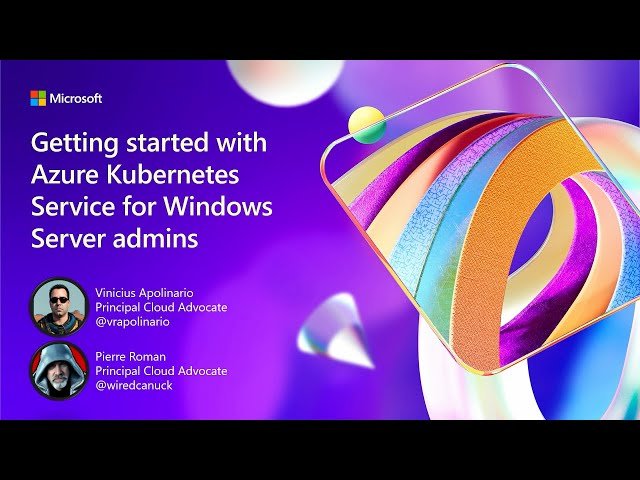
Learn how to transition from Windows Server administration to managing containerized workloads in Azure Kubernetes Service (AKS) through this 45-minute conference talk from Microsoft Ignite 2024. Explore fundamental container concepts, Kubernetes architecture, and follow practical demonstrations of deploying applications with Azure dependencies from a Windows Server IT Pro perspective. Presented by Vinicius Apolinario and Pierre Roman, discover how AKS enables running both modern cloud-native microservices and legacy applications that can be modernized for Kubernetes environments, whether on-premises or in the cloud.

Coursera
Exam Prep: AWS Certified SysOps Administrator - Associate Specialization is intended for candidates performing an administrator role. This specialization will prepare learners to use AWS services for monitoring, logging, and troubleshooting solutions to provide highly available infrastructure. This Specialization is designed to teach learners the technical skills related to System or Server administrator-focused job roles. If you're seeking a job in an AWS cloud admin role, this focused specialization will provide you with enough skills and knowledge to earn a job. By the end of this course, you will be able to: - Understand business continuity and disaster recovery procedures. - Implement operations using the AWS Management Console and the AWS CLI. - Analyze networking concepts like DNS, TCP/IP, and firewalls. The target audience for the Whizlabs Exam Prep: AWS Certified SysOps Administrator - Associate Specialization course includes System Administrators, Server Administrators, and AWS Architects. All these courses are further divided into Modules, Lessons, and Video Items. All the courses have a set of Practice Quiz and Graded Quiz available that test the candidate's ability to understand the concept and grasp the topics discussed in the courses.

Pluralsight
Exam AZ-801 is one of two exams required to earn the Microsoft Windows Server Hybrid Administrator Associate certification. This course helps you understand the exam and develop your certification strategy. The Windows Server Hybrid Administrator Associate certification validates your systems administration skills with Windows Server in both on-premises and Microsoft Azure cloud environments. In this course, Introduction to Exam AZ-801: Configuring Windows Server Hybrid Advanced Services, you’ll develop a "bird's eye perspective" of the Hybrid Adminitrator certification in general and Exam AZ-801 in particular. First, you’ll explore Microsoft role-based certifications. Next, you’ll deep-dive into the Hybrid Cloud Administrator certification. Finally, you’ll develop a certification study strategy to help you pass Exam AZ-801 efficiently. When you’re finished with this course, you’ll have the skills and knowledge of Exam AZ-801 needed to dive into the rest of the learning path, pass the exam, and start work on Exam AZ-800.

Pluralsight
Exam AZ-800 is one of two exams required to earn the Microsoft Windows Server Hybrid Administrator Associate certification. This course helps you understand the exam and develop your certification strategy. The Windows Server Hybrid Administrator Associate certification validates your systems administration skills with Windows Server in both on-premises and Microsoft Azure cloud environments. In this course, Introduction to Exam AZ-800: Administering Windows Server 2022 Hybrid Core Infrastructure, you’ll develop a "bird's eye perspective" of the Hybrid Adminitrator certification in general and Exam AZ-800 in particular. First, you’ll explore the Microsoft role-based certification ecosystem. Next, you’ll discover how the Hybrid Cloud Administrator certification works in detail. Finally, you’ll learn how to develop a certification study strategy to help you pass Exam AZ-800 efficiently. When you’re finished with this course, you’ll have the skills and knowledge of Exam AZ-800 needed to dive into the rest of the learning path, pass the exam, and start work on Exam AZ-801.

Coursera
In this course, you will learn how to deploy, configure, and secure FortiAnalyzer. You will also learn how to register and manage devices with FortiAnalyzer. Finally, you will explore the fundamentals of the logging and reporting management capabilities included on FortiAnalyzer. These skills will provide you with a solid foundation for becoming a professional FortiAnalyzer administrator.

Coursera
In this course, you will learn how to use the most common FortiGate features including firewall policies, user authentication, high availability, SSL VPN, site-to-site IPsec VPN, Fortinet Security Fabric, and how to protect your network using security profiles, such as IPS, antivirus, web filtering, application control, and more. These administration fundamentals will provide you with a solid understanding of how to implement the most common FortiGate features.

edX
The Azure Administrator program is designed for individuals seeking a strong foundation in cloud computing with a focus on Microsoft Azure. Whether you're new to cloud technologies or looking to pivot into a cloud-focused career, this program provides comprehensive instruction on the core principles of cloud infrastructure and Microsoft Azure services. You’ll begin by exploring fundamental cloud concepts—such as scalability, elasticity, and the shared responsibility model—before diving into the specifics of Azure’s architecture, products, and core solutions. With hands-on learning from Microsoft experts, this program will help you understand real-world scenarios and prepare for roles requiring Azure knowledge. This program serves as an excellent stepping stone toward Microsoft Certified: Azure Fundamentals certification and further specialization as an Azure Administrator Associate or Cloud Engineer.

Pluralsight
The first order of business for most organizations undergoing a cloud journey is figuring out precisely how to migrate their Windows Server-based workloads into Microsoft Azure. In this course, Windows Server 2022: Migrate Servers and Workloads, you’ll learn to leverage Windows Server and Azure tools to make your workload migrations easier and more secure. First, you’ll explore migrating on-premises storage and compute resources to Azure virtual machines. Next, you’ll discover how to migrate web servers and workloads to Azure platform-as-a-service. Finally, you’ll learn how to migrate Active Directory Domain Services running on down-level Windows Server versions to Windows Server 2022. When you’re finished with this course, you’ll have the skills and knowledge of Windows Server cloud migration needed to clear this part of the AZ-801 exam as well as provide exceptional value to your organization.
Microsoft Learn
Manage Windows Server file serversAfter completing this module, you'll be able to: Describe the Windows Server file system. Describe the benefits and use of File Server Resource Manager. Describe SMB and its security considerations. Manage SMB configuration. Describe Volume Shadow Copy Service. Implement Storage Spaces and Storage Spaces DirectAfter completing this module, you'll be able to: Describe the architecture and components of Storage Spaces. Describe the functionality, benefits, and use cases of Storage Spaces. Implement Storage Spaces. Describe the functionality, components, and use cases of Storage Spaces Direct. Implement Storage Spaces Direct. Implement Windows Server Data DeduplicationAfter completing this module, you'll be able to: Describe the architecture, components, and Data Deduplication functionality, components, and use cases of Data Deduplication. Describe the use cases and interoperability of Data Deduplication. Implement Data Deduplication. Manage and maintain Data Deduplication. Implement Windows Server iSCSIAfter completing this module, you'll be able to: Describe iSCSI functionality, components, and use cases. Describe the considerations for implementing iSCSI. Implement iSCSI. Describe implementing high-availability iSCSI configurations. Implement Windows Server Storage ReplicaAfter completing this module, you'll be able to: Describe the functionality and components of Storage Replica. Describe the prerequisites for implementing Storage Replica. Implement Storage Replica. Introduction to Cluster Shared VolumesAfter completing this module, you'll be able to: Describe the functionality of CSV. Describe the architecture and components of CSV. Implement CSV.

Udemy
CheckPoint CCSA Complete Course What you'll learn: How To Configure CheckPoint From ScratchLearn how to deploy CheckPoint Three-Tier TopologyLearn how to Setup CheckPoint In EVE-NGVPNLearn CheckPoint Management ServerAccess Control policyLearn CheckPoint Security GatewayNAT CheckPoint CCSA R80 Complete Course will start from scratch by teaching student how to deploy Check Point firewall and Management Servers in EVE-NG and Google Cloud Services. By completing this training, network administrators will be better prepared to advance into roles that lead to higher-level network administrator and security positions. This course is intended for anyone who manages a company’s Check Point or security training, this CCSA R80 training can be used for 156-215.80 exam prep, for on-boarding new network administrators, or as part of a team training plan.

Coursera
In this course, you will learn the fundamentals of using FortiManager for the centralized network administration of many FortiGate devices. In interactive labs, you will explore deployment strategies, which include single or multiple ADOMs, device registration, policy packages, shared objects, installing configuration changes, provisioning FortiManager as a local FortiGuard distribution server, and troubleshooting the features that are critical to day-to-day use after you deploy FortiManager.

A Cloud Guru
This course prepares students who are already familiar with core Azure services and Azure and SQL database skills used by Azure Database Administrators.An Azure Database Administrator is responsible for the management, availability, security, performance monitoring, and optimization of modern relational database solutions. They also assist Azure Data Engineers in managing operational aspects of a data platform solution. Azure Database Administrators are familiar with: Deploying SQL database solutions within Azure Azure SQL Server, database, and query architecture Basic usage of Transact-SQL for administrative tasks Securing Azure SQL resources and data Interconnecting Azure SQL resources with other Azure services Monitoring and optimizing Azure SQL Database performance Maintaining business continuity for Azure SQL resources Processes for migrating on-premises SQL Server databases to Azure Other options for managing relational data in AzureThis course also prepares exam candidates to pass the DP-300: Administering Relational Databases on Microsoft Azure exam to attain the Azure Database Administrator Associate certification. Candidates for the exam are presumed to be database administrators and data management specialists that manage on-premises and cloud relational databases built on top of Microsoft SQL Server and Microsoft Azure data services.