

Courses
Discover thousands of courses from top institutions and platforms worldwide
Level
Course Type
Duration

Craftsy
Getting the look of a designer handbag doesn’t have to cost a lot of money — you can make your own! In this class you will learn how to make a handbag with two large zipper pocket sides and a roomy middle compartment. Instructor Ashley Hough will take you step by step through construction of the handbag, showing how to first practice with a lightweight cotton. You will learn how to sew the purse as well as how important it is to think ahead when it comes to construction techniques in order to know when to incorporate finishing touches such as top stitching. Ashley will then take you through the various fabrics you can use to create a designer look, including vinyl, suede cloth and even Spandex-blend fabrics. In addition to teaching how to insert zippers into your bag, Ashley will show how to use other handbag hardware such as purse feet, buckles, magnets, handles, clasps and studs. Ashley shares many other ideas on how you can further customize your handbag by changing small elements such as zipper pulls. After showing you how to construct the handbag, Ashley will go over several different front design options. Each option uses different fabrics, embellishments or hardware, so you can make each one and have several designer-look handbags by the end of the class. As part of the class you will also receive downloadable and printable patterns and measurements to create your purse.

Craftsy
Learn new fashion design details you can apply to any project alongside acclaimed sewing instructor Jacque Goldsmith. Add a chic touch to a blouse or skirt with a peekaboo slot seam. Use mesh inset seams for fashion-forward effects. Make design lines pop with piping or a welt. Create dramatic effects with color and texture blocking. Convert darts into tucks or pleats for more beautiful bodices, or even hide a pocket in a French dart! Sew pockets with a contrasting leather welt or a trendy window zipper. Create the perfect Petersham ribbon waistband for skirts and pants. Enhance stylish necklines with contrasting undercollars. Draft and construct Jacque’s exclusive bow tie cuff design. Add a fabulous tulip flounce to a knit blouse. Easily create a striking scalloped hem with a full facing and much more. Elevate the allure of your garments with designer techniques!
Codecademy
Continue your Discrete Math learning journey with Discrete Math: Sets and Set Operations. Learn about the basics of set theory, operations on sets, and the application of sets in computer science and data science. Use Python to represent your sets and perform operations on them.

YouTube
Explore a comprehensive lecture on the universal exponential tails exhibited by packets of diffusing particles. Delve into the extension of large deviations approach for continuous time random walks, uncovering general universal behavior in the decay of particle density. Examine how fluctuations in the number of steps performed by random walkers at finite time lead to exponential decay with logarithmic corrections in the positional probability density function. Investigate the applicability of this universal behavior to short time scales, making experimental observations more accessible. Learn about the Hitchhiker model, which provides a microscopic description of the observed behavior in terms of aggregation processes, leading to molecule size distribution and spatial exponential decay of spreading particles. Gain insights into how this phenomenon applies to various situations, including glasses, live cells, and bacteria suspensions, challenging the traditional Gaussian process description of Brownian motion.
YouTube
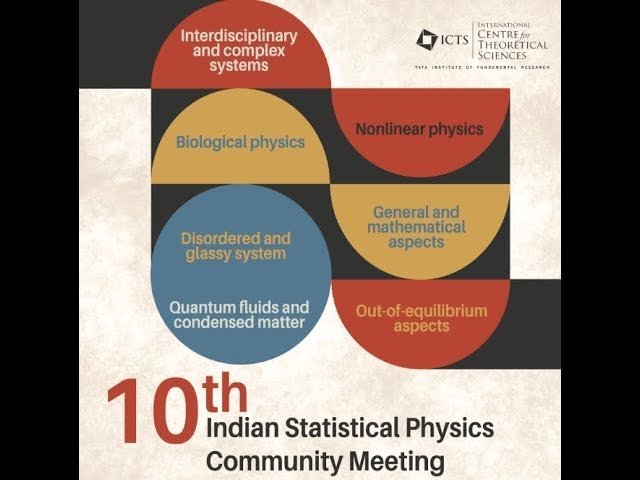
This 12-minute talk from the 10th Indian Statistical Physics Community Meeting explores how active particles demonstrate anomalous diffusion when interacting with soft environments. Presented by Poornachandra Sekhar Burada from the International Centre for Theoretical Sciences, the presentation is part of a broader discussion meeting covering topics in statistical physics including out-of-equilibrium systems, transport theory, and anomalous diffusion. Gain insights into this specialized research area within the context of an annual gathering that brings together scientists, postdoctoral fellows, and graduate students from across India working in statistical physics. The meeting encompasses diverse topics from quantum fluids and disordered systems to biological physics, soft matter, and interdisciplinary complex systems.
YouTube
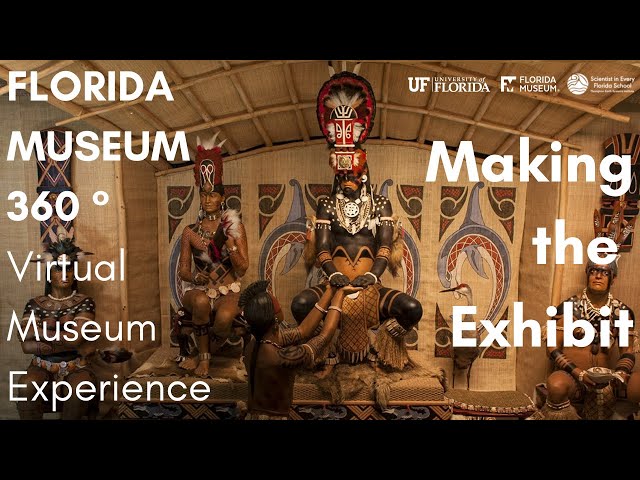
Take a 360° virtual tour through the "South Florida People & Environments" exhibit at the Florida Museum, guided by Darcie MacMahon, Director of Exhibits and Public Programs. Explore a South Florida estuary and discover how this rich ecosystem has supported human life for millennia, including the powerful Calusa civilization that once dominated the region. Gain behind-the-scenes insights into the creation of this immersive exhibit, featuring rare artifacts from the Museum's South Florida archaeology collections. Journey through various sections, including the Underwater Exhibit, Fishing Heritage Gallery, and Colusa Meeting Scene, while learning about the exhibit's design elements such as murals, body paint representations, and soundtracks. Delve into the historical context of the region and enjoy live presentations that bring the exhibit to life in this 34-minute virtual experience.

YouTube
Explore the concept of power sets in this 14-minute video from Wrath of Math. Learn how to write the power set of a given set and understand the cardinality of power sets, including the number of subsets a set can have. Gain valuable insights into set theory and enhance your mathematical understanding of this fundamental concept.

Udemy
Learn Design & Illustratotion with Affinity Designer v2. You can create beautiful designs. We'll teach you how. What you'll learn: You will learn how to use Affinity Designer to design your own professional graphicsQuickly understand the interface and how to navigate Affinity DesignerUse all of the important tools including the Pen Tool, Pencil Tool, Brushes, and moreYou will have fun learning with real world projects perfect for social mediaCreate advanced shapes with fills and gradients to look amazingSave and export your Affinity Designer projects for any purpose Welcome to the MOSTCOMPREHENSIVE Affinity Designer course on Udemy, including the V2 update for ALLMODULESThere is a total of 14 hours of content in here..... 12 hours of a complete V2 course, and 12 hours of the very popular V1 course.....so you get a complete education ONBOTHversions . This course is 100%a fit for both users of V1 and V2 . With this course, you will learn everything you need to feel confident designing graphics in Affinity Designer.You're here because you want an inexpensive, yet powerful and professional, alternative to Adobe Photoshop. Affinity Designer is perfect for you.And this course will help you get started!What WillYou Learn?Dive right in and learn how the Affinity Designer interface works.Create new documents for print and web.Add and adjust shapes exactly how you imagine them.Design advanced shapes with reflections, expressions, and operations.Understand the power of color in your designs and how to use it properly.Draw lines with the Pen tool and Brush toolAdd and edit text with the Character and Paragraph panelsDesign professional logosUse masking and shadingExport and save your projects for any useLearn By DoingThroughout this course, you'll be working on real-world projects such as social media graphics so that you can see your new skills in action!About Your Instructor Jeremy Hazel is a professional graphic artist, who loves sharing his knowledge with students like you. Jeremy is dedicated to making this the best Affinity Designer course on the market, so that you can easily start using this amazing application.If you ever have a problem, Jeremy will be there to help you out!About Affinity DesignerWinner of the Best App of the Year, Affinity Designer is thefastest, smoothest, most precise vector graphic design software available!It's perfect for illustrations of any kind! 100% 30-day Money Back GuaranteeEnroll now with no risk. If you're not enjoying the course, Udemy will gladly refund your purchase with no questions asked. See you inside the course!

Udemy
The Ultimate Course for Creating Professional Designs using Microsoft Designer What you'll learn: Understanding the Microsoft Designer interface and toolsHow to create and edit graphics using Microsoft Designer, including manipulating shapes, lines, colors, and gradientsCreate visually appealing layouts for various types of content, including presentations, posters, and social media graphics.Export designs in various formats and share them with others, including how to collaborate with others in real-timeCreate text effects in designs to create dynamic and engaging content. Welcome to our comprehensive course on Microsoft Designer! Whether you are a beginner or an experienced designer, our course is designed to teach you the essential skills you need to create stunning designs using Microsoft Designer.Did you know that Microsoft Designer is a powerful and versatile tool that allows you to create a wide range of professional designs, including social media graphics, posters, flyers, and presentations? With our course, you will learn how to use Microsoft Designer to create designs that will capture your audience's attention and leave a lasting impression.Are you ready to take your design skills to the next level? Our course covers everything you need to know, from the basics of navigating the interface to advanced techniques for creating complex designs. You will learn how to create and edit graphics, design layouts, apply typography and text effects, and export and share your designs.By the end of this course, you will have the confidence and skills to create professional-quality designs that will impress your clients, colleagues, and friends. Whether you are a small business owner, a student, or a professional looking to upskill, this course is for you.A verifiable certificate of completion is provided to all students.

YouTube
Explore the evolving relationship between designers and developers in this 21-minute JSConf US Last Call talk by Carlos Perez. Delve into the Agile Manifesto and its impact on design processes, examining where design fits in modern development workflows. Learn about the concept of "Design Everywhere" and how it affects data handling, handoffs, and collaboration between frontend developers and designers. Discover top tools for effective teamwork, including pull requests and issue trackers, and gain insights on setting up local development environments. Address challenges such as excessive crossover, scope creep, and the need for empathy in design experiences. Gain valuable perspectives on balancing polish with shipping deadlines and fostering better designer-developer collaboration in today's fast-paced tech landscape.

YouTube
Learn about ServiceNow's Flow Designer, a powerful tool for automating business processes and workflows. Explore its components, architecture, and practical applications through examples. Discover how to leverage Flow Designer to streamline catalog business processes, enhancing efficiency and productivity within the ServiceNow platform.
SAP Learning
In this workshop, you will use scripting, extensions and visual widgets to build Enterprise Dashboards, Planning Applications, and Predictive Applications. As a Business Analyst, you have been tasked with building interactive and responsive applications to analyse sales KPIs. Using SAP Analytics Cloud Analytics designer you will create a responsive application, explore and use generic templates, consume stories built using Analytics designer on hand held devices and create a simple feedback form which can perform calculations.

LinkedIn Learning
Discover how to create 3D textures with Substance Designer 2020. Find out how to use the atomic nodes, graphs, and other features to generate texture maps for game engines.

Craftsy
Add dimension, movement, and pizzazz to your cake designs using ruffles, fringe, geometric designs, and much more. Use a wide array of specialized and household items to recreate three variations of six different fondant textures. And learn to mimic couture gowns with hand-painted and embossed ruching techniques. Marina will also teach you multiple variations of fringe, from fun flapper-esque bands to elegant swags and playful loops!

Craftsy
Get a handle on designing handbag cakes, including custom color and texture choices. Sculpt your cake into a fashionable handbag with divots and pleats to form an authentic sense of movement; and create genuine-looking zippers, rivets and buckles from gum paste. Learn new techniques for doweling your cake and applying textured fondant. Develop dynamic sculpting methods; and explore exotic fondant patterns and textures like ostrich, alligator, and giraffe. Make a handbag so cute you could just eat it up.

Pluralsight
Substance Designer is being widely adopted by almost every AAA studio across the world. In this course, Substance Designer Fundamentals, you'll learn the most important fundamental basics of Substance Designer, creating a fully procedural tileable brick material. First, you'll explore how to set up a new project using templates. Next, you'll discover the most important nodes while creating your brick material. Then, you'll learn how to optimize your graph to be used in other applications. Finally, you'll cover exporting and saving out your textures. By the end of this course, you'll be comfortable navigating around Substance Designer and using the node based system while having made your very first material. Software required: Substance Designer 5/6.

Pluralsight
Are you wanting to learn the basics of vector, graphic, or UI design, or looking to expand your professional design toolset? In this course, Affinity Designer Fundamentals, you'll learn the core features of a modern and flexible cross-platform design tool that's powerful enough for professional users, yet accessible enough for beginners. First, you'll explore layer management, shape creation, and working with color in the Draw Persona. Then, you'll discover techniques for photo editing and adding textures in the Pixel Persona. Finally, you'll learn how to save final artwork while saving time and effort using the Export Persona. When you're finished with this course, you'll have gained knowledge of the essential tools for creating professional illustrations, web and interface designs, game assets, and more. Software required: Affinity Designer.

Pluralsight
Are you in 3D business and would like to include custom made 3D fabrics to your renders? Or perhaps you're a fashion designer that wishes to present ideas in a realistic way? Tackling a pattern-based interface can be challenging at first. In this course, Marvelous Designer Fundamentals, you'll learn the very basics, getting accustomed to the interface and new way of thinking. First, you'll dive into understanding the fundamentals of the pattern-based approach in Marvelous Designer. Next, you'll explore the different tools that can be utilized, and learn how to create accessories and materials. Finally, you'll discover posing and animation, and uncover ways to improve the final outcome of your garment. By the end of this course, you'll have a solid understanding of the Marvelous Designer interface and tools, and sculpting or modeling from scratch that can take hours to finish will be a thing of the past. Software required: Marvelous Designer 6.

Craftsy
Angela Wolf guides you through every step of how to sew jeans with all the details of expensive designer pairs. Learn to remedy common fitting issues as you personalize a commercial pattern to complement your figure, and alter the rise and leg styles to create the look you long for. Angela will be with you every step of the way, from constructing your jeans, to adding design details such as distressing, different pocket options, topstitching effects, rivets, bling and more. You’ll also master constructing pockets with French seams, sewing professional fly fronts with ease, adding a comfortable contour waistband and finishing everything flawlessly.

Udemy
Learn the basics of Marvelous Designer What you'll learn: Learn the basics of Marvelous DesignerBy the end of the course students will have a solid understanding of the Marvelous Designer interface and tools, and sculpting & modeling. Marvelous Designer is a cloth simulation program which is used to create dynamic 3D clothing for games, films, 3D art, and 3D animations. In the real-world, clothing patterns are what seamstresses use to create clothes. They trace patterns, draft patterns, cut clothing fabric according to patterns, and then sew the patterns together. Every clothing item is made from clothing patterns. To create 3D clothes in Marvelous Designer, one also needs to create digital clothing patterns. For people who do not know how to sew and how to draft patterns, creating clothes patterns in Marvelous Designer can be challenging. In this project based course you will learn the basics of Marvelous Designer where we'll explore the process of creating garments, you’ll learn the basic tools in the program and how to use them properly. Once you understand the basics of how to create patterns for various clothes, you can easily create any clothes you want in Marvelous Designer. Students will learn how to create accessories and materials. Finally, students will discover posing and animation, and uncover ways to improve the final outcome of your garment. By the end of this course, students will have a solid understanding of the Marvelous Designer interface and tools, and sculpting or modeling from scratch.