

Courses
Discover thousands of courses from top institutions and platforms worldwide
Level
Course Type
Duration

Udemy
Tableau Interview Questions To Maximize Your Chances Of Getting A Data Analytics Or Tableau Developer Or Analyst Job What you'll learn: Learn how to explain what Tableau isLearn who the founders of Tableau areLearn how to describe the mission of the companyLearn how to explain what a treemap visualisation isLearn about Tableau Desktop and Tableau Server row and column limitationsLearn the difference between .twb and .twbx filesLearn how aggregation works in TableauLearn everything how context filters workLearn two practical applications of context filtersLearn how data source filters workLearn how blends work in TableauLearn how to append data to a Tableau extractLearn how to "Union All" data using a Custom SQL queryUnderstand the difference between measures and dimensionsUnderstand the difference between discrete and continuous variablesLearn how to create a blended axis and how to control it This course is designed for me to pass on as much knowledge about Tableau to you as I can. We will go through the most popular Tableau questions and I will reveal how I would go about answering each of these questions. Moreover, there will be ample examples in this course and I will explain my answers in detail and actually show you how it all plays out in the software. The course is broken up into three sections based on the question types: SimpleModerateDifficultAlso you can use the questions in this course to check your knowledge of Tableau - after I reveal the question, pause the video and try to answer the question. Then check if your answer is the same as mine. This is a short, dynamic, and fun course! Unlike my other courses you won't have to do any exercises. The lectures have a conversational format, so all you need to do is relax and enjoy how we delve into the diverse world of Tableau. I look forward to seeing you inside! Kirill Disclaimer: This course does not guarantee you getting a job or promotion. This course is designed to pass my knowledge of Tableau onto you. Although I have put in substantial effort into preparing this course there may be some things that are incorrect. Therefore, do not rely solely on these answers - these are nothing more than my opinions and experiences. Make sure to verify any information independently. I will not accept any responsibility for consequences of you relying on the information provided in this course for job interviews, professional work, and any other purposes.

Udemy
Official Tableau Desktop Specialist Certification Syllabus + 2 Mock Exams Learn Tableau to become a Tableau Specialist! What you'll learn: Tableau Exam Facts + Registration ProcessTableau Exam Rules + EnvironmentTableau Exam Day Tips + Result + (Objection !)Start Page + Data Source Page + WorkspaceMeasure vs. DimensionDiscrete - Continuous DimensionDiscrete - Continuous MeasureAggregationGranularityData Source Filters + Extract FiltersContext Filters + Date FiltersLive vs. Extract (Theory + Practice)Save - Edit Data Source.twb, .twbx, .tds, .tdsx, .hyperUnion (Theory + Practice)Left Join, Right Join, Inner Join, Outer JoinCross Database JoinBlending (Theory + Practice)Rename Column, Data TypesHide, Split, Custom Split, AliasDefault: Aggregation + Color + ShapeDefault: Number Format + CommentBasic ChartsText Table + Highlight TableStacked Bar ChartCombined Axis ChartCombination ChartsGroupsStatic Set vs. Dynamic SetDynamic Set Top N + Bottom NHierarchy (Date + Location + Time)Manual vs. Computed SortReference LineReference Band & Distribution (BONUS)Trend LineTable CalculationCalculated FieldHistogram & BinDashboard Design PrinciplesDashboard ElementsDashboard ActionsCreate - Edit Device LayoutStoryDashboard vs. StoryExport Options ( PDF + Image + DB) Tableau is a leading tool for data analytics and data visualization. Getting a Tableau Certification will dramatically improve your career prospects because Tableau is like an industry standard in many fields such as Business Analytics and Business Intelligence.Tableau Desktop Specialist Certification is a great place to start your Tableau career. In official Tableau website, there is a curriculum which lists all the topics that you have to know before the certification exam. This course follows the official Tableau certification curriculum. It covers all the topics that you need to know for the "Tableau Desktop Specialist Certification Exam".The course includes 4 hours of video tutorial, hands-on questions, and quizzes. Additionally, there are 2 sample exams with solutions (2 x 30 = 60 Questions) that you can’t find anywhere else!After completing the video tutorials and taking 2 exams you will be 100 % ready for "Tableau Desktop Specialist Certification Exam" Don’t want to get a Tableau certification? No problem at all!The course is also perfect to learn Tableau quickly. Since the structure of the course is super clear, there will be no double talk during the course so you will save your time.When you complete the course, you will be a proficient Tableau user and be able to answer real business questions to generate valuable insights. In this course, Tableau Desktop version 2020 and 2019 are used but you can definitely follow the course with Tableau Desktop 10 or Tableau Desktop 9. ***If you want to study for the "Tableau Certified Associate Exam", you can check our new course.**

Udemy
Official Tableau Certified Associate Certification Syllabus + 2 Mock Exams! Learn Tableau to get Associate Certification What you'll learn: Exam Facts & Exam RegistrationExam Rules & Exam EnvironmentTableau Desktop vs. Tableau PublicStart Page, Data Source Page, WorkspaceAggregation & GranularityMeasure vs. DimensionContinuous vs. DiscreteAuto-Generated FieldsField Type ConversionText Tables - Highlight TablesScatter Plot - Heat Map - Tree MapCombined Axis Chart vs. Dual Axis ChartMotion ChartGannt ChartSparklineBullet ChartBox plotHistogramPareto ChartTitle & CaptionTool tipEdit AxesMark LabelAnnotationHierarchyFilters : Legend, Apply WorksheetsContext Filters & Only Relevant ValuesManual & Computed SortGroups : Dimension & MeasureSets: Static, Dynamic, ParameterCombine SetsConnections : Live vs. ExtractExtract CapabilitiesShadow ExtractsTWB, TWBX, TDS, TDSX, HYPER, TDEConnect File & ServerUnionJoin (Left, Right, Inner, Full)Cross-database JoinBlendingBlending vs. Cross-database JoinAutomatic & Custom SplitDefault ProportiesMetadata Grid & AliasesData Interpreter & PivotGrand Totals & Sub-TotalsTable Calculations (All)Moving Average & Running TotalCalculated FieldsFunctions : String, Number, DateFunctions : Conversion, LogicalRatio CalculationsLOD Calculations TheoryINCLUDE - EXCLUDE - FIXEDOrder of Operations (Query Pipeline)Map TypesView ToolbarMap LayersModify LocationsCustom GeocodingCustom TerritoriesBackground Image MapSpatial FilesTrend LineReference LineReference BandReference DistributionForecastingStatistical Summary CardDashboard Objects (All)Dashboard Actions (Filter, Highlight, URL)Device PreviewDashboard Design PrinciplesPublish & ShareStoryExam Tricks Tableau is a leading tool for data analytics and data visualization. Getting a Tableau Certification will dramatically improve your career prospects because Tableau is like an industry-standard in many fields such as Business Analytics and Business Intelligence. Tableau Certified Associate Certification is a great way to prove your Tableau knowledge.In the official Tableau website, there is a curriculum that lists all the topics that you have to know before the certification exam. This course follows the official Tableau certification curriculum. It covers all the topics that you need to know for the "Tableau Certified Associate Exam"The course includes : 13 hours of video tutorial. Quizzes (Hands-on & Theory) 2 Sample exams with video solutions (2 x 36 = 72 Questions) After completing the video tutorials and taking 2 sample exams you will be 100 % ready for "Tableau Certified Associate Exam" Don’t you want to get a Tableau certification? No problem at all!The course is also perfect to learn Tableau. There is no double talk in this course because the structure of the course is crystal clear.When you complete the course, you will be a Tableau master and you will be able to answer real business questions to generate valuable insights. In this course, Tableau Desktop version 2019.2 and 2019.1 are used but you can definitely follow the course with Tableau Desktop 10 or Tableau Desktop 9. **IMPORTANT CLARIFICATION**If you are specifically preparing for the Tableau Certified Associate Exam. **DO NOT use Tableau Public.****In the exam, you will use Tableau Desktop, NOT Tableau Public.**Tableau Desktop comes with 14 days trial and this is NOT an excuse to not use Tableau Desktop.**Learn the concepts with Tableau Desktop**Tableau Public is not going anywhere. Tableau Public is free because it has limitations.You can install Tableau Public when your 14 days Tableau Desktop trial ends.**Please also know that Tableau Desktop is free, if you are a student or academician.** ** This course is not an official Tableau Course**
VDCI
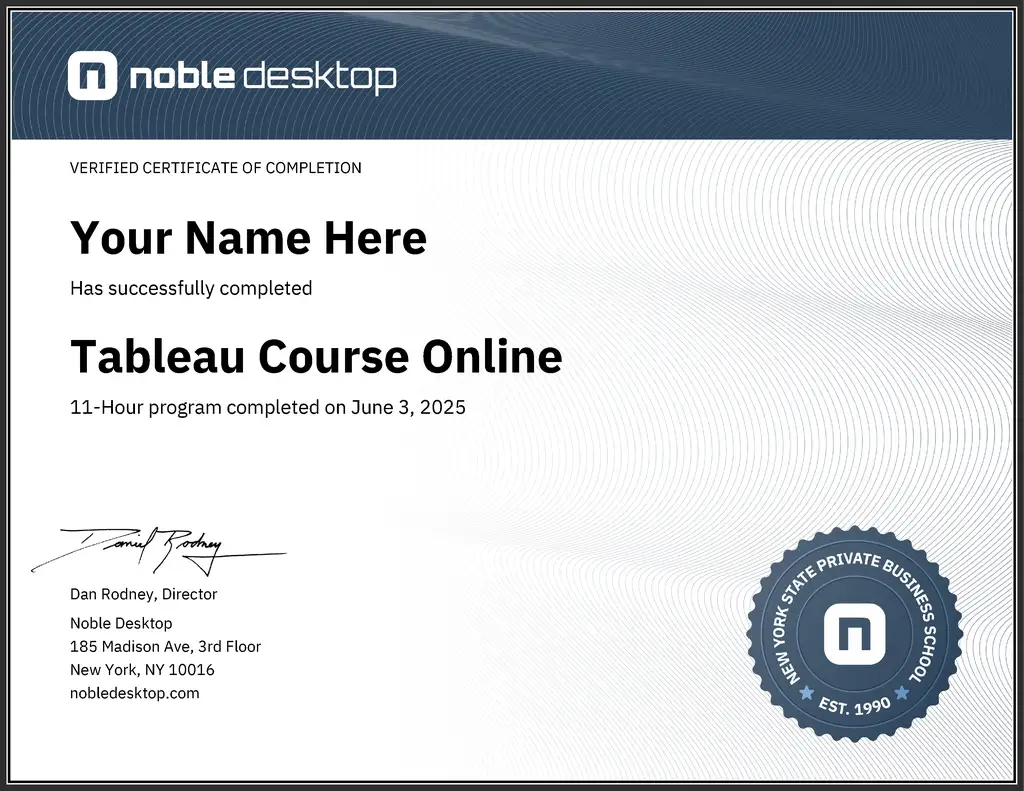
Learn how to master Tableau, a leading data visualization tool, to create interactive and visually appealing charts, graphs, and maps. This course covers how to connect to datasets, analyze and organize data, customize visualizations, and publish your work for impactful presentations.

YouTube
Explore a conference talk that delves into the concept of automating developer workflows to eliminate toil and maximize engineering value. Learn about the definition of toil in the context of developer experience and discover how automations can effectively remove it. Examine the key traits of impactful automations, including their ability to drive culture, be low-lift, serve as experiments, and run against a broad palette. Gain insights into how leading teams implement automation today through real-world examples of guardrails, notifications, actions, and workflows. Understand the importance of measuring, experimenting, and iterating in the automation process. Discover the Sleuth automations marketplace and find out where to learn more about implementing these practices in your development workflow.

YouTube
Explore a 34-minute conference talk featuring Justin Cormack, CTO of Docker, discussing the company's developer-centric approach and successful restructuring. Gain insights into Docker's explosive growth, product development strategies, and the challenges of the "Shift Left" trend in software development. Learn about Docker's efforts to enhance developer productivity, support for AI applications, and the importance of the inner development loop. Discover why developers prefer certain hardware and how to effectively communicate technical needs to business leaders. Understand Docker's vision for the future of software development and containerization in this informative discussion on developer-focused strategies and industry trends.

Pluralsight
In order to seek insights from the data, it needs to be summarized. In this course, Tableau Desktop Specialist: Understanding Tableau Concepts, you’ll gain the ability to differentiate between discrete and continuous fields and learn how to use different types of aggregations for dimensions and measures. First, you’ll explore how Tableau organizes data into dimensions andmeasures. Next, you’ll discover the difference between dimensions and measures. Finally, you’ll learn how to aggregate dimensions and measures. When you’re finished with this course, you’ll have the skills and knowledge of data organization and discrete vs. continuous fields needed to understand what Tableau will draw as you drag and drop

Coursera
Create insights that drive value, by focusing on commonly asked business questions. Use Table Calculations, Level of Detail Calculations and Data Modeling to solve complex problems. Finally, apply your advanced skills to create a comprehensive trading dashboard.

DataCamp
## Master Tableau for Data Visualization and Business Intelligence Dive into data visualization with Tableau, the industry-leading business intelligence tool. In this beginner-friendly Track, you'll learn how to transform raw data into compelling visualizations and insightful dashboards that drive business decisions. No prior experience is required—start from the basics and progress to advanced analytics techniques. ## Unlock the Power of Visual Analytics Through hands-on exercises using real-world datasets, you'll get to grips with the core skills every Tableau user needs: * Connect to various data sources and prepare data for analysis * Create interactive visualizations using drag-and-drop functionality * Build and customize dashboards to communicate insights effectively * Apply analytics techniques to uncover patterns and trends * Combine multiple data sources to gain a comprehensive view ## Gain Practical Experience with Real Business Scenarios Put your skills to the test by working through a case study on customer churn analysis. You'll investigate a dataset from a real company, identifying the factors contributing to customer attrition and proposing data-driven solutions. This project simulates the challenges you'll face as a Tableau analyst, preparing you to tackle real business problems confidently. ## Prepare for the Tableau Desktop Specialist Certification This Track covers all the topics you need to master for the Tableau Desktop Specialist certification exam. As you progress through the courses, you'll gain the knowledge and practical experience required to pass the certification and validate your skills to employers. Earning this industry-recognized credential will set you apart in the job market and demonstrate your proficiency in Tableau. ## Launch Your Career in Data Visualization Tableau skills are in high demand across industries as organizations seek to leverage their data for competitive advantage. By completing this Track, you'll be ready to: * Pursue roles as a Tableau analyst, data visualization specialist, or business intelligence professional * Create impactful visualizations and dashboards that drive business strategy * Collaborate with stakeholders to deliver data-driven insights * Continue learning advanced Tableau techniques to further your career Whether you're aiming to start a new career in analytics or enhance your existing skillset, this Track provides a solid foundation in Tableau and sets you on the path to becoming a data visualization expert.

Udemy
Unlock the Power of AI Pair Programming : Maximizing Productivity in Java and Spring Boot with AWS Q Developer What you'll learn: Master Amazon Q Developer features and capabilitiesWrite Java and Spring Boot code with unprecedented speed and accuracyCreate cleaner, more efficient codebasesExperience Q Developers magic: code generation, review, and refactoring made easyUtilize Q Developer for clear code explanations and efficient debuggingProgress from simple to complex Java programs, mastering Q Developer along the wayDevelop a patient clinicals REST API using Spring BootQuickly create model classes, repos, and controllers with Q DeveloperEffortlessly learn to create and run unit tests for your applicationsSkip Google and Stack Overflow; let Q Developer diagnose and fix coding errors directlyBuild a Spring Boot Web Application in minutesDockerize a Spring Boot AppAll in simple steps Embark on a journey to revolutionize your coding workflow with "Amazon Q Developer for Java and Spring Boot Developers", the course designed to turn Q Developer into your most trusted coding partner. This comprehensive guide is tailored specifically for Java and SpringBoot developers seeking to harness the full potential of Amazon Q Developer.Whether you're tackling complex web applications, automating routine tasks, or creating RESTAPIs, this course will provide you with the knowledge to integrate Q Developer into your development process seamlessly. Through practical examples and real-world scenarios, you'll learn how to: Navigate the Basics: Understand the fundamentals of Amazon Q Developer, set it up, and customize it for your Java and Spring Boot environment.Code with AI: Leverage Q Developer AI to write better code, faster. Watch as it autocompletes functions, generates code snippets, and offers up solutions you hadn't even considered.Boost Productivity: Discover strategies to increase your coding efficiency, reduce bugs, and save valuable time on project development.Best Practices: Learn the dos and don'ts, and how to maintain best coding practices while working with an AI pair programmer.Troubleshoot and Optimize: Fine-tune Q Developer suggestions for your specific needs, and troubleshoot common issues that arise during development. By the end of this course, Q Developer won't just be a tool; it will be an indispensable extension of your coding intellect. Sign up today to redefine the way you code with Java and Spring Boot. In this course you will Experience Q Developers magic: code generation, review, and refactoring made easyUtilize Q Developer for clear code explanations and efficient debuggingProgress from simple to complex Java programs, mastering Q Developer along the wayDevelop a patient clinicals REST API using Spring BootQuickly create JPA Model Classes, Spring Dat Repositories, and Rest Controllers with Q DeveloperEffortlessly learn to create and run unit tests for your applications Quickly Dockerize your Spring Boot ApplicationSkip Google and Stack Overflow; let Q Developer diagnose and fix coding errors directly
YouTube
Explore the challenges developers face when working with Kubernetes in this insightful conference talk. Discover the findings of a three-month user research study focusing on developers' experiences and pain points with Kubernetes. Learn why there is a lack of user experience (UX) focus for developers in K8s, how it affects their workflow, and why Kubernetes can be intimidating for many. Gain valuable insights into the workflows of developers and platform engineers working with Kubernetes, and get inspired to improve the UX for developers in your organization. Find out how to conduct your own study to better understand and address the needs of developers in the Kubernetes ecosystem.

YouTube
Learn the fundamentals of Tableau, a powerful business intelligence tool, in this comprehensive 1.5-hour tutorial. Explore Tableau's desktop architecture, pricing details, and project architecture for BI projects. Master data connection techniques, chart creation, and data aggregation concepts, including local and global aggregation. Dive into various visualization types such as scatter plots, bar charts, histograms, sunburst pie charts, and market basket analysis. Gain practical skills in creating KPI bar graphs and understand how to effectively use Tableau for data-driven decision-making in business intelligence contexts.

Coursera
This course provides step-by-step instructions on how to build stunning, interactive visuals in Tableau before publishing them as part of dashboards in Tableau Public. You’ll learn techniques that help you prep and manipulate your data before creating calculations that help deliver business insights. At the end of each chapter, you’ll apply the skills you’ve learned to hands-on examples using alternative scenarios. We also provide a fresh dataset for the final assessment, giving you yet another dataset on which to test your skills. By the end of the course, you’ll be able to create interactive dashboards in Tableau that will deliver powerful and meaningful data-backed stories. You’ll be proficient in the basics of Tableau Public, and you’ll have a few tricks up your sleeve to create visuals and dashboards that impress. By completing this course, you will be able to: Import, transform, and combine data from different tables to create a Tableau dataset. Use basic and table calculations to turn data into meaningful metrics. Create the most common and popular visuals, along with a variety of interactive features such as slicers and timelines. Give users options of which metrics to see, or which to highlight in a given visual. Create stunning, insightful, and interactive dashboards using multiple visuals. Use simple tricks like collapsible containers to give your dashboards a professional edge. This Tableau course is perfect for professionals who have a solid understanding of data analysis and want to expand their skill set to include Tableau’s world-leading visualizations. This course is designed to equip anyone who desires to begin a career in business analysis—or other roles that require displaying and analyzing data sets—with a fundamental knowledge of this core tool.

Corporate Finance Institute
Tableau Fundamentals Course OverviewThis course provides step-by-step instructions on how to build stunning, interactive visuals in Tableau before publishing them as part of dashboards in Tableau Public. You’ll learn techniques that help you prep and manipulate your data before creating calculations that help deliver business insights. At the end of each chapter, you’ll apply the skills you’ve learned to hands-on examples using alternative scenarios. We also provide a fresh dataset for the final assessment, giving you yet another dataset on which to test your skills. By the end of the course, you’ll be able to create interactive dashboards in Tableau that will deliver powerful and meaningful data-backed stories. You’ll be proficient in the basics of Tableau Public, and you’ll have a few tricks up your sleeve to create visuals and dashboards that impress.Tableau Fundamentals Learning ObjectivesBy completing this course, you will be able to:Import, transform, and combine data from different tables to create a Tableau dataset.Use basic and table calculations to turn data into meaningful metrics.Create the most common and popular visuals, along with a variety of interactive features such as slicers and timelines.Give users options of which metrics to see, or which to highlight in a given visual.Create stunning, insightful, and interactive dashboards using multiple visuals.Use simple tricks like collapsible containers to give your dashboards a professional edge.Who should take this course? This Tableau course is perfect for professionals who have a solid understanding of data analysis and want to expand their skill set to include Tableau’s world-leading visualizations. This course is designed to equip anyone who desires to begin a career in business analysis—or other roles that require displaying and analyzing data sets—with a fundamental knowledge of this core tool.

Udemy
Covers both Tableau and Tableau Prep, visualize & prep your data with ease with hands-on Tableau & Tableau Prep training What you'll learn: Master the art of data preparation and cleaning with Tableau PrepExplore the Tableau interface and workflow for data preparation and visualizationLearn how to use Tableau to explore and analyze data to make data-driven decisionsExplore data blending techniques to integrate data from multiple sourcesMaster the use of data hierarchies and groupings to organize and filter dataBuild your skills in using calculated fields and parameters to create advanced visualizationsLearn how to use advanced mapping techniques to visualize geographic data If you are looking to take your data preparation and visualization skills to the next level, then Tableau & Tableau Prep for Data Preparation & Visualization is the course for you! Are you tired of spending hours wrangling your data, only to be left with less than satisfactory visualizations? Do you struggle to tell a compelling data story to your stakeholders? Look no further!In this course, you will develop advanced analytics skills and become a data storytelling expert. You will master the art of data preparation and visualization using the powerful Tableau and Tableau Prep tools. Here are some of the key benefits you will gain from this course:Develop sophisticated data visualizations that will impress your stakeholdersMaster the art of data storytelling and effectively communicate your insightsBuild interactive dashboards that will allow your stakeholders to easily explore and understand your dataStreamline your data preparation process with Tableau PrepAutomate repetitive data preparation tasks to save time and increase efficiencyData is the backbone of decision making, and the ability to effectively analyze and communicate data is a highly sought-after skill in today's job market. In this course, you will complete hands-on activities such as building interactive dashboards, cleaning and transforming data, and crafting compelling data narratives.This course is different because it combines the power of Tableau and Tableau Prep, giving you a holistic approach to data preparation and visualization. You'll learn from industry experts who have years of experience in data analytics and visualization. Join us now to accelerate your analytics skills and become a pro at preparing and visualizing data.

Udemy
Master Tableau in Data Science by solving Real-Life Analytics Problems. Learn Visualisation and Data Mining by doing! What you'll learn: Create and use GroupsUnderstand the difference between Groups and SetsCreate and use Static SetsCreate and use Dynamic SetsCombine Sets into more SetsUse Sets as filtersCreate Sets via FormulasControl Sets with ParametersControl Reference Lines with ParametersUse multiple fields in the colour propertyCreate highly interactive DashboardsDevelop an intrinsic understanding of how table calculations workUse Quick Table calculationsWrite your own Table calculationsCombine multiple layers of Table CalculationsUse Table Calculations as filtersUse trendlines to interrogate dataPerform Data Mining in TableauCreate powerful storylines for presentation to ExecutivesCreate powerful storylines for presentation to ExecutivesUnderstand Level Of DetailsImplement Advanced Mapping Techniques Tableau Advanced Training: Master Tableau in Data ScienceMaster Tableau in Data Science by solving Real-Life Analytics Problems. Learn Visualisation and Data Mining by doing!Ready to take your Tableau skills to the next level?Want to truly impress your boss and the team at work?This course is for you!Hours of professional Tableau Video training, unique datasets designed with years of industry experience in mind, engaging exercises that are both fun and also give you a taste for Analytics of the REAL WORLD.In this course you will learn:How to use Groups and Sets to increase your work efficiency 10xHow to use Dynamic SetsHow to Control Sets With ParametersEverything about Table Calculations and how to use their power in your analysisHow to perform Analytics and Data Mining in TableauHow to create Animations in TableauAnd much, much more! Each module is independent so you can start learning from wherever you see fit. The more you learn the better you will get. However, you can stop at any time you will still have a strong set of skills to take with you.Each module is based on a unique case study, where you will need to apply Tableau in a practical way and learn theory by doing.

Udemy
Tableau Certified Data Analyst course for Data Analysis and Data Visualization What you'll learn: What is Tableau and its Applications, Careers in TableauTableau Desktop InstallationTableau Products and their Use CasesData Sources and Data types in TableauMeasures and Dimensions, Data Representation in Tableau (Continuous/Discrete)Exploring Tableau Desktop UIUsing Tableau Dashboards for Solving Data Analysis ProblemsTypes of FunctionsUsing Functions to Create Calculated FieldsParametersJoinsFilters and Types of Data Source Connection (Live/Extract)SetsGenerated FieldsHighlighting Actions in TableauUnderstanding Data Visualization and its ImportancePlotting Bar Charts, Text tables and Tree Maps In TableauPlotting Line Charts, Box Plots and Area Charts In TableauPlotting Bullet Graphs, Bubble Charts and Scatter Plot In TableauWaterfall Chart and Funnel ChartGeometric Visualizations (Maps)Defining Story and the Difference between Story and a Dashboard in TableauCreating your First StoryUse Case: Exploring the World Indicators AcceleratorPublishing Your Workbook on Tableau OnlineTesting Your Tableau Skills This course is primarily designed to teach Tableau (A power BI tool and a visual analytics platform transforming the way we use data to solve problems—empowering people and organizations to make the most of their data) and to train you to be a Tableau Developer and become a Tableau Certified Data Analyst.It comprises of Introduction to Tableau, its basics (Measures and Dimensions, Loading Data, loading workbooks, Navigating through Tableau, Tableau Desktop GUI, Drag-Drop feature), Tableau Desktop Installation guide, connecting Data Sources to Tableau, Reference lines, trend lines, forecasting, filtering, sorting, aggregation, creating calculated fields, worksheets and formatting your visualizations, creating compelling visualizations Tableau, scatter plots, Date-time, symbol maps, dual-axis graphs, and geometric visualizations (Map Visualizations), Creating and Navigating a Business story, Building your first interactive and Beautiful Dashboard using Tableau, in-course exercises, etc.Tableau doesn't require you to know how to program or code, it can be easily used by any non-programmer to convey business stories to anybody like the company's stakeholders, investors, etc. Anybody can easily learn Tableau through this course which acts like a step-by-step tutorial for the same hence anybody could opt for this course like Beginners curious about Data Science, Anyone who wants to learn Tableau, Visualizations and Dashboards using Tableau, Tableau Desktop Specialist, Data Visualization, Tableau Certified Data Analyst, Business Intelligence, Data Mining, Business Analytics, Python Developer curious about Data science, etc.

YouTube
Explore the crucial concept of Developer Experience (DX) in this insightful conference talk by Elena Lape from Holographic Inc. Delve into the importance of DX and its impact on developer satisfaction and productivity. Learn strategies for improving onboarding processes, crafting effective documentation, and measuring success through key metrics. Discover techniques for overcoming common challenges, fostering community engagement, and striking a healthy balance in developer relations. Gain valuable insights on creating superfans, implementing cross-referencing, and boosting overall engagement to conquer the hearts of developers and enhance your organization's DX.

YouTube
Dive into a 29-minute conference talk from Okta's Developer Day 2021 exploring OAuth implementation for game and XR developers. Learn how to balance user experience with security in the highly targeted gaming industry. Discover the basics of OAuth, design experiences for various platforms, and leverage player authorization for cloud-based backend solutions. Gain insights on addressing security challenges in gaming and XR technology, including interconnected experiences, cloud-based backends, and player data collection. Explore OAuth grant types, device code grant, companion apps, and mobile OAuth implementation. Suitable for game/XR developers and those interested in game/XR development, with basic development knowledge assumed but no prior OAuth experience required.
YouTube
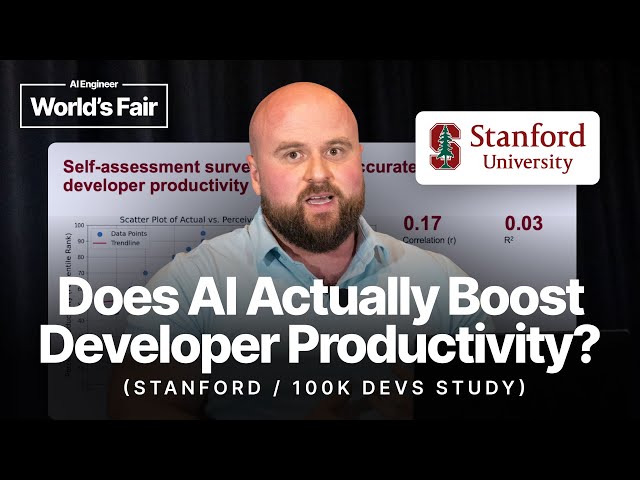
Explore Stanford research findings on AI's actual impact on developer productivity through analysis of nearly 100,000 developers across hundreds of companies in this 18-minute conference talk. Examine real-world data that reveals while AI tools provide an average 20% productivity boost, the results vary dramatically based on specific contexts, with some teams experiencing decreased productivity. Learn about the methodology used to measure developer productivity beyond simple code output metrics, including the critical concept of "rework" and its implications. Discover how factors such as task complexity, project maturity (Greenfield versus Brownfield projects), programming language popularity, and codebase size significantly influence AI effectiveness in software development environments. Understand why certain company types and industries achieve substantial gains while others see minimal impact or negative results. Gain data-driven insights to develop context-appropriate AI adoption strategies rather than following generic industry trends, based on objective research that cuts through vendor marketing claims and provides actionable intelligence for engineering teams and technical leaders.