

Courses
Discover thousands of courses from top institutions and platforms worldwide
Level
Course Type
Duration

Udemy
How to Become a Modern and Successful Technical Writer Using DITA XML What you'll learn: Learn to write using DITA XML topics and mapsProduce documentation deliverables using Oxygen XML Author toolReuse on maps level (mapref), topic level (topicref), topic element level (conref) and table rows (conref - conrefend)Personalized user guides based on the same DITA content using profiling (conditioning) of contentCreate interactive images and create image mapsHow to configure and customize your DITA HTML output Do you want to learn how to write structured documentation using DITAXML?If yes, I can help!My name is Jordan Stanchev. I have built my career in the field of technical communications over the last 20 years.Starting off as a Java developer, I have then become a senior technical writer and had built a career as a DITA information architect.Ihave written thousands of pages of software documentation guides for administrators and for developers. The software products I have worked on are in the field of security, messaging services, and development infrastructure (such as GitHub and SAPNWDI). Today, I am a part of the team that leads the development of DITA XML-based infrastructure projects. The technical writers' community we serve is more than 1000 authors. I also chair the experts' group of our nearly 300 people strong group of DITAinformation architects in a Fortune 100 company - SAPSE. I constantly have to write software development specifications and project documentation, in addition to the user guide.What can Isay, I have vast experience to share in structured writing and information architecture using DITA XML. And this is what I focus on in this course. Based on my experience, what I can tell you, is that for a modern technical writer looking to build his or her career in the field of technical communications, knowing DITAXML simply is a must!You wouldn't believe how often I hear back from my students about how the knowledge from this course is what made the breakthrough in their DITAtechnical writer job interview and helped them advance their careers! To achieve the ultimate career goal, all you do need is to learn writing using DITA! Knowledge of DITA is relevant for you if you are involved in any way with software documentation as a:technical writer; information architect;people manager, managing technical writers in the team;user experience designer;business analyst;project manager; The course 'How to Write Using DITAXML" is designed for intermediate to advanced-level technical writers who want to deep dive into the capabilities offered by DITA, create complex and personalized user guides, and deliver this single-sourced output using the Oxygen Author tool into various delivery channels. It is based on the online DITAXML training I've been providing to my students at the university.WARNING:It will take you around 8-10 hours from the start of this course just to go through this material! It comes with lots of various hands-on exercises, examples, and advice based on my practice. I recommend that you take one section a day at most, to avoid being overwhelmed and manage to perform each exercise described.The course further deep dive and elaborate the basic concepts and knowledge introduced with the course 'A Quick Start to Technical Writing with DITA' and then provides more advanced details and strategies such as reuse of content and personalization of content based on profiling strategy. Note: If you are looking for a quick start into DITA, consider the basic DITAcourse 'A Quick Start to Technical Writing with DITA', which is for technical communicators, that are not yet familiar with DITA. How much time does the course take?In short:Section 1: Introduction - 70 minSection 2: 5 Quick Steps to Writing in DITA XML - 50 minSection 3: DITAElements - 25 minSection 4: Reusing Content in DITA - 50 minSection 5: Profiling (conditioning) Content in DITA - 60 minSection 6:Information Architecture for Technical Communicators - 50 minSection 7:Information Architecture for DITAAuthors - 90 minSection 8: How to Create Interactive Images in DITA - 80 minSection 9: Linking in DITA - 77 minSection 10:Customizing DITAXMLOutput - 60 min What will you learn? Section 1: Introduction - 70 minBy the end of this section you will be able to explain:- What is DITA;- What are the benefits of writing software documentation using DITA; Just spelling out the benefits of writing in DITAtakes a lot of time!There are so many reasons why DITAis getting more and more popular. Today you cannot be a modern technical writer if you do not know how to write software documentation using DITAXML! It's the de facto standard XMLfor writing! You must know and spell out the benefits of DITA, and be sure, on a job interview you will be asked why DITAis so important. Just to name a few: - Based on common information types.- It implies strict rules for writing, no matter who the technical writer is!- Content is modularized and reusable.- Automatically generated various outputs from the same DITAsource;- Content can be personalized, and so on. Section 2: 5 Quick Steps to Writing in DITA XML - 50 minBy the end of this section you will be able to:- Apply the 5 steps for creating the content of a user guide;- Explain what is a DITAmap;- Create the 3 most frequently used DITAtopics types: Task, Concept, and Reference;- Create DITAmaps;- Reference topics in a map to construct a deliverable (user guide) using Oxygen XML Author; Writing in DITAis easy. Do not let the diversity in tags and the huge number of DITAcapabilities confuse you. All you need to write your first guide is a strategy (what you want to deliver) and a set of simple steps to follow to construct your guide (explained in this section of the course)! Section 3: DITAElements - 25 minBy the end of this section you will be able to:- Name the most commonly used DITAtopic elements (DITAtags); - Describe a strategy for using topic elements in the context of a specific topic;- Open, search through, and select the needed topic elements in a topic;- Use the list of topic elements in the context of a Task topic; DITA comes with a huge number of tags to use. With them comes great flexibility for writing content. But where do you start?And which elements are a "must-know" vs. "optional-to-know"? This is what you will learn in this section to get a steady start with your content. Section 4: Reusing Content in DITA - 50 minBy the end of this section you will be able to:- Describe the benefits of reuse;- Reuse content on map level (mapref);- Reuse content on topic level (topicref);- Reuse content on a topic element level (conref);- Reuse entire table rows (conref - conrefend); Reuse of content on all these levels allows you to dramatically reduce the time you have to spend writing documentation. This is one of the most important benefits of DITA. Allow me to give you an example:you can use reuse on the topic element level to define the name of your software product as a reusable topic element. You then use this element across your entire document. Later on, when the product name changes, you update the value of the reusable topic element and it gets automatically updated in all occurrences in each and every document! Compare this to the time it takes you to search and replace a product name in a Word document or Wiki page! Section 5: Profiling (conditioning) Content in DITA - 60 minBy the end of this section you will be able to:- Describe the benefits of using profiling in your content;- Profile content on map level;- Profile content on a topic level;- Profile content on a topic element level;- Profile table rows; Today everyone talks about the personalization of the user experience with the software. How about the personalization of the user experience with the software documentation?The profiling functionality allows you to personalize the content for your target audience, without disrupting the authoring process. The personalized end-user guide is automatically generated in the end, based on the rules set by the author. Something that is close to impossible for any non-structured way of writing content in DITA happens in a few clicks! Section 6:Information Architecture for Technical Communicators - 50 minBy the end of this section you will be able to explain:- What is information architecture?- Who is an information architect?- What to consider to become an efficient information architect? As of this section, we are raising the stakes! This course is not only for people who want to learn to write in DITA but also for those of you who want to grow in your careers. What's the name of the next level in technical writing?It's called "information architecture". But what is information architecture?What are you supposed to start doing today, to become an information architect? That is what is explained in this section. Information architects possess a higher level, broader, and more holistic view of the content creation process. You are no longer focused on the neatly greedy details of the single-user guide. Instead, you look at the big picture, where and how your content is organized, and how it fits the end-to-end customer experience. In this section, you will learn the basics of information architecture, and open the gates to the next stage in your career as a technical writer. Section 7:Information Architecture for DITAAuthors - 90 minBy the end of this section you will be able to explain:- How to govern the usage of profiling values by technical writers in the scope of a dedicated DITAmap- What are DITA subject scheme mapsIn this section, I am touching upon an aspect not realized by many technical writers. Usually, that is the difference between being a technical writer and being an information architect in DITA. I will explain how to use DITAto control how different authors can profile content in your map, reducing profiling mistakes and ensuring a better quality of the finally produced personalized documentation. Section 8: How to Create Interactive Images in DITA - 80 minBy the end of this section you will be able to:- Describe the rules for using images in technical writing;- Name the tools to use for creating graphics;- Explain what are interactive graphics and image maps in DITA;- Describe the benefits of using interactive graphics; - Create an image map for an image in your documentation; Section 9: Linking in DITA - 77 minDITAXML comes with great functionality that can help the technical writer and information developer to organize the documentation in an optimal way. Any proficient technical writer will tell you that you must create and insert links to external content, such as websites, but also to reference other topics from your DITAmap to have a documentation deliverable that provides excellent navigation capabilities for your readers. But does it mean you need to waste your time to manually craft and then maintain these links? As a technical writer focused on delivering the best possible information to your readers, your time is precious! Maintaining links instead of providing valuable instructions and content for your readers is not what you should do!How can DITAhelp you with that?!You will be surprised to find out how many technical writers do not even know that DITAXML supports automatically generated links. All you need to do is to activate the desired linking option and your links will appear automatically in the generated output!And it gets even better, the links will appear only when there is a valid linking target! What are the benefits for you then?Obviously:Less time you waste on inserting links. Fewer chances to have a broken link in the documentation - leading to higher content quality!Better consistency of the links - you choose a linking strategy and the links appear in a consistent style across your entire documentation deliverable. More time for you to focus on what matters most - high-quality information delivered to end-users!This is what you will gain once you learn how to use linking in DITAXML!In this course, we will cover the following subjects:Manually Created LinksYou will learn how to create a link to:a web sitea resourceanother DITAtopicbetween sections on one and the same topic!Automatically Generated LinksYou will learn how to set up and trigger the automatic generation of links using the collection-type attribute. You will learn to create links of type:choicefamilysequenceThese are the subjects we will cover in this section, each of them accompanied by demos and exercises that you can perform using the Oxygen XMLAuthor editor. Section 10:Customizing DITAXMLOutput - 60 minBy the end of this section, you will be able to:- Configure the look and feel of your HTMLoutput, based on pre-defined (but, yet, customizable!) HTML output Why DITA? Structured writing in DITAXML is an advanced discipline for technical writers. You can find many authors with decent language and writing skills. But you already know that technical writing is so much more than just written text with no spelling mistakes, isn't it? If you need your technical writers to:- Strictly follow your company or industry writing guidelines;- Be able to spend less time on the maintenance of old documentation and spend more time on value-added activities for the customer;- Offer information that can be reused on all levels - entire guides, chapters, topics, sentences, or even single words;- Maintain a very high content quality standard with no broken links and missing content;- Produce as many different output formats as your customer needs - all from the same content- Use metadata to classify the content that was written and offer it for automated forms of information consumption;then most probably you are already evaluating DITA as an option for writing.DITAalready offers all listed functionality and even more! Being a technical writer who knows how to use DITAcan open the doors for you to start a career in some of the greatest IT companies in the world! Companies Using DITAHere are just a couple of company names that write their documentation using DITA XML:- Apple- IBM(they invented DITA, after all!)- Google- VMware- SAP SE and hundreds of other companies, many of which are in the IT and software development industry! What students are saying? "I value the comprehensive training, challenging practice assignments, and a variety of techniques used to improve and inform my writing!"- Devon Apple, Web Developer "If you want to know how to write using DITA go and check this course! The lecturer provides great explanations and tutorials, which are really helpful in practice." - Karina Delcheva, Technical Writer "Very good and comprehensible introduction to the world of DITA and XML Author software. I would highly recommend this course for everyone who wishes to quickly understand the subject and start using it..."- Boris, a University student If you are looking for a way to advance in your career as a DITAtechnical writer, this is your course! I am sure that you've already seen just by searching Google, that a course like this costs way above 1000$ and takes at least a week of physical and/or online presence, travel expenses, and... usually does not even cover half of the material I present here! Thanks to Udemy's policy for delivering the best courses to as many people as possible, we've managed to reduce the cost to only 199$, only here on Udemy! The course still comes with an interactive and community part - you will get access to a closed learning community on our JPDocu Learning Facebook page. You will have the chance to get in contact directly with the trainer of this course and receive personalized feedback on questions you may have about using DITA.You will get an invaluable certificate upon the successful completion of this course, that you can put on your CV, or share on Facebook and LinkedIn - do not underestimate the importance of this certificate - without it, you most probably will never make it on the shortlist for the job interview of your dream job!And maybe the most important part, which will allow you not only to get to but also to break through a job interview - your own work that you can use to demonstrate what you have learned and how you applied DITAto produce documentation! Enroll now and see how simple and beneficial technical writing with DITAXML can be! P.S. If you are looking for a job as a technical writer in a software development company - check 2 things: 1. Are they writing software documentation using DITA XML? 2. Which tool are they using for writing? Be prepared even before your job interview to showcase the DITAXML documentation you have written using Oxygen XMLAuthor and prove how good you are at applying reuse strategies and advanced DITAtechniques - profiling, automated linking, and image maps. P.S.S. Do not forget that the course comes with a 30-day full refund policy - no questions asked!

Udemy
Technical Writing: How to Become a Profitable, Reliable, and Successful Technical Writer What you'll learn: Identify the goals of technical writingResearch the writing topicInvestigate writing competitionKnow the needs and goals of the writer's audienceDefine the book contents and boundariesOutline the book for painless writingCreate a realistic writing scheduleWrite the perfect technical bookRevise and polish the technical bookMarket the book for good sales volumeWrite with confidence on any technical writing assignment Are you a technical writer? Are you a profitable, reliable, and successful technical writer? Would you like to earn more, get more writing assignments, and grow your business?I can help. I’m Joseph Phillips, and I’ve written hundreds of technical magazine articles and I’ve published 33 books for companies like McGraw-Hill, Pearson Education, and the American Management Association.In this course I’ll guide you through the technical writing process – not how to write, but how to write effectively, quickly, and accurately. I will show you my exact approach to technical writing that I’ve developed over the past twenty years. You can adapt my technical writing system to your career to grow your technical writing demand.This isn’t a gimmick, but an honest method that I’ve used in my writing career. There are no shortcuts to good, effective technical writing, but this approach will help you to streamline your writing and editing time, every time. In this course we’ll also examine the revision processes, working with editors, and the importance of writing well. We will also discuss how to promote the book through web sites, blogs, webinars, and press releases. Technical writing is more than just a nonfiction book. Technical writing is education through the written word. Readers look to technical books to help them achieve specific goals in their lives - and it's up to you, the technical writer - to write clear, concise directions for your readers.Let’s get started today to begin growing your profitable technical writing career.

Udemy
A framework for writing software documentation for an API as a technical writer, using Postman or Swagger UI What you'll learn: What is API?What is API documentation?Which steps to follow to create API documentation?How to use Swagger UI to write API documentation?How to use Postman to check the functionality provided with an APIHow to put your API documentation together in a GitHub wiki page! Are you a technical writer who must write API software documentation? Do you wonder what you need to prepare and deliver to have high-quality APIdocumentation and do not know where to start? If yes, then this course is for you! For Technical Writers, by Technical Writers: Navigate the world of API software documentation effortlessly with our hands-on course designed for aspiring technical writers.Global Impact: Trusted by universities across Europe and top software companies for onboarding new technical writers. Join a community shaping the future of technical writing.Simplified Learning: Technical writing made easy! No programming jargon—just straightforward explanations to help you understand API and API documentation.Practical Steps: Unlock our unique framework, guiding you through the process of preparing and delivering high-quality API documentation. From concept to creation, we've got you covered.Tools of the Trade: Master Swagger UI for automatic documentation generation and learn Postman to validate API functionality. Bring it all together on a GitHub wiki page with confidence. Important Notice for Students in India: In this course, we frequently use Stripe's API as an example. However, please note that Stripe services are invite-only in India. Due to this limitation, students located in India may not be able to fully experiment with the course examples involving Stripe and may be limited to observing the instructor's demonstrations.Please consider this restriction before enrolling in the course. Transform into a proficient API documentation writer:Acquire practical skills for your writer's portfolio.Impress managers and collaborate seamlessly with developers.Elevate your technical writing career.APIstands for Application Programming Interface. An interface is a software abstraction, which allows two software applications to communicate with each other seamlessly. There are two roles you need to consider when you write documentation about an API:The role of the developer who created the API. This developer needs to provide information about the way the APIis supposed to work; what requests can it receive and what responses does is provide. The role of the developer who uses the API. This developer needs to read through the APIdocumentation to understand the ways to connect to the API, the requests that he or she can send to the API, and the responses that the APIshall return for these requests. In this course, you will learn:What is API and API documentation - explained in a way so that you can understand. No special programming knowledge is required!The steps you need to follow to prepare and provide documentation about your API - our unique framework to make sure you have steps to follow while preparing the APIdocumentation.How to use Swagger UI to write and generate API documentation automatically. How to use Postman to check the functionality provided with an API, and How to put it all together on a GitHub wiki page!Transform into a proficient API documentation writer with our course! Acquire hands-on skills to craft compelling API documentation, a valuable addition to your writer's portfolio. Impress not only your manager but also developers with your newfound ability to confidently create documentation for diverse software development projects. Elevate your technical writing career by enrolling today! Try it now, and see how easy it is to write APIdocumentation, once you know which are the basic steps to follow!

Udemy
Learn Technical Writing Skills, Create your first technical document and Land High Paying Technical Writer Jobs and Gigs What you'll learn: How to create a Technical Writing document from scratchHow to write Technical documents that meet the needs of your readersHow to prepare and develop instructions that help people use consumer productsThe use of various tools and software for professional technical writingHow To Structure Your Technical Documentation For Maximum EfficiencyUnderstand the fundamental principles and best practices of technical writingHow To Land High Paying Technical Writing Jobs, Gigs & OpportunitiesBuild a professional portfolio to showcase technical writing skills Are you new to technical writing and eager to master the skills needed to create clear, concise, and impactful technical documents? Are you ready to transform your technical skills and make a significant impact in your career? Whether you're a beginner or an aspiring technical writer, our comprehensive online course, "TECHNICAL WRITING 101 FOR BEGINNERS," is designed to help you excel in technical writing.Imagine being able to convey complex technical information with clarity and precision, creating documents that are not only informative but also user-friendly. This course offers a thorough dive into technical writing, covering everything from how to write clear, concise, and user-friendly documentation to building a professional portfolio. You'll gain practical skills through engaging exercises and real-world applications, ensuring you are well-prepared to tackle any technical writing challenge.TECHNICAL WRITING 101 FOR BEGINNERS was developed to help you get an edge in the job market by teaching you the skills you need to write better technical documents. Designed to be suitable for all levels of experience, this is a practical course that teaches you everything you need to know to get started or advance your career in technical writingBy enrolling in this course, you'll learn:how to create a Technical Writing document from scratchhow to ensure the quality of your Technical Writing documentThe fundamental principles and best practices of technical writingHow to analyze and interpret complex technical informationTechniques for structuring and formatting technical documents for maximum clarityStrategies for writing clear, concise, and user-friendly documentationEffective use of visuals and diagrams to complement your technical textsMethods for reviewing and editing technical documents to ensure accuracy and consistencyThe use of various tools and software for professional technical writingSteps to build a compelling professional portfolio showcasing your technical writing skillsDon't miss this opportunity to elevate your technical writing skills and advance your career. Enroll in "TECHNICAL WRITING 101 FOR BEGINNERS" today and embark on a transformative learning journey. With our expert guidance, interactive exercises, and comprehensive content, you'll be equipped to excel in the ever-evolving field of technical writing. Sign up now and start creating impactful technical documents that stand out!Enroll now and master the art of technical writing with confidence and skill!

YouTube
Dive into a comprehensive 2-hour live session from Unreal Engine headquarters exploring the fundamentals of network multiplayer game development. Learn about the server-client model, replicated Actors, and best practices for creating efficient networked games. Join Technical Writer Michael Prinke as he guides you through key concepts such as server authority, level scripting, teleportation, health replication, weapon instigators, and player controllers. Gain insights into replicating weapons, implementing server-side fire mechanics, and utilizing prediction techniques. Access additional resources including project files and a full transcript to enhance your learning experience.

YouTube
Explore strategies for maximizing learning from Angular documentation in this 53-minute conference talk featuring David Shevitz, former Google Senior Technical Writer. Discover approaches for both novice and experienced developers to effectively utilize the docs, troubleshoot comprehension issues, and enhance Angular learning. Gain insights from Shevitz's personal experience in writing and improving Angular documentation, and learn how to apply these techniques to boost your own understanding of the framework. Delve into unexpected connections between Dr. Seuss and Angular while acquiring valuable tips for navigating and leveraging the official Angular resources to their fullest potential.

YouTube
Explore the multifaceted role of technical writers in this 24-minute conference talk from DevConf.CZ 2024. Debunk common misconceptions about technical writing and delve into the diverse skill set required for modern practitioners. Learn how technical writers must go beyond writing to understand user needs, master various tools and technologies, and develop a wide range of competencies. Gain insights from speakers Kalyani Desai and Shreya Siddhartha as they discuss the journey of educating technical writers from classroom settings to community involvement.

Udemy
Learn a proven strategy for writing software docu in GitHub wiki based on the 12 main principles of technical writing! What you'll learn: Learn what is required to start working on the software documentation for an appLearn how to write documentation in GitHub Wiki using MarkdownTry out tools and infrastructure that helps you immediately get started writing your help contentLearn how to prepare, structure and develop information that help users use your softwareLearn the basics of structured writingUnderstand the importance of metadata and taxonomies to improve for your user assistance assets findabilityLearn how to make graphics for your software documentation using Canva Is the ability to provide relevant information about using your software essential for your customers? Do you find yourself spending hours and hours trying to explain how to use the software? Or are you getting feedback from your clients that your documentation is hard to follow, inconsistent, or maybe even... confusing?If you answered with "Yes!" to any of these questions and are willing to invest the time and energy needed to go through this practical course, then this course is for you! CNBC cited this course in the article "The 20 hottest job skills companies are looking for right now" By the end of this course:You will be able to perform the needed steps and start writing documentation as a technical writer. You will be able to explain the process for preparing, organizing, and delivering software documentation for the users of software products.You will be able to create instructional images and graphics needed in your documentation using Canva. You learn and practice how to create software documentation in a GitHub wiki following the instructor's templates for writing in Markdown.You will know how to perform user research using 2 Cards Sorting techniques in Mural. You will be able to identify the different aspects that make documentation a high-quality deliverable. Also:You will find out also which are the core principles for writing software documentation that really helps.You will have the chance to try out GitHub wiki editor for writing. You will learn about the importance of graphics and which tools you can use to create instructional graphics with ease.In the end, you will find out more about information architecture and its importance in software documentation. Ultimately, you will have the chance to create your own documentation project even if you have never worked as a technical writer before and have no experience. Over the course of the years, the core activities of technical writing professionals have constantly been evolving. We started as technical writers and focused solely on technical writing. We transformed into information developers who also consider the graphical aspects and design of the content. Today, we need to bundle together writing skills, design and graphics, video creation, multimedia, metadata,and software development to meet the expectations of our users. All these assets put togethercan be described together asuser assistance. JPDocu School of Technical Writing is a training company passionate about technical writing, software documentation, APIs documentation, information architecture, and DITAXML, and helping our students get started and quickly advance in their TechnicalWriter career. Our Technical Writing courses are taught as a part of the University courses on Technical Communications at several universities in Europe, as well as a part of the onboarding for new technical writers for many of the best software development companies. We shape the next generation of technical writers and information developers, by providing them with simple-to-follow and practical, hands-on experiences with technical writing.For several years now, JPDocu School of Technical Writing has been designing and delivering training for all who want to get started with technical writing. Our students soon get started working as:technical writers (information developers)information architectssoftware developersand get ahead in their career!The instructor, Jordan Stanchev, a User Assistance Development Architect has personallytrained hundreds of people in the classroom, in online courses, in universities, and internally ata Fortune 100 company!Jordan says:"The goal for me has always been to deliver practical information, to make sure my students get ready for delivering real content right after the course is over!I am so proud of my students who come back to me and share how they have started their first job as technical writers or how they have advanced in their careers using what they have learned in my courses!That's why Ihave started devoting my time to teaching technical writing skills, on top of my regular job as a User Assistance Development Architect." Unlike other courses out there, this course is practically oriented. It will help you develop your portfolio and the work samples you need to apply as a technical writer in a software development company. What will you learn?This course is designed for beginner technical writers, usually students in IT, and covers the following subjects:What is technical writing all about? What are the basics of technical writing? Which are the common terms you will hear and use in the IT technical writing world?How to write technical documentation using GitHub wiki? You will, later on, use this material for creating your portfolio that you will want to add to your CV when you apply for a technical writer job or promotion to a senior developer. What is information architecture from a technical writing point of view? By the end of this course, you will know how to get started writing your user guides, which best practices and rules to consider, and which tools to use for writing. Note that for better accessibility, the course comes with English and Spanish language captions. Besides: You will also find recorded webinars to give you the feeling you are in the university classroom together with other students doing the actual exercises of the course. You will have access to a closed community group, where you can learn together with other students in technical writing.You will have the chance to participate in live webinars with the instructor, to get guidance and answers to questions you may have.Downloadable materials in the sections to help you as you go through the content and practice what you have learned. What is NOTCOVERED in this course?Learning technical writing as a beginner technical writer will take at least 2 semesters at the university and lots of writing practice. It is impossible to provide deep-dive information on all possible technical writing subjects in a 4-6 hours course. You will know the basics, though!This is not a course on writing using MSWord! We are not going to write books! We are not going to write unstructured documentation!Unlike what other courses on technical writing will tell you MSWord is the worst choice for writing technical documentation! It cannot scale, and it is not flexible enough for software documentation! If you believe that technical writing is about writing books, please choose another course! This course is for people who want to work in the software industry, where writing a book and calling it "software documentation" is not perceived well!Technical writing is a skill and discipline that requires writing. Do not expect to become a technical writer by listening to a few lectures. You will have to write and communicate in this course. This is not a course for listening, but a listen and do it! type of course.This is not an English language course. We will not provide you with details on how to write in English. There are so many tools you can use for writing. In this course, we do not go into details on tools you can use for writing but directly suggest using only 1-2 of them to get you started. We do not cover APIdocumentation in this course. APIdocumentation is a type of software documentation that you still have to deliver, but at present, this course does not talk about that. Look at our dedicated'How to Write API Documentation" course about this subject. How much time will it take for you to go through this course?Short answer:Section 1:Getting Started with Technical Writing - 1 hour Section 2: Writing Software Documentation in GitHub using Markdown - 2+ hours Section 3:Graphics in Software Documentation - 40 minSection 4: Information Architecture Basics - 1+ hourSection 5:Quality in Software Documentation 40+ minBonus Section: Additional Webinars - 3+ hours Detailed answer with explanation:Section 1:Getting Started with Technical Writing (as a compliment to you, because you got to this part of our detailed course summary, this 1-hour long section comes for free - it's a mini-course by itself! Even if you decide not to purchase the entire course - you should definitely check it out.) We start with a quick and direct overview of the end-to-end documentation creation processes.Basically, when you go through the introduction section, you should get a basic understanding of what technical writing in software documentation is all about, as well as the main assets (deliverables for your customers) that you create using technical writing skills and techniques. This is the software documentation, images as well as instructional videos, and multimedia. It will take approximately 1-2 hours to go through this content and perform the exercises. Section 2: Writing Software Documentation in GitHub using Markdown - 2+ hoursHow to get started writing in a Wiki on GitHub?This section explains the setup steps, and the markup language used in the wiki and gives you hints on Markdown language usage (that is not well-known or documented in the wiki!), such as:- how to create a table- how to create images on Wiki- how to create a Table of Content (TOC) for your longer pages- how to link a YouTube video with easeThis section touches upon a very important subject - how to provide documentation for a GitHub project. Jordan talks about one of the possible options, and we would dare to say - the most simple one, to provide documentation in GitHub. It will take approximately 2-4 hours to go through this content and perform the exercises. Section 3:Graphics in Software Documentation - 40 minHow important is the graphics creation skill for technical writers?Iwould say, ALOT! This section talks about the rules for creating graphics in software documentation. Also, I touch upon tools that make it easy to create graphics without having to become a graphic designer. Then we will do a hands-on exercise with Canva to prepare infographics to use in your documentation. It will take approximately 1-2 hours to go through this content and perform the exercises. Section 4: Information Architecture Basics - 1+ hourThen comes the next section - on information architecture and user research for technical writers. It opens the door for you to take a look at the basic knowledge that an information architect (think about it as a very experienced technical writer) needs to have to begin doing his or her job. This section provides you with step-by-step instructions on how to prepare and perform card sorting workshops with end-users using a virtual whiteboard, such as Mural. It will take approximately 1 hour to go through this content. Section 5:Quality in Software Documentation 40+ minIn 2021 we initiated research to define the meeting of quality in the documentation. Many participants joined and shared their feedback. After analyzing and aggregating the results, the research results are ready to be shared with JPDocu School of Technical Writing students!The research recap is shared in this bonus section, giving you answers to:What is quality when we speak about documentation?What are the characteristics high-quality documentation has?What is the specific meaning of each of the quality aspects that you must strive to achieve in documentation?How to develop practical ways to measure quality in your documentation and compare it against other documentation deliverables?This will help you not only to create some documentation but instead, to build high-quality documentation that trills your customers! Bonus Section: Additional Webinars - 3+ hours Here the really fun part begins. You will find several recordings of live seminars I do with JPDocu School of Technical Writing students. You can listen to these recorded sessions and participate as if you are really in the classroom together with me and the rest of the class. I think this can be a very cool experience.On top of that, we deep dive into subjects that were only briefly touched upon in the previous sections.Each recorded session takes 60-90 minutes, including the work on the exercises in each session. As part of the course here, I invite my students to participate in such live webinars, which you can see in our closed Facebook group. Here is what students say about this course: Karina Delcheva, Technical Writer"I find Jordan's course perfectly structured (as you would expect of a specialist in the field) in a way that helps you grasp the concept of technical writing. It helped me quickly develop practical skills through exercises with easy-to-follow instructions and examples.The Facebook page of this course provided me with a supportive community and additional webinars held by the lecturer, which is a great asset for acquiring more diverse skills needed by a technical writer. Now I feel prepared to apply for my first technical writing job." Grace Tan, Technical Writer"In my pursuit of moving to a technical communicator role, Jordan's beginner course Technical Writing: How to Write Software Documentation has put me in the right direction. The course is well-structured, and the instructor has shown expertise in this field. It is great to be in touch with the standard and best practices in technical writing as well as the common tools that are used nowadays. I also had fun working on hands-on activities and getting myself familiar with different tools." So, enroll now and see how easy and simple it is to deliver the ultimate help to your customers! P.S. This course has a 30-day full refund policy - no questions asked!

Udemy
API Documentation 2: Teaches technical writers how to document REST. No programming experience required. What you'll learn: Understand the basics of how REST works.Understand the basics of authentication and authorization.Create reference documentation for REST requests. This is the second in a series of courses for technical writers who want to learn how to write API documentation. The first course is called "Learn API Technical Writing: JSON and XML for Writers", and it is recommended that you first take that course, unless you are very familiar with JSON and XML, and how to document them.This course teaches how to document REST APIs. No programming experience is required, but technical writers with programming experience who want to know more about REST APIs will still find it useful.What are APIs?APIs (Application Program Interfaces) define how software systems talk to each other, and API documentation is a rapidly growing field. There is a strong need for writers who can understand APIs and explain them so that software developers can understand how to use them. API writers get to be in on the cutting edge of technology in high-paying positions.What is REST?REST (Representational State Transfer) is a popular style of web API, and it's used to communicate data between devices and servers. Different data is contained in different parts of the API requests and responses, and this course explains what those different parts are and how to document them.What is in This Course?By the end of the course, you will understand what REST is and how to read and document REST requests and responses. In this course you'll find:12 videos that:Provide background information on REST APIsBreak down REST requests into their various pieces with examplesShow real-time, narrated writing of REST documentationProvide overviews of authentication and authorization for REST7 hands-on exercises to lead you through making and documenting REST requests 7 short quizzes to keep you on your toesPowerPoint presentations as a resource for every video lectureA Microsoft Word document you can use as a template for REST reference materialThe course takes approximately 3 hours and 30 minutes to complete, depending on how fast you are with the exercises.

Udemy
Learn technical writing from a Google content strategist. Write instructions that are clear, concise & customer-centric What you'll learn: What is required to start working on instructional content for digital and physical productsHow to prepare, structure and develop instructions that help people use apps, software, electronics, machinery and consumer productsThe basics of well-structured writingHow to write the most widely used types of instructions: FAQs, how-to articles and troubleshootersToday's top technical writing trends: knowledge bases, internal knowledge, chatbots & moreTechnical writing style essentials Do you know the difference between a useful product and a frustrating one? Clear instructions. As hundreds of apps and software products launch every day, someone needs to explain how they work in simple language so that everyone can use them. That's where technical writers come in. Today's consumers come from all walks of life. Companies are hiring technical writers to write instructional content that is easy to understand by people from all ages, backgrounds and abilities. If done right, it keeps customers happy, engaged and successful at using a product. Technical writing is in high demand right now and it's a great career in tech. In this course, I teach you how to write instructions for everyone. It's the most important skill you need to apply for exciting technical writing positions across a wide range of industries. Instructions are at the heart of technical writing. They come in these three most common forms: FAQsStep-by-stepTroubleshootingOnce you master these forms of instructional writing, you’ll be able to create all kinds of technical documentation including: Help articlesTroubleshooting guidesCustomer service scriptsSetup guidesRelease notesWorkflowsUser manualsInstruction manualsProcedure documentsAnd so much more In this course you'll learn how to write these types of instructions through short, digestible video lessons, fun quizzes and hands-on assignments, where you step into the shoes of a newly hired technical writer at a fictional fitness app company. You'll meet Lucy the product manager and Florian the member support manager. You'll learn how to collaborate with them to create high quality knowledge base articles and troubleshooters for your huge members' community. This course is taught by Leigh Hartzman, a content and localization strategist at Google. She's spent many years perfecting her ability to write clear and concise instructions for a wide range of products. In this course, she shares her technical writing style essentials and clarity hacks with you. In this course, she shares her technical writing style essentials and clarity hacks with you. In this course, she shares her technical writing style essentials and clarity hacks with you.

YouTube
Discover why embracing imperfection is crucial for writers in this 17-minute video featuring Lux Raven, a Watty-winning romance author and Wattpad Creator. Explore the importance of writing "bad pages" as a necessary step in the creative process. Learn how allowing yourself to produce less-than-perfect content can lead to improved writing skills, increased productivity, and ultimately better final drafts. Gain insights from Raven's experience as a successful paranormal romance author with over 2.5 million reads online. Understand how overcoming the fear of writing poorly can unlock your potential and help you complete your writing projects. Apply these valuable lessons to your own writing practice and discover the freedom that comes with embracing imperfection in your creative journey.

Udemy
API Documentation 1: Teaches technical writers how to document structured data. No programming experience required. What you'll learn: Read and understand structured data in JSON and XML formats.Write documentation for JSON and XML files, for API documentation or other types of documentation.Understand how to edit JSON and XML for tools that generate documentation. This is the first in a series of courses for technical writers who want to learn how to write API documentation. This course teaches how to document structured data, focusing on the two most popular structured data formats: JSON and XML. If you are new to API documentation, this is a great place to start. No programming experience is required, but technical writers with programming experience who want to know more about structured data will still find it useful. What are APIs? APIs (Application Program Interfaces) define how software systems talk to each other, and API documentation is a rapidly growing field. There is a strong need for writers who can understand APIs and explain them so that software developers can understand how to use them. API writers get to be in on the cutting edge of technology in high-paying positions. What is in This Course? By the end of the course, you will understand what APIs are, why they are important, and how to read and document structured data. In this course you'll find: Eight videos that: Provide background information on APIs and structured data Break down sample JSON and XML files to show you how they work Show real-time, narrated writing of JSON and XML documentation Four hands-on exercises to lead you through building and documenting JSON and XML files Two text-based lectures about useful software tools Five short quizzes to keep you on your toes PowerPoint presentations as a resource for every video lecture The course takes approximately 2.5 hours to complete, depending on how fast you are with the exercises.

YouTube
Explore the world of C# Source Generators in this comprehensive 59-minute conference talk by David Wengier at NDC Conferences. Dive into the new formal source generation offering from Microsoft, introduced with C# 9 and .NET 5. Learn how this technology leverages the unique opportunity provided by the Roslyn team, allowing generators to run within the compiler pipeline and access internal compiler data structures. Discover the advantages of source generators over existing code generation tools like PostSharp, Fody, and CodeSmith. Gain insights into the general concepts of source generators, followed by an in-depth exploration of the C# 9 implementation. Examine practical examples, discuss potential applications, and leave with a wealth of ideas for creating your own generators. Understand how source generators can revolutionize your approach to traditionally slow reflection code, opening up new possibilities for efficient and powerful code generation.

YouTube
Discover a powerful technique for crafting compelling conflict in your writing from experienced screenwriter and educator Paul Chitlik. Learn how to strengthen structure, develop characters, and enhance drama in your screenplay or story. Gain insights from Chitlik's extensive experience writing for major networks and studios, and benefit from his award-nominated work on shows like "The Twilight Zone." Explore practical strategies to improve your conflict-writing skills and elevate your storytelling to new heights.

Udemy
Write with style, speed, and confidence in all writing situations using techniques I used to write 11 books in 18 months What you'll learn: Write with style, focus, and clarity. Hook your reader and share your ideas with total accuracy. Write emails, articles, and proposals in minutes instead of hours. Express yourself without fear of judgement or writers block. Finally finish that website, book, or course you've had on the back-burner for too long. In general, you'll learn how to write the same amount of words in much less time while writing with more style and reader engagement. 4,000 students from over 100 countries can't be wrong: Write Now! IS A WINNER!But don't take my word for it, here is what your fellow Udemy students have to say..."Concise, straightforward and extremely effective." -Jen Buenafe"These techniques will soon have your readers applauding your style and creativity!A course that will explode your creativity and prepare you for a life of easier writing." -Todd Michael Watts"Dan's tips have given my writing more flair and I guarantee they'll give your writing more flair too!" -Catherine B "I found new ideas and methods to write better and faster than any previous course, and some of them I paid over $200. I highly recommend this course to anyone who wants to learn to write better, faster, and with more confidence." -William T Freeman"Mr. Johnston is a real live Superman Writing Teacher. His techniques are absolutely, unequivocally the best you are ever going to get as long as you live so take his course, take the course now, don't hesitate or you will miss out on receiving genius training that you won't get anyplace else." -Daryl Beecham"Ten amazing techniques, to the point without wasting any time." -Ahmed Mosaa"Audio and video quality excellent. Great course. Highly recommend it." -Bill Halford"This course by Dan Johnston is one of the best, most straight to the point writing lessons/tutorials that I have ever taken." -Joshua Huff Students Have Used This Course To Help Them:Write a BookStart a BlogCharm Website VisitorsUpgrade Company MarketingCraft A+ Essays Course Description I'm going to be honest, I'm using the techniques I teach in this course to write this very description. I have a poker game to get to tonight, and so I really want to get this done in a few minutes instead of a few hours.And that is really what this course is all about. How can you shorten the amount of time it takes you to write, while at the same time maintaining or improving the quality?How can you avoid staring at the page, or worse, just procrastinating all the writing you need to do?I was inspired to write this course when watching a friend of mine composing emails. He was just staring at the screen thinking of what to write and how to say it...I swear, certain species of birds went through new evolutionary phases between when he started that email and when he actually sent it.I tend to be the opposite. I'll respond to the most important of emails in a couple of minutes without second guessing my writing.Similarly, I often sit down to write a book and will end up with 2000-3000 words in just an hour or so.In this course I'm going to share with you 10 ways you too can be a more productive, confident, and creative writer. Personally, I’ve used the same techniques I teach inside to publish 12 books and create 7 Udemy courses in less than 3 years. So join me inside and start planning what you're going to do with all the extra time you'll have once you become a fast and efficient wordsmith. Your Writing Pro,Dan Johnston --- More From Current Students ---"I would urge anyone who needs or wants to be more productive with their writing to take this entertaining and to the point course." -Bruce Myron "This course by Dan Johnston is one of the best, most straight to the point writing lessons/tutorials that I have ever taken. It has given me an entirely new mindset on writing and I really can’t wait to see what the future holds. I will continue to use the advice found here forever.I highly recommend you take this course if you’re interested in becoming a better, more fluent and confident writer. You won’t be disappointed. This course has merit and will open doors to a new world of writing. Overcome your mind and holdbacks, just write. This course has given me a new sense of freedom for writing and gives amazing advice. I have no regrets for taking it and I know you won’t either. Go on! Sign up! You’ll be glad that you did.I can’t wait to hear what you think of this course and I look forward to seeing you on the other side of it. I’m sure you’ll agree that taking this course was one of the best decisions you’ve ever made to help get some basic writing principles for yourself. Enjoy!" -Joshua Huff "Clear and Succinct - Thank you for your clear and easy to follow course. Your manner is very easy-going and likable, and I'm inspired now to get on with my book which I have left for a while at seven chapters!" -Caroline Lucas "The primary message is to be as succinct and direct as possible when putting words on paper. I appreciate that the course was written and presented in the style that he was teaching. If you want some quick tips to help improve writing ability, take the few minutes to learn these techniques. Dan, thank you for sharing your writing wisdom with us." -Dana Peterson "Loved the course for its short and to the point videos. Dan did a good job of making the course fun and full of good content that is actionable." -Jane Manthorpe "Loved this course! I was able to finish it in a single afternoon and start working toward results already. He didn't waste time or overwhelm us with too much information. It's well worth the time to take this course and also worth the investment!" -Tammy Schaefer "I like my courses to be short and packed with info. This course exceeded my expectations! It presented simple, easy to implement tips to help you become a better, more productive writer - and it did so in an entertaining manner. Thanks!" -Cherie James "Writing help that you can use. I enjoyed this course very much. I have, I think, all of Dan's courses as his style is very inviting and friendly. I looked him up on Amazon to see what is really up with him. Yep, he has written many books and apparently people like him there too. I like this course because it is immediately helpful. Very good course Dan, I have already used one of your techniques." -Theresa Johnson "Learn to write your way to success! I just took the most amazing course on writing! The lessons and videos taught me to take my writing to the next level. If you're tired of being stuck in the mud with no where to go - then take this class so that you can burn with the fever of writing your way to success! Fact - I took a Writing with Flair course at the same time as this course. I requested a refund for that course because it was a long-winded version of the basics of writing. What Dan teaches - fast and confident - is so much more useful to anyone looking to write or already a writer! Dan's tips have given my writing more flair and I guarantee they'll give your writing more flair too!" -Catherine B Remember, when you take this course you're protected by a 30 day money back guarantee! So if it isn't everything you hoped and dreamed, you haven't lost anything. See you inside at the final challenge! Dan
YouTube
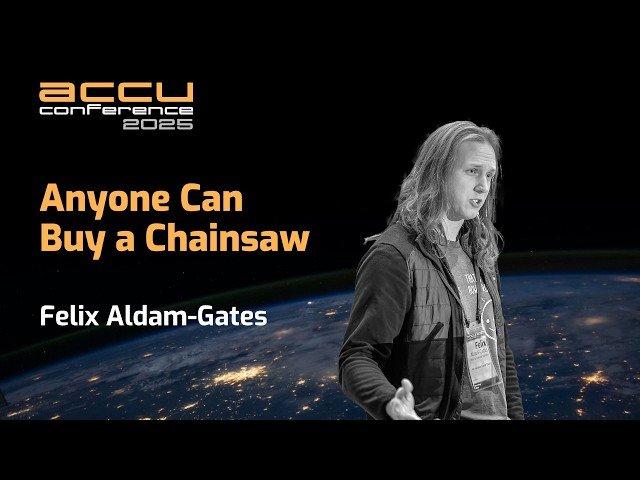
Explore the emerging crisis of technical debt created when non-engineers write code in this 11-minute conference talk from ACCU 2025. Learn how increasingly accessible coding languages and AI tools are enabling traditionally non-technical roles to write code, manage data, and automate workflows without formal software engineering training. Discover the challenges that arise when teams function like software engineering groups but lack foundational practices and tools for reliability, maintainability, and security. Examine the consequences including inefficiencies, avoidable errors, and unmanaged technical debt accumulation. Understand how software engineers can bridge the gap between necessity and expertise to prevent decades of software engineering progress from being lost. Gain insights from Felix Aldam-Gates, a problem-driven Software Engineer at the Office for National Statistics, who shares practical perspectives on addressing this growing phenomenon in modern development environments.

YouTube
Learn essential strategies for creating effective technical documentation in this 12-minute lightning talk from DevOpsDays Tel Aviv. Discover a structured approach to writing technical docs that eliminates wasteful information gathering and prevents duplicate work across teams. Senior DevOps Engineer Hila Fish from Wix.com demonstrates how proper documentation significantly impacts onboarding processes, code maintenance, and system handovers. Explore practical techniques for writing valuable technical documentation without being a professional technical writer, while understanding the broader benefits for individual contributors and organizations. Drawing from 15 years of industry experience, gain insights into how documentation serves multiple strategic interests and contributes to organizational success through improved infrastructure management and knowledge sharing.

YouTube
Discover a structured approach to writing effective technical documentation in this 13-minute conference talk from LeadDev Berlin 2022. Learn why technical documentation is crucial and how to create it without being a professional technical writer. Explore general content guidelines, understand the importance of identifying your audience, and gain practical tips to improve your documentation skills. Equip yourself with the knowledge to produce clear, concise, and valuable technical documents that benefit both you and your team.

Udemy
From the basics to a successful career of travel writing. What you'll learn: How to start a side hustle or a fulltime career as a travel writer.How to be a digital nomad.How to improve their writing. ONE OF THE ONLY TRAVEL WRITING COURSES THAT HAS AN AI ASSISTANT TEACHER AVAILABLE 24 HOURS A DAY TO ANSWER ANY OF YOUR QUESTIONS! This course will take you from beginner writer to a career as a travel writer or digital nomad. There are many assignments and quizzes to help you to solidify your knowledge. Ihave been a travel writer for over 30 years now and I have interviewed other travel writers for this class. Learn from the pros and change your life to a life of adventure for money! There are no requirements to taking this course, just a willingness to learn. The Topics Covered: Editing and Pitching, how to approach editors, improving your creativity, ending procrastination, photography, how to conduct yourself as a travel writer, media and press trips, aboutstarting local and starting small, the mistakes that travel writers make and how to avoid them, how to take notes, what to do with them and how to avoid misunderstandings, and the opinions of various professional writers including: Melinda Joe, Joan D. Bailey, and Steve Gillick. How will you benefit from this course:-you will be able to go from novice to a career in travel writing or being a digital nomad. -you will improve your writing-you will end procrastination-you will improve your creativity-you will discover a whole world of travel and excitement after completing this course.-you will start thinking about how A.I. will affect your career as a travel writer.
YouTube
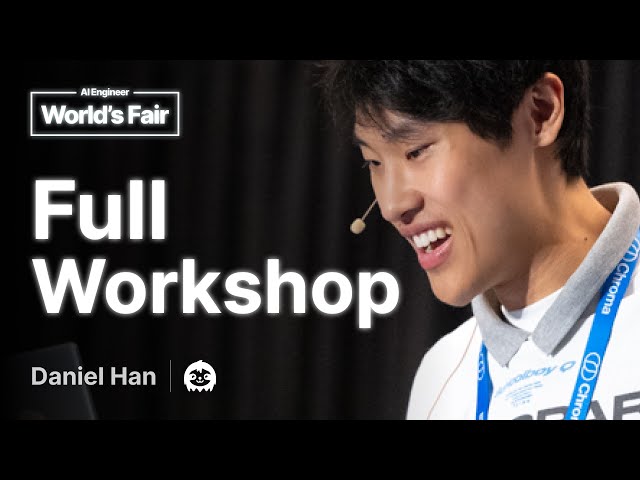
Learn the low-level technical aspects of Large Language Models through this comprehensive workshop that covers debugging, fine-tuning, and mathematical foundations. Dive deep into analyzing and fixing bugs in popular models like Gemma, Phi-3, and Llama, while also addressing tokenizer issues that commonly arise in production environments. Master advanced fine-tuning techniques using Unsloth, including continued pretraining, reward modeling, and QLoRA optimization methods that achieve 2x faster training speeds with 70% less VRAM usage. Explore the mathematical underpinnings of LLMs by hand-deriving derivatives and learning state-of-the-art fine-tuning tricks used by industry professionals. Gain practical experience through hands-on exercises that require Python with PyTorch and Unsloth, with options to use Google Colab or Kaggle for cloud-based development. Benefit from insights shared by Daniel Han, the algorithms expert behind Unsloth who has identified and resolved critical bugs in major models including 8 Google Gemma bugs, Phi-3 SWA issues, and Llama-3 tokenization problems, drawing from his experience at NVIDIA optimizing GPU algorithms and helping NASA engineers process Mars rover data more efficiently.