

Courses
Discover thousands of courses from top institutions and platforms worldwide
Level
Course Type
Duration

Udemy
Mastering Your UI/UX Design Skills with Figma's Essential Features What you'll learn: Introduction to figmaCollaborationDesign principles and best practicesMastering design elementsPrototyping and interactive designResponsive design and component librariesReal-world projects and case studies Hello everyone, welcome to our class of FIGMA for learning UI UX design so if you are planning to learn about it from the beginning then you are in the right place because we will cover in this class from the basic to advanced. This is a beginner level class so if you have no previous experience then you can join this class. Let's take a look what you will learn from this class:• Introduction to figma• User interface• Collaboration• Design principles and best practices• Mastering design elements• Prototyping and interactive design• Responsive design and component libraries• Real-world projects and case studies After completing this class, you will be able to do:• The knowledge and confidence to leverage Figma effectively• Create stunning designs• Collaborate seamlessly• Tackle real-world design challenges• Learn more about remote functionality This is a project-based class so during learning you will have class project so what you learned you will be able to participate in class project so you can do practice while you are learning. You will have supporting resources in this class so it will be easier for you to learn. While learning if you face any issue or if you have any question then feel free to ask me, I am always there to help you. So, let's start learning FIGMA for learning UI UX design.

Coursera
UI and UX design is a thriving industry with numerous prospects for anyone with the right skills. This course is designed for those who are interested in starting a career in designing UI and UX experiences as well as developers who want to create web and front-end applications. It emphasizes the key concepts, tools, and methodologies used in front-end development. Web and mobile-accessible devices are transforming the world. Nowadays, everyone has a smartphone, tablet, smart TV, and/or laptop, which they use for communication and data searching. Companies are increasingly turning to front-end developers, mobile app developers, and UI/UX designers to assist them in producing user-friendly products. Therefore, it is crucial to provide users with a robust yet intuitive user interface and experience. In this course, you will learn about the best practices of visual design development and identify the differences between well-designed and poor user interfaces. You will explore typography, readability, and colour theory in UI design. You will gain insight into key methodologies in visual design like Responsive Web Design (RWD) and Progressive Web Design (PWD). You will gain exposure to tools like Figma, a collaborative cloud-based app used for interface design. You will discover the steps to set up a Figma account and learn about its configuration. In addition, you will explore the various components, styles, libraries, and layout grids used in Figma that are essential for design. Throughout this course, you will learn through videos, readings, activities, and quizzes designed to teach you the fundamentals of visual web and mobile design and development. You will gain a range of technical and practical knowledge and get insights and guidance from experts in the field. The practical knowledge you will gain from the hands-on labs will further strengthen your base and enable you to perform better. This is a beginner’s course, intended for learners with basic computer operating skills who have a fundamental knowledge of visual design development and are familiar with Figma. To be successful in this course, you should have a basic understanding of User Interface (UI) and User Experience (UX) design as well as website wireframes, familiarity with the different kinds of layouts and tools used for visual design in various devices, and familiarity with the Figma application.

YouTube
Explore the fundamentals of UI/UX design in this comprehensive tutorial for beginners. Learn the distinctions between User Interface (UI) and User Experience (UX), and discover their crucial roles in software development. Dive into key concepts such as wireframing, prototyping, and user testing, while gaining insights into the UX process and UI principles. Understand how to use popular tools like Adobe XD for creating prototypes and wireframes for web and mobile applications. Gain practical knowledge on user testing methods, essential UI/UX tools, and best practices in graphic designing. By the end of this tutorial, develop a solid framework for building a career in UI/UX design and appreciate the significance of this often undervalued practice in attracting and retaining customers through visually appealing and functional experiences.

edX
In this course, you will learn the fundamentals of user interface personalization in the context of web sites and web applications. You will learn how user interface (UI) personalization can enable web pages to adapt to a diversity of needs, especially the needs of people with disabilities. The course will explain the difference between adaptable and adaptive user interfaces, and why adaptable user interfaces have been only moderately successful. You will receive an introduction to the Global Public Inclusive Infrastructure (GPII) framework and its infrastructure of automatically adapting a user interface to a user’s needs and preferences. Optionally, you will also learn how to make an example web application adaptable by connecting it with the GPII framework.

Pluralsight
Understanding User Experience (UX) and how to improve it is a key skill for any modern developer. Unfortunately, many developers have a difficult time embracing UX due to its nebulous and design-focused nature. This course will give you a super-simple, crystal-clear understanding of UX and will teach you how to incrementally improve it by hacking your users' brains. In the end, you will have the knowledge necessary to make you a better developer, and make you much more valuable in this new age of user experience.

Udemy
Learn the fundamentals of UX (user experience) design and process. What you'll learn: Describe what user experience design is and why it's importantDescribe the principles of great user experience designDescribe the process you should follow to design a great user experienceDescribe the skills and knowledge that you need to be a user experience professionalDescribe the obstacles that are common to great user experience design and how to overcome themKnow what to do as a next step for you as a user experience professional Learn the fundamentals of UX (user experience) design and process.If you design a product that people interact with, then you are designing a user experience. If you want your product to be easy to use, engaging, what people expect, and meet the goals of the organization, then you want to make sure you design an optimal user experience. In this course you will learn the basic principles, processes of good user experience, and what a user experience professional should know and be able to do. Examples of what is in the course: What is user experience?What makes a user experience good?Principles of a great user experienceUX RolesThe skills and knowledge that a user experience professional needsThe obstacles to great user experience design and how to overcome them and much, much more! Get started now and learn the basics of user experience right away. Over 50,000 students have taken our online video courses.

Coursera
In this UX capstone course, you’ll conduct a multi-stage user experience project to design a product from scratch. You will employ interviews, inspection methods, and user testing, along with ideation, design, and prototyping methods to gain and communicate valuable insight that can be used to deliver a compelling product. You will: Learn how to design and carry out an integrated multi-phase user experience research and design project Gain experience conducting user experience research in a real-world setting Gain hands-on experience with a realistic UX design project Improve ability to communicate design concepts and actionable research findings.

Udemy
Master Figma app to get a job in UI Design, User Interface, User Experience design, Web Design & UX design. What you'll learn: Become a UI/UX designer.Master the best cross-platform software in UI/UX design, Figma.You will be able to start earning money from your Figma skills.Become a web designer.You will get an e-book (200+ pages)Build a UI project from beginning to end.Build & test a complete mobile app.Build and test a complete landing page.You will be able to add UI/UX designer to your CV.Learn to design mobile apps & websites.Work with colors & fonts.Interactive prototypingYou will create an interactive prototype with micro interactions.Export production ready assets.Send your design to your client for feedback.Design 3 different logos.You will create your own UI Kit.Create low-fidelity wireframe.Learn professional technique & shortcuts.Downloadable exercise files.Create your own 3D Model.Design 3D scenes.Design for Augmented Reality projects.All the techniques used by UI professionalsYou will learn how to choose colors.You will learn the basics of Adobe Photoshop.You will learn how to choose the correct font.You will learn about typography.You'll be able to send your final project to other professionals in the correct formats.You will learn how to get your first client.You will learn how to start your own business.150 well-structured lectures Do you want to become a UI/UX designer but you don't know where to start? This course will allow you to develop your user interface design skills and you can add UI designer to your CV and start getting clients for your skills. Hi everyone. I'm Arash and I'm a UI/UX designer. In this course, I will help you learn and master Figma app comprehensively from scratch. Figma is an innovative and brilliant tool for User Interface design. It's used by everyone from entrepreneurs and start-ups to Apple, Airbnb, Facebook, etc.By the end of this course, you will be able to create world-class User Interface (UI) and User Experience (UX) designs. Throughout the course first, you will learn about all the Design Basics, UI Elements, Typography, etc. and then we will work on real-world projects together.Moreover, we will design a finance app completely from scratch and I will share with you all the necessary techniques and hidden secrets you need for mobile application and web design. Additionally, we will design a complete modern landing page together where you will learn the essentials of web design.This course has been designed for people completely new to UI/UX design or let’s say design in general. We will start with the most basic principles and work all the way through, step by step.We start the course by explaining the differences between UI and UX design. And then we will start learning about Figma app in Figma Academy section. After that, we'll create a simple low-fidelity wireframe to understand its usage and benefits.I’ll go over all of the essential tools necessary for creating an amazing User Interface (UI) and User Experience (UX). Not only will you learn about Figma app, but also you will learn about Adobe Photoshop, Vectary, Dribbble, Behance, etc.The Design Basics section covers all the necessary principles, including: Layout, Iconography, Typography, Color Contrast, Composition, Spacing, etc.One of the interesting parts of the User Experience design process is micro-interactions. I will teach you how to use InVision Studio for creating this kind of interaction.With over 10 hours of content across 150+ lectures, I will take you from beginner to expert, and teach you everything you need to know in order to use Figma in a professional manner.An amazing course for people with zero design experience, or for experienced designers that want to learn and master Figma and want to become a User Interface designer. By the end of this course, you’ll have a complete, real-world project for your own portfolio, and every student will have the knowledge and confidence to apply for a UI/UX designer job. Don't just take my word for it, see what my past students had to say about my design courses:"I loved this course. Highly recommended if you want to build real-world designs. loved Arash's style of teaching." - Mustafa Alabdullah"This course is AMAZING! I really like the content especially the projects. I could finally find a course to take me from the very basic concepts to the most complex part of UI/UX design. I 100% recommend it." - Zhan K"A comprehensive and detailed course for anyone looking to become a UI/UX designer. Clear and easy to understand explanations. It covers all of the topics required for a real-world professional." - Erikas"The course was awesome, he went through a lot of features and showed a whole lot of stuff that is going to make me a better UI/UX designer. Thank you Arash." - Sara Brown"Such an amazing course. I was always looking for a comprehensive course that could teach me everything in one place. I finally found it. I recommend this course to anyone who wants to become a world-class UI/UX designer." - Louis Castillo Course highlights:Mastering Figma AppTips & Tricks, make most of Figma ToolsColors, Iconography, and TypographyBONUS! Get 2 brand-new UI Kits worth $3000.BONUS! You will get an e-book (200+ pages) worth $199.A certificate of completion upon finishing the course. We are so confident that you will love this course that we're offering a 30-day money-back guarantee! So you can sign up today with zero risks. So, what are you waiting for? Enroll today!!

Udemy
Learn the basics of successful User Experience Design and User Interface Design What you'll learn: The fundamentals of User Experience DesignHow to incorporate Design Thinking and Lean UX in your Design ProcessHow to create User Personas, User Scenarios and Use CasesHow to design Information Architecture and use Card Sorting and Mental Models for excellent NavigationThe fundamentals of User Interface DesignColor Psychology, Typography Principles and much moreHow to use Motion and Animations in User InterfacesThe 10 Usability Heuristics of Modern User Interface DesignHow to do User Research and what Methods to use when testing a User Experience This course covers the basics of User Experience Design and the fundamentals of User Interface Design – since it helps tremendously to have a basic understanding of how graphical user interfaces work when designing a UserExperience.We need to understand the people using our products so we start by learning the basics of human-centered design.We learn how to do Market Research and how we can develop prototype users – so-called Personas to help us further improve our design. We talk about User Stories and User Scenarios which in combination with Use Cases allow us to test our design and discover any possible errors.Sensible Information architecture is incredibly important which is why we will teach you how you can use techniques such as card sorting to improve the user flow and navigation of your products.Designing a User Experience is always a process so we’ll look at how we can incorporate Design Thinking and Lean UX into our work, and make sure that our products are as accessible as possible we also cover the most important Usability Heuristics you should pay attention to.In the user interface design part of the course, we talk about the most important things that influence a user’s experience with our products when it comes to the visual aspect.You will learn about Color Psychology and what combinations you can use to make your products as appealing as possible. Typography and Motion are powerful tools we have at our disposal that can make our products even more intuitive to use.All of this and much more will be covered in this course and if you want to learn the fundamentals of modern user experience, interaction, and interface design - then you’ve found the right course.

Udemy
The Beginner's Guide To User Interface And User Experience Design. No Experience needed! What you'll learn: Learn the basic Ui & UX Design PrinciplesLearn the Difference between UI & UXLearn the foundation and nature of UX DesignLearn Key Guidelines For Proper Mobile App DesignsLearn the Basic User Interface FundamentalsLearn additional Tips and Lessons for UI & UX Design LATEST: Course is updated for month of November 2015.5 November 2015 - New lectures added! 1. Anatomy of great web design2. Best web layouts for effective design3. Fixed sidebar4. Eye Tracking 1013 July 2015: New lecture added! - Section 2 Lecture 3: Mastering UI Patterns Designing for Space: Sculpture Through Subtraction Contrast and similarity30 June 2015 : New lectures added! - Section 2 Lecture 3: Tools for website prototyping The 5-Second Test for Visual Hierarchy Color TheoryJOIN OVER 7000+ SUCCESSFUL STUDENTS WHO HAVE ALREADY TAKEN THIS COURSE!*******************************************************************************************************************THIS COURSE IS CREATED FOR ONE SIMPLE PURPOSE :To help you understand and fully comprehend the key concepts needed for web and mobile app design which are User Interface and User Experience Design Principles!Whether you are - A total newbie on User Experience Design and clueless on how to get started:You will gain a solid foundation on the WHATs and HOWs of User Experience Design. This is a structured course that teaches you a systematic way to learn the basic foundational concepts of UI & UX Design that will save you years of time figuring things out on your own. About this courseOver 10+ Lectures and 1 Hour of ContentFull, free lifetime accessAll future extra lectures and upgrades are always included for free30 day money-back guarantee -- my personal promise to your success!Monthly BONUS Lectures to enhance your UX Design Skills!24/7 Instructor Chat Support -- I will personally help youAfter taking this course, you'll be able to...Learn the basic UI & UX Design PrinciplesLearn the Difference between UI & UXLearn the foundation and nature of UX DesignLearn Key Guidelines For Proper Mobile App DesignsLearn the Basic Fundamentals of User Interface DesignLearn additional Tips and Lessons for UI & UX DesignBy enrolling in this course, you will also receive support from me and I will be personally answering your questions in the student discussion area.If you are willing to learn and put in the effort to implement what I teach you in this course, go ahead now and click the big blue button at the top to enroll yourself and start experiencing the results for yourself!I look forward to hear your personal success story and I'll see you on the other side!

Udemy
Learn UI Design, User Interface, User Experience design, UX design & Web Design What you'll learn: How to become a UX designerBecome a UI designerFull website designAll the techniques used by UX professionals Welcome to the Essentials of User Experience Design: Adobe XD UI/UX Design course! This comprehensive online training program is designed to equip you with the fundamental knowledge and skills required to create engaging and user-centric digital experiences using Adobe XD.User Experience (UX) design plays a crucial role in today's digital landscape, shaping the way users interact with websites, mobile apps, and other digital products. In this course, we will delve into the core principles and best practices of UX design, focusing specifically on Adobe XD as the primary tool for creating stunning user interfaces (UI).Throughout this course, you will embark on a hands-on journey that covers all aspects of the UX design process. We'll start by introducing you to the foundational concepts of UX design and the importance of understanding user needs and goals. You will learn how to conduct user research, create user personas, and develop user flows to ensure a seamless and intuitive user experience.Next, we'll dive into the world of Adobe XD, a powerful design and prototyping tool used by professionals worldwide. You will gain a solid understanding of the Adobe XD interface and its various tools and features. We'll explore how to create wireframes, design high-fidelity mockups, and implement interactive prototypes that bring your designs to life.As we progress, we'll explore the principles of visual design and discuss the importance of creating visually appealing and consistent user interfaces. You will learn about typography, color theory, iconography, and other essential design elements to enhance the overall user experience.Throughout the course, you'll be engaged in practical exercises and projects that will reinforce your learning and allow you to apply your newfound skills. By the end, you'll have developed a solid foundation in UX design principles and be proficient in using Adobe XD to create captivating user interfaces and interactive prototypes.Whether you're a beginner looking to enter the exciting field of UX design or an experienced designer seeking to expand your skill set, this course will empower you to create exceptional digital experiences that captivate users and drive success.Enroll now and start your journey towards becoming a skilled UX designer with Adobe XD!

Udemy
Use XD to get a job in UI Design, User Interface, User Experience design, UX design & Web Design What you'll learn: Become a UX designer.You will be able to start earning money from your XD Skills.You will be able to add UX designer to your CVBuild a UX project from beginning to end.Become a UI designer.Build & test a full mobile app.Build & test a full website design.You will have a project of your own to add to your portfolio.93 lectures of well-structured, step by step content.Learn to design websites & mobile phone apps.Work with fonts & colors.Prototype your designs with interactions.Test on mobile phones.You'll create realistic prototype complete with micro interactions.Send your designs for feedback & commenting.Export production ready assets.Create your first UX brief & persona.Create quick wireframes.How to use premade UI kits.Learn professional workflow tricks & shortcuts.You will get the finished files so you never fall behindDownloadable exercise filesForum support from me and the rest of the BYOL crewAll the techniques used by UX professionalsBuild a mobile app prototype that responses to voice commands.You will be able to talk correctly with other UX design professionals.You'll learn how to choose colors.You'll learn how to pick the correct fonts.You'll be able to send your finished work to other professionals in the correct formats. Are you excited to get into the world of UI/UXbut you don't know where to start?This course will allow you to add UXdesigner to your CV& start getting paid for your new skills.Hi there! My name is Dan & I’m an Adobe Certified Instructor. I’m here to help you learn Adobe XD efficiently and comprehensively. XD is a fantastic design tool used by industry professionals to product high quality & functional mockups. By the end of this course, you will be able to produce practical and effective User Experience (UX) and User Interface (UI) designs.Throughout the course I’ll invite you to participate in a real-life freelance project which I’m working on. It’s a project that requires a fresh website and mobile app interface. This will prepare you for dealing with real world projects if you choose to move towards a UX/UI career path.Aria: "This course is definitely above expectations so far. I didn't expect to get so much insight into the briefing and the communication between UX Designer and a client. It helps to see the brief and to learn that there are different tiers of income based on projects and experience. Love It!"This course is aimed at people interested in UI/UX Design. We’ll start from the very beginning and work all the way through, step by step. If you already have some UI/UX Design experience but want to get up to speed using Adobe XD then this course is perfect for you too!First, we will go over the differences between UX and UI Design. We will look at what our brief for this real-world project is, then we will learn about low-fidelity wireframes and how to make use of existing UI design kits.I’ll go over all of the essential tools necessary for creating excellent wireframes, including: type, colours, icons, Lorem ipsum, artboards, prototyping, models and popups, symbols and repeat grids. We will even make use of the new prototyping app so that you can experience your prototype on your mobile device.Kate:Excellent course - Dan is an excellent teacher and I thoroughly enjoyed following along with his videos. Highly recommend! July 2018: I have updated this review with an extra star because of how useful this course has been in the months following it's completion. I am using Adobe XD daily and Dan's instruction was instrumental to adding this feather to my front-end web development hat.An important part of maximising your UX Design workflow is being able to utilise other software such as Photoshop and Illustrator. This is why I’ll be teaching you how to make use of both to help boost your XD productivity.One of the awesome new features of XD is micro-interactions. I’ll be teaching you all about those and how to use them to grow icons and scenes. This is one of the parts of web design that’s growing and being adopted rapidly so you won’t want to miss out on learning it early.Leigh:"I really enjoyed this course. I was a UX designer before the course and was looking for more information on XD and getting to know the program itself better, and this course really nailed it! It has great UX references and a few refreshing perspectives. As well as it really helps you learn XD in the process. The instructor is engaging and fun to listen to. Really really great course. I highly recommend to any new UX designers, as well as veterans looking for a refresh, or just to learn how to use XD."There are two class projects for you to complete during this class, these will help develop your skills and will give you something for your own portfolio.It is now time to upgrade yourself & learn Adobe XD.

Udemy
A short course that introduces you to the principles and processes of UX Strategy work in an organization What you'll learn: Principles and processes of UX Strategy work in an organization Doing great user experience (UX) research and design work is not all that is involved in having a successful UX practice. If you want UX to grow and thrive in your organization then you need to learn the principles, practices, and processes of UX Strategy. In this short course you will learn the basic principles and processes of UX strategy, and what a UX Strategist should know and be able to do. We'll share with you some documents and templates that you can use to put together a short and long term strategy roadmap and an action plan for your UX team, whether you are a large team or a team of one.You will learn:What does it mean to be a UX Strategist?Principles of user experience strategyThe types of activities that are involved in UXAn overview of the most used UX methodsIdeas on how to promote UX in the organizationWhat it means to put together a UX infrastructure in your organizationAn overview of the principles of good UX designWhat makes for a good UX process?How to create a UX Strategy Roadmap and an Action Plan, with templates for bothOnce you register for the course you can access it 24 hours a day, and learn at your own pace on either a desktop, laptop or mobile device.Become a UX Strategist. Get started right away to learn the fundamentals of UX Strategy. Over 50,000 students have taken our online courses.

Udemy
Design User-Centered Mobile Apps and Solve Real Problems : User Interface, User Experience design, UX Design with Figma What you'll learn: Become a Successful UI/UX designer.Visual design fundamentals: Master color psychology, the 60-30-10 rule, select font that enhances readability and brand identity, and iconography.Organization: Keep everything neat, finding what you need in a flash.UX principles and laws: Build user-centered apps that anticipate needs and solve real problems.Learn to design wireframes and low fidelity prototypesLearn to build high-fidelity mockup and prototype by following best practices.How to use Figma for Essential UX Design & UI Design Ready to launch your UI UX app design journey or take your skills to the next level? This class is your rocket fuel! We're ditching dry theory and jumping right into pixel-perfect reality. Turn your vision into a stunning mobile app, one pixel at a time.Here's what you'll master:The importance of wireframes and prototypes in the early stages of the design process.How to use the Figma design tool.How to design low-fidelity wireframes.How to design high-fidelity mockups.How to create interactive prototypes.Visual design fundamentals: Master color psychology, the 60-30-10 rule, select font that enhances readability and brand identity, and iconography.Organization: Keep everything neat, finding what you need in a flash.UX principles and laws: Build user-centered apps that anticipate needs and solve real problems.UI design: build high-fidelity mockup and prototype by following best practices.Who's this class for? Anyone who wants to learn the A-Z of creating wireframes and low-fidelity prototypes. then turn them to high-fidelity mockups and interactive prototypes! No prior experience is needed, just a passion for creating amazing apps.Your co-pilot on this journey? Me! We'll craft a delicious food-ordering app together, mastering UX/UI principles along the way. By the end, you'll be ready to conquer any app you dream of. Benefits? Buckle up!Master visual design and UX principles: From colors and fonts to user journeys, you'll build a rock-solid foundation.Craft stunning high-fidelity mockups and prototypes: Say hello to your future portfolio!Become a user-centered design champion: Build apps that truly solve problems and make life easier.What are the requirements for taking this class?A computer/laptop with access to the Internet.A Figma account.Ready to launch your UI/UX design journey? Let's get started!

Udemy
Learn UI UX Design with Adobe XD - Master UX/UI Design: Craft Engaging Experiences with Adobe XD What you'll learn: Introduction to Adobe XDWireframing and PrototypingResponsive DesignTypography and Color TheoryIcon and Illustration DesignUser-Centered Design Principles Welcome to the ultimate Adobe XD Masterclass, where you'll transform your design ideas into stunning user interfaces and engaging user experiences! This comprehensive Udemy course is your ticket to becoming a proficient UI/UX designer, whether you're a beginner or an experienced professional looking to enhance your skills.Course Highlights:Introduction to Adobe XD: Start your journey with a solid foundation in Adobe XD. Learn the interface, tools, and key concepts that make it a go-to choice for UI/UX design.Wireframing and Prototyping: Discover the art of wireframing and create interactive prototypes that bring your designs to life, allowing for user testing and feedback.Responsive Design: Master the techniques for designing responsive interfaces that adapt seamlessly to various screen sizes and devices.Typography and Color Theory: Dive into the world of typography and color psychology to create visually appealing and user-friendly designs.Icon and Illustration Design: Learn to create custom icons and illustrations that add personality and clarity to your designs.User-Centered Design Principles: Understand the principles of user-centered design, including usability testing, user personas, and user flows.Designing for Web and Mobile Apps: Explore the nuances of designing for both web and mobile applications, including platform-specific guidelines.Collaboration and Sharing: Discover how to collaborate with team members and clients by sharing your design files and gathering feedback efficiently.UI Animation: Elevate your designs with UI animations and micro-interactions that enhance the user experience.Real-World Projects: Put your skills to the test with hands-on projects that simulate real-world design challenges, from concept to final prototype.Stay Updated: Stay current with the latest features and updates in Adobe XD, ensuring your designs are always cutting-edge.Whether you dream of designing sleek mobile apps, intuitive websites, or user-friendly software interfaces, this course will equip you with the knowledge and practical skills to turn your vision into reality. Join a community of aspiring and experienced designers, and unlock your potential in the exciting field of UI/UX design.

Skillshare
Overview Hi there, my name is Dan & I am an Adobe Certified Instructor. Together we are going to learn how to use Adobe XD. We will use this UX and UI design tool to create a beautiful User Interface & streamlined User Experience. During our course we will use an actual freelance project which I am working on. It’s a project that needs both a website interface & a mobile app, so it will give you a good idea of how to manage your own UX projects. This course is aimed at people new to design & user experience. We will start right at the beginning and work our way through step by step. First I’ll show you how to construct a good brief & UX persona. Then you will learn to create simple wireframes, from there we will learn how to implement colours & images correctly in your designs. You will learn learn the do's and don'ts of choosing fonts for web & mobile apps. We will also cheat a little by exploring pre-made UI kits to speed up our workflow. We will build & prototype both a website design and a mobile app design, connecting pages and also adding full interactivity ready for user testing. I will share with you all the secret tricks inside Adobe XD that help you speed up repetitive tasks and we will work all the way through to exporting correct files & creating your design specs. There is a project for you to complete during this class which will help develop your skills and will give you something for your own portfolio. It is now time to upgrade yourself & learn Adobe XD. Get your downloadable exercise files here. Get your downloadable completed files here. What are the requirements? You will need a copy of Adobe XD 2018 or above. A free trial can be downloaded from Adobe. No previous design experience is needed. No previous Adobe XD skills are needed. What am I going to get from this course? 42 lectures of well-structured, step by step content. Learn to design websites & mobile phone apps. Work with fonts & colors. Prototype your designs with interactions. Test on mobile phones. Send your designs for feedback & commenting. Export production ready assets. Create your first UX brief & persona. Create quick wireframes. How to use premade UI kits. Learn professional workflow tricks & shortcuts. You will get the finished files so you never fall behind Downloadable exercise files Forum support from me and the rest of the BYOL crew All the techniques used by UX professionals What is the target audience? This course is for beginners. Aimed at people new to the world of design & user experience. No previous Adobe XD experience is necessary. For anyone that needs to add ‘UX Design’ to their portfolio.

Udemy
Learn UI UX Design with Figma for Prototyping, Web Interface Design, Mobile App Interface Design What you'll learn: Workspace and InterfaceBasic tools in FigmaHow you can do PrototypingEasing options and Prototype animationSmart animationColour inspiration, colour palette and eyedropper toolMasking, Cropping and Image pluginsComponent and EffectsProject of Web and App Interface Design Hello everyone welcome to our class of Figma for learning UI UX so if you are planning to learn User Interface and User Experience from the beginning than you are in right place because we will cover in this class from the basic to advanced. This is a beginner level class so if you have no previous experience then you can join in this class.Lets take a look what you will learn from this class:1. Introduction to Figma 2. Workspace and Interface 3. Basic tools in Figma- 4. How you can use pages in Figma 5. How you can do Prototyping in Figma 6. Easing options and Prototype animation 7. Smart animation 8. Usefulness of sharing and adding comment 9. Columns and grids 10. Colour inspiration, colour palette and eyedropper tool 11. Gradients 12. How to use images in Figma 13. Masking, Cropping and Image plugins 14. Component and Effects 15. Exporting ImagesAfter complete this class you will be able to do -Make your own mobile app and web page -Make your own colour palettes and gradients -Able to grab a good knowledge of coloring in web designing -Do Prototyping -Use your selected images to make buttons and also make the font of the web pageThis is a project based class so during learning you will have class project so what you learned you will be able to participate in class project so you can do practice while you are learning. You will have supporting resource in this class so it will be easier for you to learn.During learning if you face any issue or if you have any question than feel free to ask me on class discussion section I am always there for you to help you. So lets start learning Figma for UI UX together
Udacity
In this course you will start using SwiftUI and Xcode to develop user interfaces for iOS! You'll start by learning the fundamentals of UI design and explore the common design patters in iOS apps. Next, you'll install Xcode on your local machine and start creating views and hierarchies. You'll learn how interaction works in iOS apps deploy interactive components including buttons, forms, gestures and animations. After that, you'll take a deep dive into app navigation using stack navigation, tab navigation, and split view navigation. The course will conclude with a fun project where you'll create an event countdown app.
YouTube
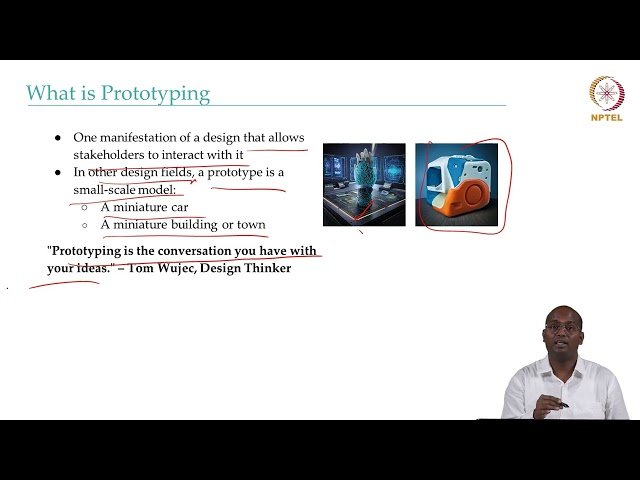
Learn prototyping fundamentals and explore AI-powered user interface design in this comprehensive lecture from NPTEL-NOC IITM. Discover the essential role of prototyping in interaction design and understand the distinction between conceptual and concrete design approaches. Explore cutting-edge smart UI technologies including AI-powered personalization, predictive analytics, context-aware interfaces, and real-time UI adjustments that adapt to user behavior and environmental conditions. Examine AI-oriented UI principles and discover how artificial intelligence can automate UI evaluation and enhance usability testing processes. Gain insights into user experience optimization through systematic journey mapping techniques that reveal critical touchpoints and pain points in user interactions. Master various prototyping methodologies and tools ranging from traditional paper-based approaches to sophisticated digital platforms and physical computing kits for creating interactive prototypes. Analyze real-world case studies that demonstrate successful implementation of smart UI principles and AI-driven interface design solutions across different industries and applications.

Udemy
Learn how to design a user experience (UX) that people want to use. What you'll learn: Learn the psychology that applies to behavior when people use websites, apps or other technology productsLearn how to create a more engaging design using these psychology principlesLearn what really motivates people to take action In this course you will learn how to design a user experience (UX) that is engaging. You'll learn about what motivates people to take action, and how to use this knowledge to design websites, apps, and products so that they are engaging and so people will take the action you want them to take.This course is based on a semester-long course taught at the University of Wisconsin, Stevens Point by the same instructor, Dr. Susan Weinschenk.About This Course:You will learn about:Theparts of the visual cortex that are sensitive to certain visual stimuli, and how that should inform your visual designsA special part of the brain that is sensitive to faces and how to use faces to grab attentionHow having a number in one place can affect how people respond later onHow to use human factor loads to make a product more engagingChoice architectureSocial validationHow people process storiesThe impact of self-stories on behaviorWhich instincts grab attentionWhat makes a product habit formingWhen to use rewards and when not toWhy gamification often doesn't workHow to stimulate the desire for masteryHow to apply engagement principles to a re-design or to a new productand more!You have unlimited access to all the lessons 24 hours a day, for as long as you want or need them, so you can take the course at your own pace and go back to review any materials any time you want.There are quizzes throughout the course to test your knowledge and exercises to practice what you are learning.Get started right away. You don't want to delay learning how to create engaging products that people WANT to buy and use and that motivate them to action. Over 50,000 people have taken our online video courses.